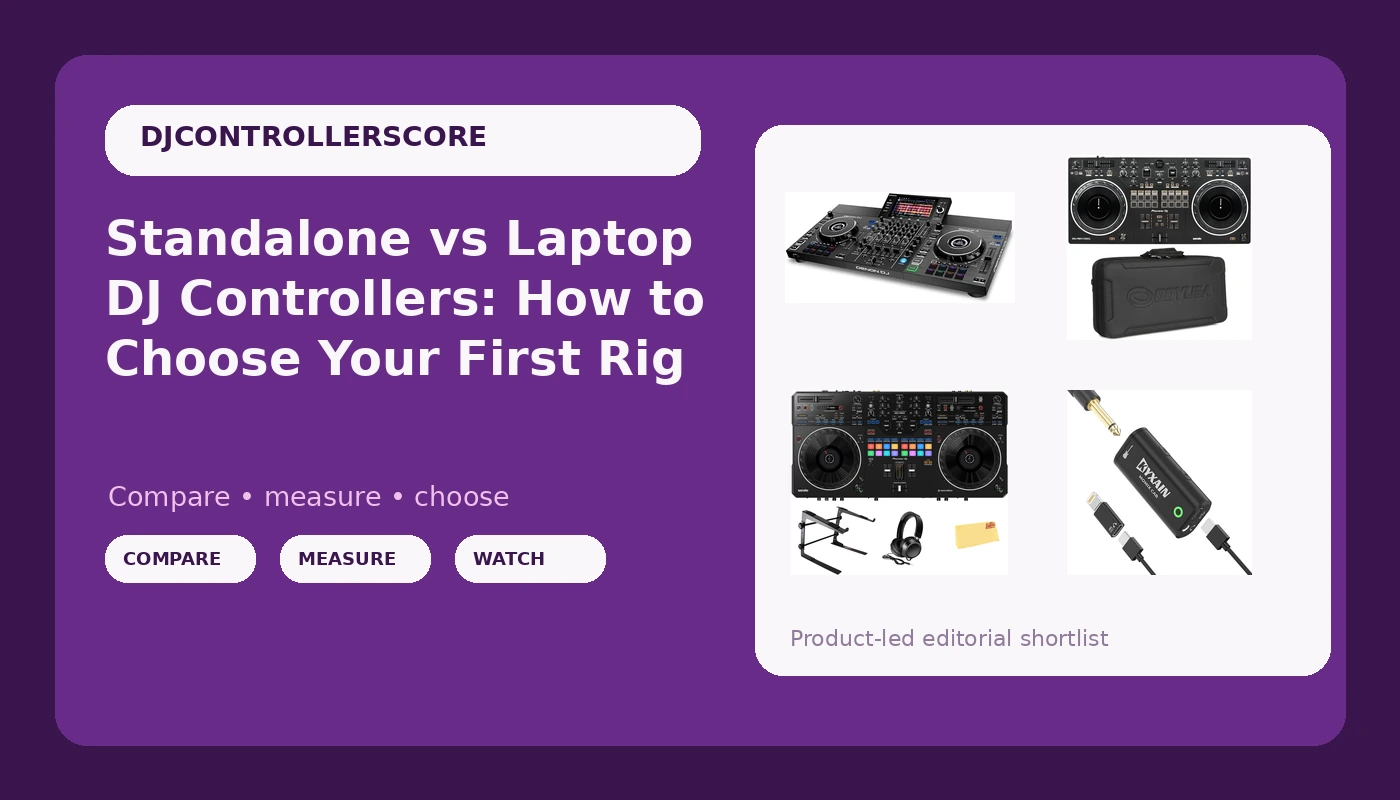
Choosing a DJ controller is less about the spec sheet than about what your hands do when the room stops caring about build quality. Four very different pieces of gear sit in front of you here: a standalone unit that runs without a laptop, two Serato-oriented Pioneer controllers at opposite ends of the ladder, and a pocket audio interface that solves a problem most DJs do not know they have until the first livestream. The honest framing for choosing a DJ controller is not "which one is best." It is which one matches the way you actually play right now, and which one you will still be happy with after a year of Friday nights.
Related: Rekordbox vs Serato: Which DJ Software Should You Learn First? →
Quick answer
If you want a rig that plays without a laptop, the Denon DJ SC LIVE 4 is the standalone option in this group, and the standalone design is right there in the product name. If you are learning on Serato and want the lowest-risk way in, the Pioneer DJ DDJ-REV1 is a two-deck Serato controller that ships with a carry case. If you want a scratch-style layout and the accessories you would otherwise buy separately, the Pioneer DJ DDJ-REV5 bundle covers that. And if your sets get streamed as often as they get played in a room, the pocket audio interface is the inexpensive link in the chain that handles audio routing from a phone, tablet, or laptop. Decide on software first, layout second, and budget last.
Four useful options
| Model | Best fit | What stands out |
|---|---|---|
| Denon DJ SC LIVE 4 Standalone DJ Controller Black | Playing without a laptop | Standalone design stated in the product name, one-piece unit |
| Pioneer DJ DDJ-REV1 2-deck Serato DJ Controller with Carry Case | A first Serato setup | Two-deck Serato layout that ships with a case |
| Pioneer DJ DDJ-REV5 Scratch-Style 2-Channel Professional DJ Controller Bundle | Scratch-style mixing with accessories included | Two-channel scratch-style layout plus laptop stand, headphones, and cloth |
| Guitar Audio Interface Pocket Internal Recording Sound Card | Streaming and recording from phone or laptop | Type-C and Lightning connections, plug and play |
The standalone route: Denon DJ SC LIVE 4 Standalone DJ Controller Black
The trade-off with any standalone controller is flexibility. When the computer disappears from the chain, so does the thing you were using as a screen, a library, and a backup drive. What you get in return is setup speed: one power connection, one set of cables to the speakers, and no software update that decides to run twenty minutes before doors. For a wedding, a bar residency, or any gig where you are carrying your own gear in and out of a car, that difference is real. For a bedroom setup where the laptop is already on the desk, it matters much less, and you are paying for a capability you may not use.
The Serato starter: Pioneer DJ DDJ-REV1 2-deck Serato DJ Controller with Carry Case
Two channels is not a limitation when you are learning. It is a curriculum. With two decks you have to plan the transition instead of stacking a third track on top of a messy blend, and that planning is the actual skill. The case in the box is not glamorous, but it means the controller survives the trip to a friend's place, which is where most of your early practice sets will happen. The thing to watch on any entry-level controller is the fader feel. Crossfaders and channel faders are the parts that wear first, and a scratch-heavy practice routine will find the weak point long before the jog wheels give out.
The scratch-style bundle: Pioneer DJ DDJ-REV5 Scratch-Style 2-Channel Professional DJ Controller Bundle
A scratch-style layout puts the controls where turntablists expect them, which changes how the unit feels the first time you try a baby scratch or a transformer. The bundle logic is worth thinking through carefully. A laptop stand and headphones are things you will need regardless, so bundling them removes two separate purchases and two separate shipping waits. The flip side is that you do not get to pick your own headphones, and headphones are personal in a way a stand is not. If you already own a pair you trust, you are paying for a duplicate. If you own nothing yet, the bundle shortens the list of things standing between you and your first practice session.
The streaming utility: Guitar Audio Interface Pocket Internal Recording Sound Card
This is not a controller and it should not be on your list if you are shopping for decks. It belongs on the list because it addresses the least glamorous failure point in a modern DJ setup: getting clean audio out of a mixer and into a phone for a stream. Controllers with built-in audio interfaces handle that on their own. Controllers without one, or setups where you are streaming from a phone rather than a laptop, need something in between. The Type-C and Lightning support matters because it means the same little box can follow you between an Android phone, an iPhone, and a laptop without a drawer full of adapters.
Prices and availability may change. Product images, names, and retailer links must be matched by verified ASIN. Do not state a current price, rating, stock status, or measured result without current evidence.
What standalone actually changes
A standalone controller runs its own operating system and reads your music from internal storage or a USB drive. That single fact reshapes your whole workflow. Load-in gets shorter because there is no laptop to open, no dongle to find, no software to authorize. Failure modes change too: instead of a laptop that might sleep, throttle, or push a notification over your waveform, you have a dedicated device whose only job is audio.
The cost is on the preparation side. You have to move your library into the standalone ecosystem and keep it organized there, and you have to think about drive redundancy before the gig rather than during it. Standalone players also tend to sit at a higher price point than a comparably sized laptop controller, because you are buying the computer as part of the unit.
None of that makes standalone automatically right. If your practice happens at a desk next to a laptop that is already on, a laptop controller is cheaper, more flexible, and easier to update. If your practice happens in different rooms every week, standalone starts paying you back in saved setup time.
Software bundles, jog wheel feel, and fader life
The bundle is half the value of any controller, and the two Pioneer units here both point at Serato. That matters more than any single knob, because your library lives in the software. Switching ecosystems later means re-analyzing tracks, rebuilding crates, and relearning where the loop controls are. Pick the software you intend to stay on, then pick the controller that ships with it.
Jog wheel feel is the other half. Resistance, surface texture, and how the platter responds to a light touch determine whether a pitch bend feels like a nudge or a mistake. This is the one spec you cannot read off a listing. If you can put your hands on a display unit before buying, do it, and do it with your eyes closed so you are judging feel and not looks.
Faders are the part that fails. Crossfaders take the abuse on scratch-heavy setups, channel faders take it on long sets, and the question is never whether they wear out but whether they wear out during a paying gig or during practice. Budget accordingly, and treat any controller with flashy lighting and questionable fader feel as a warning sign rather than a feature.
- Decide which software you will commit to, since the controller has to match it.
- Decide whether a laptop is part of your setup or a thing you want to leave at home.
- Count the channels you actually use in a set, not the channels you imagine using.
- Check whether the accessories you need are included, or whether you are buying them separately anyway.
- Set a budget ceiling and hold it, because the upgrade you actually want is usually one tier up.
Practical guidance before you buy
- Practice on the controller you own instead of researching the one you do not. Gear is rarely the bottleneck.
- Two solid channels beat four channels you have not learned to use.
- Plan the transition before you need it. A controller cannot cover for an unmapped mix.
- Buy the case early. Controllers die in transit far more often than they die on the desk.
- If you stream, solve the audio routing before your first broadcast, not during it.
Which option should you choose?
Choose the Denon DJ SC LIVE 4 Standalone DJ Controller Black when you want to leave the laptop at home and play from a single unit. Choose the Pioneer DJ DDJ-REV1 2-deck Serato DJ Controller with Carry Case when you are starting on Serato and want two decks plus a case without committing to a large layout. Choose the Pioneer DJ DDJ-REV5 Scratch-Style 2-Channel Professional DJ Controller Bundle when you want a scratch-style layout and would rather have the laptop stand and headphones included. Choose the Guitar Audio Interface Pocket Internal Recording Sound Card when the missing piece is getting audio into a phone, tablet, or computer for streaming and recording.
One caveat on all four: nothing here tells you how the jog wheels feel under your hands or how the faders hold up over hundreds of hours. Those are the two things that decide whether a controller stays with you, and they are also the two things a listing cannot show. Buy from a seller with a return window, use the return window properly, and judge the unit on a full-length session rather than a ten-minute test.
The bottom line
The right controller is the one that matches your software, your setup time, and the size of your practice space, in that order. A standalone unit buys you speed and independence and charges you for it. A two-deck Serato controller buys you a cheap, honest way to learn the craft. A scratch-style bundle buys you the layout plus the accessories in one order. A pocket interface buys you a stream that does not sound like a phone call. Pick the one that removes the biggest obstacle between you and playing, then spend the money you saved on music.