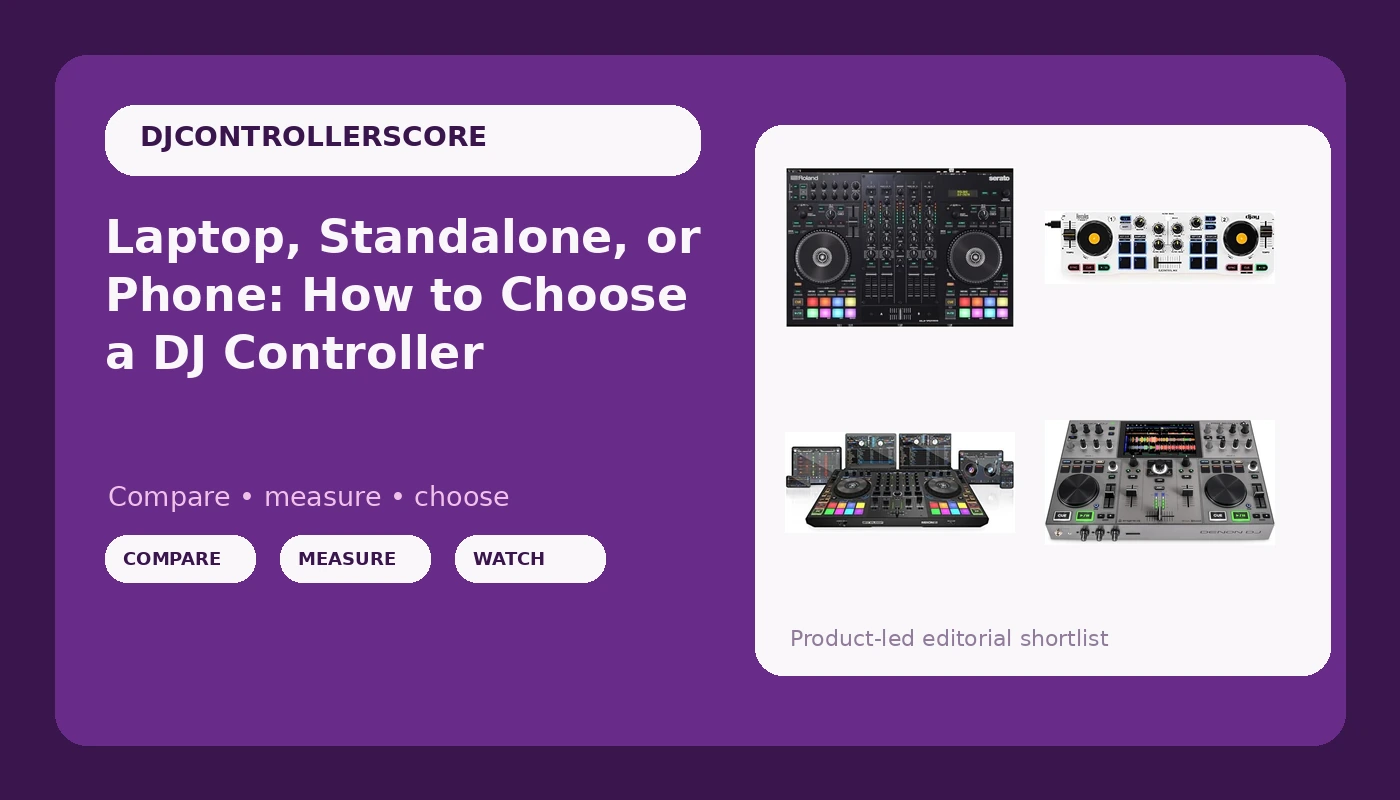
Choosing a DJ controller comes down to a question most product pages quietly dodge: does a computer come to the gig with you, or not? Everything else, channel counts, platter size, the color of the chassis, is downstream of that answer. Buyers get stuck because the marketing blurs three genuinely different machines into one category. A controller with a screen is not the same thing as a controller that needs a laptop, and a wireless controller that pairs with your phone is not a toy just because it costs less than a night out. The four controllers below sit in four different places on that map, and each one solves a problem the others do not.
Related: How Much Should You Spend on a First DJ Controller? →
Quick answer
There is no single right answer, because the correct controller depends on whether you trust a laptop in a loud room. If you want the lowest-friction way to start mixing, a phone-based controller that pairs over Bluetooth gets you practicing tonight with gear you already own. If you stream or record as much as you play out, a controller built with live streamers and content creators in mind fits that desk better. If you need four channels, buy four channels rather than wishing for them later. If you want to leave the computer at home entirely, only a standalone unit solves that problem. Match the architecture to your setup first, then compare features within the category you actually chose.
4 useful options
| Model | Best fit | What stands out |
|---|---|---|
| Hercules DJControl Mix, Bluetooth Wireless DJ Controller for Smartphones (iOS and Android), dJay app, 2 Decks, White | A first controller and phone-based practice | Wireless Bluetooth pairing, a two-deck layout, and a bundled dJay app workflow |
| Roland DJ-707M DJ Controller for live streamers and content creators (DJ-707M) | Streaming and content creation setups | Roland positions it specifically for live streamers and content creators |
| Reloop Mixon 8 Pro 4-Channel DJ Controller, Black | Four-channel mixing in a laptop rig | A four-channel layout in a black chassis built for that role |
| Denon DJ PRIME GO+ Standalone Portable DJ Controller | Playing out without a computer | Standalone portable operation with no laptop in the signal chain |
The phone-first pick: Hercules DJControl Mix
The case for starting here is not that it is cheap. It is that it removes every excuse. There is no laptop to update, no driver to install, no USB hub to forget at home. If you already carry a phone, you already carry your rig, and that means you can practice on a Tuesday night instead of waiting for the weekend when the good room is free. Practice frequency is the single biggest variable in how fast you get good, and a controller that lives in a bag and pairs in seconds wins on frequency.
The trade-off is real and worth naming. A phone-based setup gives you two decks, and two decks is genuinely enough to learn on, but it is not the workflow you will find in most booths. When you eventually move to a laptop rig or a standalone unit, you will relearn where things live. Treat this as the controller that teaches you phrasing and transitions, not as the controller you will still be using in three years.
The streaming and content pick: Roland DJ-707M
Most controllers are designed for a room. This one is designed for an audience that is partly in the room and partly on the other side of a stream, and that distinction changes what you need from the hardware. A streamer is running two productions at once: the mix, and the broadcast around it. Anything that forces you to alt-tab away from the mix to fix audio is a problem, and anything that keeps those two jobs on one surface is a solution.
If your plan is to upload sets, stream regularly, or build a channel, weight this category more heavily than you would if you only play out. If you never touch a camera, the extra broadcast-oriented thinking is weight you are carrying for nothing, and a straightforward two-channel or four-channel performance controller will serve you better for the same money.
The four-channel pick: Reloop Mixon 8 Pro
You do not need four channels to start, and anyone who tells you otherwise is selling something. You need two solid channels and a brain that plans transitions. But there is a moment when two channels starts costing you: when you want a loop running under a track, a vocal riding on top, and a third source cued for the next blend. Once you are regularly leaving ideas out of a set because you ran out of room, four channels stops being a luxury and starts being a limitation you are paying for in missed transitions.
The honest question to ask before buying into this category is whether the extra channels will actually get used. If your sets are two-deck blends with occasional loops, you are buying headroom you will not spend. If you are layering vocals, running acapellas over instrumentals, or integrating a drum machine or sampler, this is the shape of controller that keeps up with the idea instead of the other way around.
The standalone pick: Denon DJ PRIME GO+
Standalone is a different philosophy, not just a different feature list. When the controller is the whole system, your setup time collapses, your failure points drop, and the thing that can go wrong at a gig stops being a laptop that decided to install updates. For anyone who has watched a computer misbehave twenty minutes before a set, that reliability is worth more than any single spec on a comparison chart.
The cost is flexibility and money. A laptop rig lets you swap software, run plugins, and change your workflow for the price of a download. A standalone unit locks you into the ecosystem that ships inside it, and that ecosystem is where your library has to live. Before committing, decide whether you are comfortable being a one-ecosystem DJ, because switching later means rebuilding your library from scratch.
Prices and availability may change. Product images, names, and retailer links must be matched to the verified product record. Do not state a current price, rating, stock status, or measured result without current evidence.
What actually decides whether a controller works for you
The spec sheet is the least useful document in this decision. What matters is whether the thing survives contact with your actual week.
Software bundles matter more than hardware specs. A controller is only as good as the software it ships with, because the software is where you spend every hour that is not spent touching the hardware. A brilliant chassis running software you resent is a worse purchase than a modest chassis running software you enjoy. Read the software story first, including whether anything you consider basic sits behind a subscription.
Feel matters more than numbers. Platters and faders are the two surfaces your hands live on, and both are tactile questions that no chart answers. Resistance, weight, and travel are the difference between a mix that feels deliberate and one that feels like a guess. You cannot evaluate that from a product page, which is why the next section exists.
Channel count is a workflow question, not a status symbol. Two channels plus planning beats four channels plus indecision. Buy the third and fourth channel when you can name the specific thing you keep failing to do without them.
Where you play decides how much gear you should own. Bedroom practice, streaming, and a paying gig put very different demands on the same category of product, and buying for the gig you want rather than the one you have is how people end up with expensive gear they are afraid to carry.
Standalone, laptop, or phone: what each one asks of you
These three architectures are not tiers of quality. They are three different trades.
The phone or tablet setup asks the least of you and gives the least back. Nothing to carry beyond the controller, nothing to configure, and a software path that lives on hardware you already own. What you give up is depth: fewer routing options, fewer ways to expand, and a workflow that will not match what you find when you eventually play on someone else's rig.
The laptop setup asks you to maintain a computer. That means updates you did not schedule, ports that need a hub, and a machine that has to be healthy on the night. In exchange you get the widest software choice, the deepest feature set, and the easiest path to changing your workflow without changing your hardware. This is the default for a reason, and it is still the most flexible answer for most people.
The standalone setup asks you to commit. You choose an ecosystem, you build a library inside it, and you stop worrying about whether your computer will behave. What you get is speed and fewer failure points. What you give up is the ability to swap software on a whim and, usually, a meaningful amount of money.
A five-step way to decide
- Name where you will actually play in the next twelve months: a bedroom, a stream, a bar, or a booth. Be specific rather than aspirational.
- Decide whether a computer is coming with you. If the answer is no, you have eliminated two of the three architectures immediately.
- Count the channels your current sets genuinely need, then add one only if you can describe the transition that requires it.
- Read the software story for each candidate, including the cost of anything you would consider a basic feature.
- Put your hands on the platters and faders before you buy, or buy from a retailer with a return window you are willing to use.
How to audition a controller before you commit
- Play for longer than feels reasonable. Thirty minutes of playing around tells you almost nothing; the gear reveals itself in the second hour, when you stop thinking about the controls.
- Close your eyes and pitch-bend. If you cannot feel where the platter is, you will fight it on every mix.
- Work the crossfader harder than you would at a gig. You are trying to find out what it feels like when it is tired, not when it is new.
- Test with the tracks you actually play, not the clean demo files. Your library is the real test bench.
- Set your levels the way you would on a real system. Gain staging is the skill nobody buys gear for, and a controller that makes it awkward will cost you more than it saves.
Which option should you choose?
Choose the Hercules DJControl Mix when you want to start practicing immediately with the phone you already own and no laptop in the picture. Choose the Roland DJ-707M when streaming or content creation is part of the plan and the broadcast deserves its own place on the desk. Choose the Reloop Mixon 8 Pro when your sets have outgrown two channels and you can name the layering you keep failing to pull off. Choose the Denon DJ PRIME GO+ when you want to walk into a gig with one piece of gear and no computer.
One caveat applies to all four: no controller fixes bad transitions. Gear is not the bottleneck at the beginning, practice is. Buy the setup that lets you practice most often, and treat everything else as a later upgrade.
The bottom line
The category question comes first and the model question comes second. Decide whether a laptop travels with you, then decide how many channels your sets actually use, then pick the software story you can live with for a few years. The Hercules DJControl Mix answers the phone-first version of that question, the Roland DJ-707M answers the streaming version, the Reloop Mixon 8 Pro answers the four-channel version, and the Denon DJ PRIME GO+ answers the no-computer version. Pick the architecture that matches your week, and the rest of the comparison gets a lot shorter.