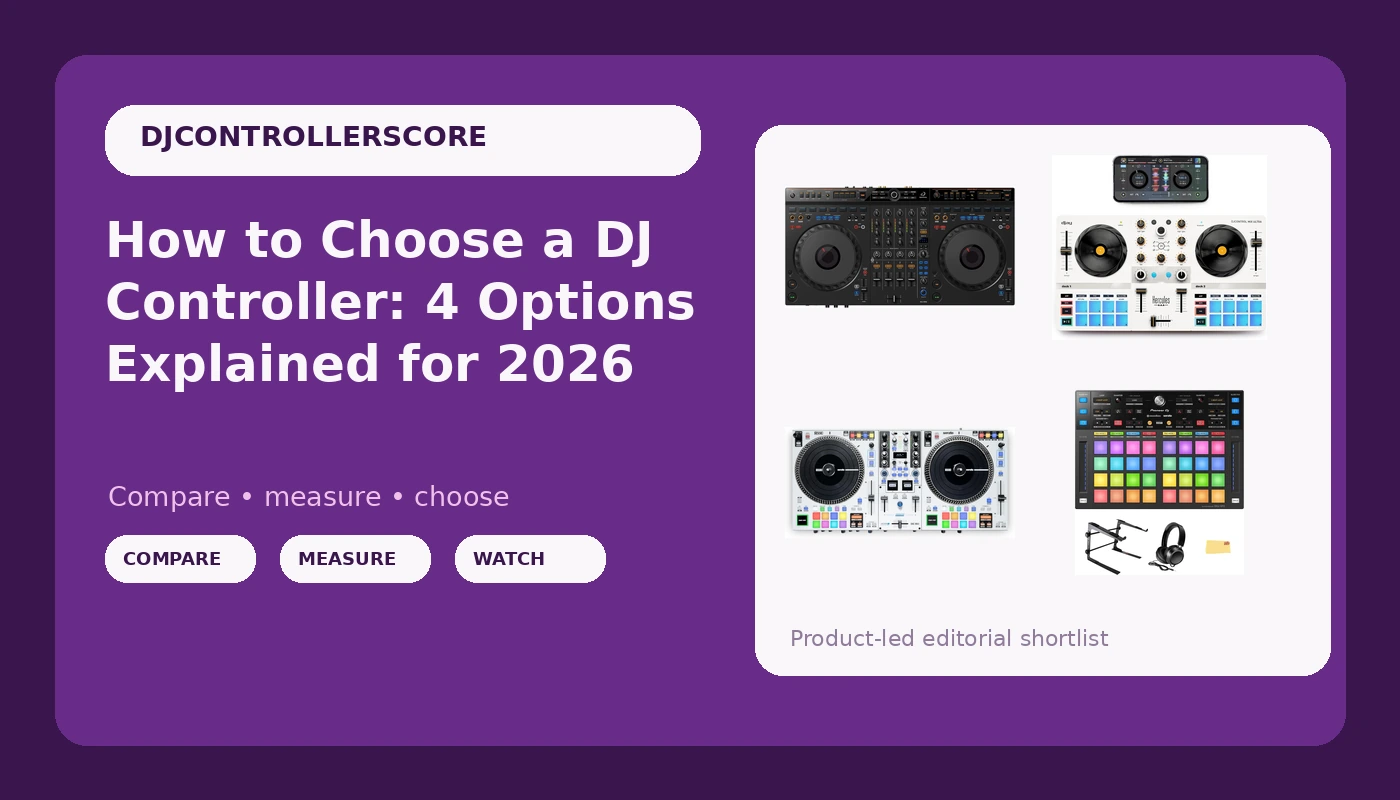
Choosing a DJ controller in 2026 means picking a lane before you pick a model. The four options below cover four genuinely different lanes: a four-channel controller built for layered mixing, a compact mobile unit that runs from a phone or tablet, a motorized platter controller aimed at people who came up on turntables, and a pad-based sub-controller that adds performance control to a rig you already own. The hard part of choosing a DJ controller is not finding one. It is figuring out which of these jobs you are actually hiring the gear to do, and being honest about how much desk space, software, and practice time you have.
Related: Rekordbox vs Serato: Which DJ Software Should You Learn First →
Quick answer
There is no single controller that suits every DJ, because the four units here do four different jobs. If you plan to mix three or four sources at once, look at the AlphaTheta DDJ-GRV6. If you want the smallest possible rig that runs from a phone or tablet, look at the Hercules DJControl Mix Ultra. If motorized platters matter more than portability, look at the RANE ONE MKII. And if you already own a mixer or controller and only want more pads and performance control, the Pioneer DJ DDJ-XP2 bundle is an add-on rather than a replacement. Match the tool to the job before you compare listings.
4 useful options
| Model | Best fit | What stands out |
|---|---|---|
| AlphaTheta DDJ-GRV6 4-Channel DJ Controller, Groove Circuit, Black | DJs who mix three or four sources at once | Four-channel layout with the Groove Circuit feature set |
| Hercules DJControl Mix Ultra - Mobile DJ Controller for iOS & Android | Phone-first and tablet-first setups | Built to run with iOS and Android devices |
| RANE ONE MKII Motorized Serato DJ Controller | DJs who want motorized platters and a Serato workflow | Motorized platter design in a Serato-focused controller |
| Pioneer DJ DDJ-XP2 Sub-Controller for Rekordbox & Serato DJ Pro Bundle with Laptop Stand, Headphones, and Austin Bazaar Polishing Cloth | Adding pads and performance control to an existing rig | Sub-controller design plus a bundled accessory kit |
The four-channel option: AlphaTheta DDJ-GRV6 4-Channel DJ Controller, Groove Circuit, Black
Four channels are a promise and a bill. The promise is that you can hold a loop on one deck, keep a track playing on another, drop an acapella on a third, and still have a fourth free for the next transition. The bill is desk space, cable clutter, and a mixing habit that has to grow into the layout. A four-channel controller does not make anyone a better DJ; it removes a ceiling for people who have already hit it. If you currently play two-deck sets and finish every transition cleanly, the extra channels are headroom you may not use for a year. If you already blend three sources in software, this is the shape of controller that stops getting in your way. The Groove Circuit controls are the part worth reading up on before you buy, because they define how the unit wants to be played.
The mobile option: Hercules DJControl Mix Ultra - Mobile DJ Controller for iOS & Android
The mobile lane is its own discipline. You give up screen real estate, you give up some of the routing flexibility a laptop gives you, and in exchange you get a setup you can carry to a friend's apartment, a small party, or a practice session on the couch. For a beginner, that matters more than channel count. The controller you can set up in ninety seconds is the controller you will actually practice on, and practice is the thing that improves transitions. The trade-off is depth: mobile apps tend to expose fewer routing and library options than desktop software, so if your plan is to move into club-style mixing later, treat this as a starting point rather than an end state. Check which app version the controller pairs with before you buy, because the app is half of what you are purchasing.
The motorized option: RANE ONE MKII Motorized Serato DJ Controller
Motorized platters change how you touch a controller. On a static jog wheel you nudge, you bend, you accept that the surface resists you. On a moving platter the surface behaves closer to vinyl, and DJs who learned on turntables tend to find that transition easier than any amount of practice on a plastic wheel. That is the entire argument for this lane, and it is a real one. The counterargument is weight, size, and cost: motorized gear is the heaviest thing on this page, and it asks for a serious desk or a flight case. This is also the most software-specific option here, so confirm that the software it ships for is the software you actually want to run before you commit. If you already mix on Serato and you miss the feel of a spinning platter, this is the category that answers that complaint.
The add-on option: Pioneer DJ DDJ-XP2 Sub-Controller for Rekordbox & Serato DJ Pro Bundle
This is the one option on the list that assumes you already own something. A sub-controller sits beside your main unit and gives you a dedicated surface for hot cues, pad work, and performance moves, so you stop stacking functions onto the same few buttons. That is a workflow upgrade, not a starting point, and it is worth saying plainly: if you do not yet own a mixer or a main controller, this is not the product for you. The bundle angle is what makes it interesting for someone who is already shopping. A laptop stand and a pair of headphones are things most DJs buy anyway, so a package that includes them can simplify a single order. Check what the headphones and stand actually are before you treat the bundle as free value, and confirm the software compatibility matches the gear you already run.
Prices and availability may change. Product images, names, and retailer links must be matched by verified ASIN. Do not state a current price, rating, stock status, or measured result without current evidence.
What channel count actually changes
Channel count is the most overrated spec on a controller box and the most useful one, depending on where you are. Two channels means two sources at once. That is enough to play a full night: track into track, transition, repeat, with a loop or a cue holding the space between. Most of the sets you have enjoyed at a bar or a wedding were built on two decks and good planning. Four channels means you can hold more at once, which is a creative option rather than a technical requirement. It lets you layer, it lets you pre-load the next track while a loop runs, and it lets you keep a bed of percussion running under everything. None of that is necessary to be a competent DJ, and buying four channels you do not use mostly means paying for desk space. The honest test is simple: if you can describe a transition you want to make that two channels cannot hold, you need more channels. If you cannot, you need more practice.
Software is half the purchase
A controller is a shell. The software inside it decides what the buttons do, how your library is organised, and whether the thing still works the way you expect after an update. That is why the bundle matters more than a spec sheet. The units here span desktop software in the rekordbox and Serato families and mobile apps for iOS and Android, and those are not interchangeable experiences. Desktop software generally gives you more control over library management, routing, and recording. Mobile apps generally give you speed and portability. Before buying anything, check three things: which software the controller is designed for, whether that software requires a paid tier or a subscription for the features you want, and whether your computer or device meets the current requirements. A subscription requirement is the detail that catches people out after the fact, so read the licence terms rather than assuming a free tier covers what you need.
How to decide in five steps
- Write down the sets you actually play right now, not the sets you imagine playing in two years.
- Count your sources: how many tracks, loops, or samples do you genuinely need under your hands at once?
- Pick your platform first, because a laptop rig and a phone rig lead to different products.
- Read the software bundle and its licence terms before you read the hardware specs.
- Budget for the extras: stand, headphones, cables, a case, and whatever the bundle does not include.
What to check before you commit
- Play a full set length on the unit if you can, not a twenty minute demo in a shop.
- Touch the jog wheels or platters with your eyes closed and notice whether the surface resists you.
- Work the crossfader hard, because faders are the first thing to go and the most expensive to live with.
- Install the software on your own machine or device and load your own library before deciding.
- Confirm the return window and resale value, since controllers hold value differently across brands.
- Check that the bundle contents are things you would have bought anyway rather than filler.
Which option should you choose?
Choose the AlphaTheta DDJ-GRV6 4-Channel DJ Controller, Groove Circuit, Black when you already mix more than two sources and want the layout to stop limiting you. Choose the Hercules DJControl Mix Ultra - Mobile DJ Controller for iOS & Android when your setup is a phone or tablet and portability decides whether you practice at all. Choose the RANE ONE MKII Motorized Serato DJ Controller when motorized platters and a Serato workflow are the whole point of the upgrade. Choose the Pioneer DJ DDJ-XP2 Sub-Controller for Rekordbox & Serato DJ Pro Bundle when you already own a main controller or mixer and want dedicated pads plus a bundled accessory kit.
The caveat worth repeating: these four products sit in different categories, so comparing them on a single axis does not work. Two of them are complete controllers, one is a mobile controller, and one is an add-on. Compatibility with your software and your existing gear matters more than any single specification, and specifications change between revisions, so verify the current listing details before you order.
The bottom line
The right DJ controller is the one that matches the job you are hiring it to do. Four channels buy you layering, a mobile unit buys you portability, motorized platters buy you feel, and a sub-controller buys you a better workflow on gear you already own. None of those is a substitute for practice, and none of them will fix a transition that was never planned. Decide your platform, confirm your software, then pick the category that fits. Check current Amazon price on the listing you are considering and confirm the bundle contents, the software compatibility, and the return terms before you commit.