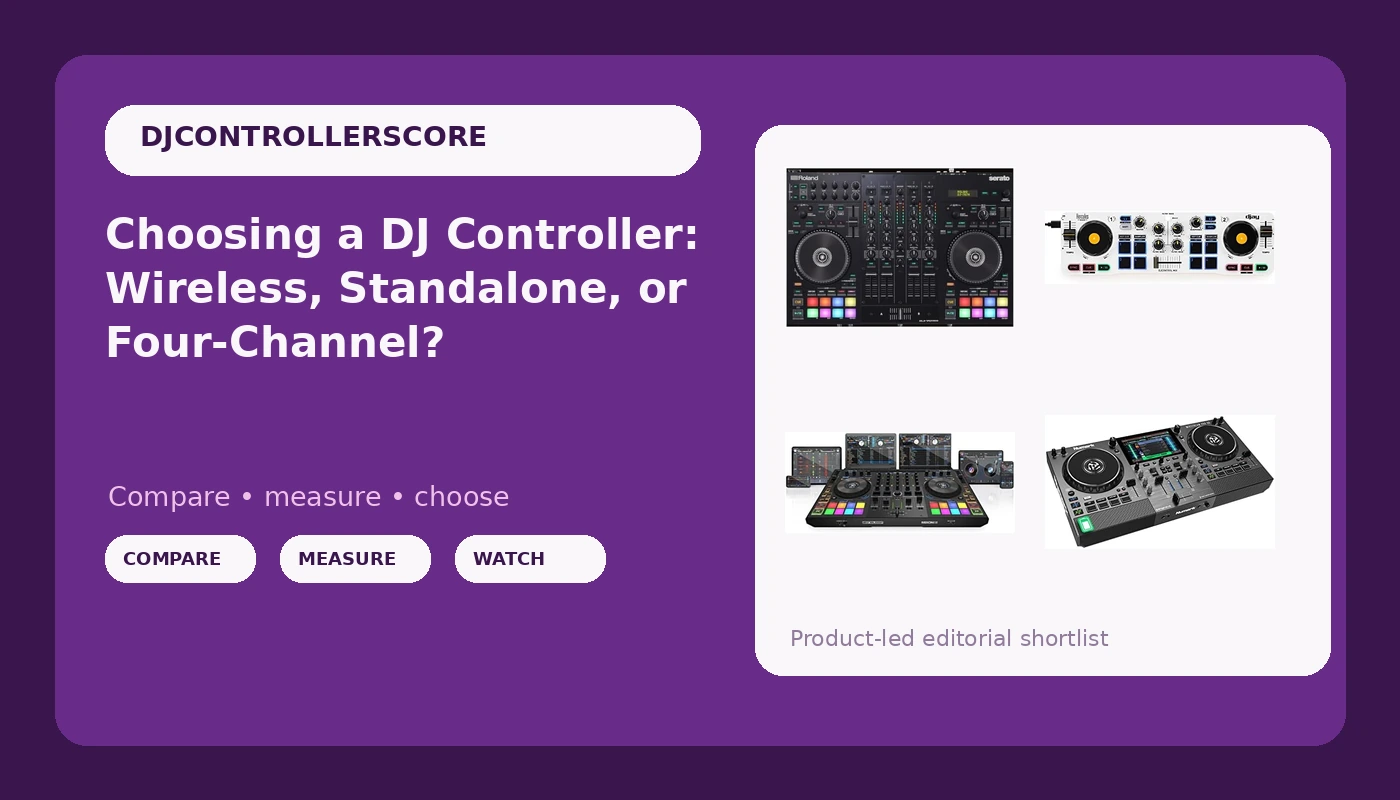
Choosing a DJ controller is really three decisions wearing a trench coat: how many channels you need, whether a laptop is part of your setup, and which software you want to build your library around. Get those wrong and a perfectly good controller becomes the wrong controller for you. The four models here sit in deliberately different lanes. One is a four-channel unit built for streamers and event DJs who have to feed more than one audio destination, one is a four-channel club-style controller, one runs standalone with a battery and built-in speakers, and one is a wireless two-deck controller that turns a phone or tablet into a practice rig.
Related: Serato vs Rekordbox: Which Software Bundle Matters More →
Quick answer
There is no single winner here, because these four controllers are built for different jobs. If you stream or run mobile events and need flexible audio routing, look at the Roland DJ-707M first. If you want four channels and a club-style layout, the Reloop Mixon 8 Pro is the direct match. If you want to leave the laptop at home entirely, the Numark Mixstream Pro Go is the standalone option. If you are starting out and want to practice on a phone or tablet, the Hercules DJControl Mix is the lowest-friction way in.
Four useful options
| Model | Best fit | What stands out |
|---|---|---|
| Roland DJ-707M DJ Controller for live streamers and content creators (DJ-707M) | Streamers, mobile and event DJs feeding more than one output | Four channels plus dedicated microphone and zone routing |
| Reloop Mixon 8 Pro 4-Channel DJ Controller, Black | DJs who want four channels and a club-style layout | Four-channel design with Serato DJ Pro and djay Pro support |
| Numark Mixstream Pro Go Portable DJ Controller | Laptop-free sets and casual gigs | Standalone Engine DJ operation with a battery and built-in speakers |
| Hercules DJControl Mix, Bluetooth Wireless DJ Controller for Smartphones (iOS and Android), dJay app, 2 Decks, White | Absolute beginners practicing on a phone or tablet | Wireless Bluetooth connection to the dJay app |
The streaming and events pick: Roland DJ-707M DJ Controller for live streamers and content creators (DJ-707M)
The trade-off is complexity. Every extra output is another thing to configure before the doors open, and a beginner will spend the first week reading a manual instead of mixing. If your sets are two decks and one pair of speakers, you are paying for routing you will never touch. If you stream with a microphone, run a second room, or DJ weddings where someone always needs an announcement, that routing is the entire reason to buy it.
The four-channel club pick: Reloop Mixon 8 Pro 4-Channel DJ Controller, Black
This is the one to think about if your sets are built on layering: loops running under a vocal, an acapella parked on channel three, a track you are cueing on channel four. Four channels only pay off if you actually plan transitions that way. If you mix two tracks at a time and never touch a third deck, you are carrying weight and spending money for capacity you will not use, and a two-channel controller with better feel would serve you further.
The standalone portable pick: Numark Mixstream Pro Go Portable DJ Controller
The catch with any standalone unit is library management. You are committing to Engine DJ as your home base, and if your crates live in Serato or Rekordbox you will be exporting and re-analysing rather than just plugging in. The built-in speakers are for practice and small rooms, not for a party with a real sound system. As a second controller that lives in a backpack, or a first controller for someone who hates laptops, it makes a lot of sense.
The phone-first starter pick: Hercules DJControl Mix, Bluetooth Wireless DJ Controller for Smartphones (iOS and Android), dJay app, 2 Decks, White
Be clear about what this is. It is a wireless control surface for an app, not a full audio interface, so your sound comes out of the phone or tablet rather than a pair of balanced outputs on the back. That is fine for a bedroom, a small gathering, or learning beatmatching, and it is not fine for a paid gig. The upside is that it costs a fraction of the others, and it teaches you whether you want to keep going before you spend four figures finding out.
Prices and availability may change. Product images, names, and retailer links must be matched to the correct product record. Do not state a current price, rating, stock status, or measured result without current evidence.
What actually separates these four controllers
Four things do almost all the work when you compare DJ controllers.
Channel count. Two channels means two tracks at once, which is what the overwhelming majority of DJs actually mix. Four channels means you can hold loops, acapellas, or a third track in the mix without juggling. More channels is not automatically better; it is more to keep track of, and it costs money that could go toward better feel on the controls you touch constantly.
Software bundle. A controller is a shell around software. Serato DJ Pro, Algoriddim djay Pro, and Engine DJ each have their own libraries, analysis, and effects. The controller that matches the software you already know is worth more than the controller with better specs, because switching ecosystems means re-analysing a whole library and relearning a workflow.
Standalone versus laptop. Standalone controllers run the software on board. They start faster, they take up less table space, and they cannot crash because your laptop decided to update. Laptop controllers borrow the computer's processing power and screen, which usually means a bigger, more flexible library and easier track preparation at home.
Audio routing. This is the spec nobody reads and everybody regrets ignoring. Count the outputs you need: master to the house system, booth for the DJ, a microphone for announcements, and a separate feed for a stream. A controller that cannot cover those is a controller you will be patching around with adapters at the worst possible moment.
How to match a controller to the way you play
- Write down how many channels your last five sets actually used. If the answer is two, buy two channels and spend the difference on something else.
- Decide whether a laptop is part of your setup before you look at hardware. That single answer eliminates half the market immediately.
- Check the bundled software license and what it costs after the trial period. A controller that needs a monthly subscription for basic features is more expensive than it looks.
- Count your outputs and inputs on paper: master, booth, mic, stream, and anything else you feed. Then check the rear panel against that list.
- Try the jog wheels in person if there is any way to do it. Weight and resistance on the platters affect how every single mix feels, and no spec sheet describes it.
Practical guidance before you buy
- Budget beyond the controller: cables, a case or deck saver, headphones, and possibly a stand all add up fast.
- Confirm the bundled software version covers what you need, and whether future updates require a paid upgrade.
- Match the controller to the room it will live in. A four-channel unit with a full input panel is a poor fit for a desk that barely holds a laptop.
- Think about the upgrade path. Two-channel controllers with a strong software bundle are easier to sell on when you outgrow them.
- If you play out, ask whether the unit needs external power and how long it runs on battery, because the answer changes which gigs you can accept.
- Buy for the job you do every week, not the job you imagine doing someday.
Which option should you choose?
Choose the Roland DJ-707M DJ Controller for live streamers and content creators (DJ-707M) when you stream, run mobile events, or need microphone and zone routing that a standard controller does not provide. Choose the Reloop Mixon 8 Pro 4-Channel DJ Controller, Black when your sets genuinely use three or four decks and you want a club-style layout that works with more than one software platform. Choose the Numark Mixstream Pro Go Portable DJ Controller when you want to leave the laptop at home and value a battery and built-in speakers over raw output count. Choose the Hercules DJControl Mix, Bluetooth Wireless DJ Controller for Smartphones (iOS and Android), dJay app, 2 Decks, White when you are starting out, want to practice on the device you already own, and are not yet ready to commit to a full setup.
The caveat that applies to all four is the same: this is a comparison of what each controller is designed to do, not a laboratory test of how long its faders will survive. Channel counts, software compatibility, and connectivity are documented product facts. Durability, feel, and long-term reliability are things you can only judge by putting your hands on the unit and playing a full set on it.
The bottom line
The right DJ controller is the one that matches the way you already play, not the one with the longest feature list. Streamers and mobile DJs should start with the Roland DJ-707M because of its routing. Four-deck mixing points to the Reloop Mixon 8 Pro. Laptop-free sets point to the Numark Mixstream Pro Go. And if you are not sure yet whether DJing is for you, the Hercules DJControl Mix lets you find out for the least money and the least commitment. Pick the lane first, then pick the model, and check the current Amazon price before you commit, because controller pricing moves around more than most gear categories.