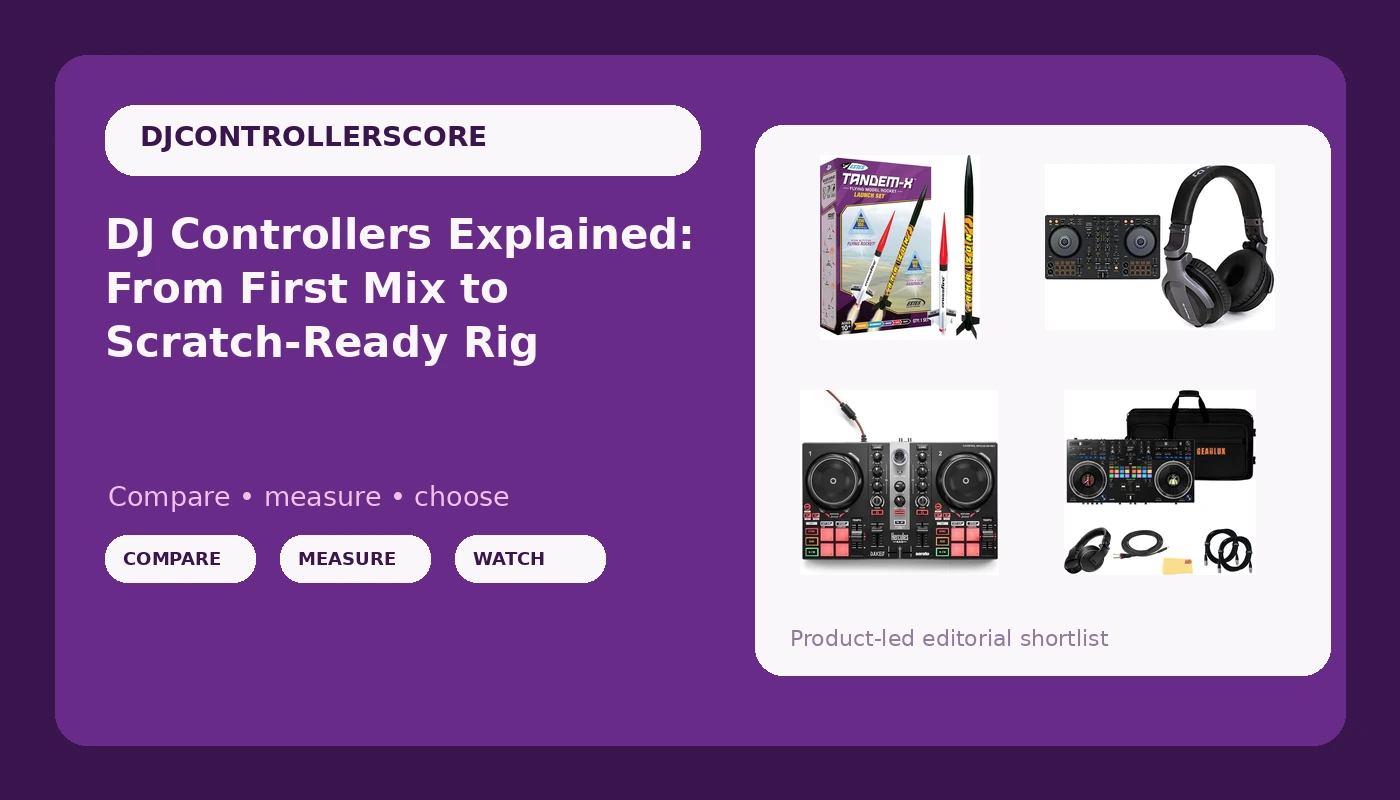
Every DJ controller listing promises the same thing: professional feel, pro-grade build, and a layout that will somehow make you a better mixer. The reality is that a DJ controller setup is four separate decisions stacked on top of each other. There is the software the unit unlocks, the feel of the jog wheels under your fingers, the durability of the faders, and what actually ships in the box. Get those four right and a modest controller can carry you through two years of practice. Get them wrong and an expensive purchase sits in a closet next to a guitar. This walkthrough covers four listings: three real DJ controllers at three different levels, and one that only sounds like a controller until you read the fine print.
Related: Rekordbox vs Serato: Which Software Should Your First Controller Run? →
Quick answer
The Pioneer DJ DDJ-FLX4 bundle is the most sensible starting point for most people because it covers both major software ecosystems and includes headphones in the same box. The Hercules DJControl Inpulse 200 MK2 is the stronger pick when learning to mix is the goal and guided tutorials matter more than resale value. The Pioneer DJ DDJ-REV7 bundle is aimed at scratch-style, turntable-influenced mixing at a professional level. The Estes 1469 Tandem X is a model rocket kit, not a DJ controller, even though its title contains the word controller. No single option is right for everyone; software support, channel count, and layout decide it.
Four useful options
| Model | Best fit | What stands out |
|---|---|---|
| Pioneer DJ DDJ-FLX4 with CUE1 headphones | Most first-time buyers | Two decks, rekordbox and Serato support, headphones in the box |
| Hercules DJControl Inpulse 200 MK2 | Learning to mix at home | Software and tutorials included with the controller |
| Pioneer DJ DDJ-REV7 bundle | Scratch-style professional mixing | Scratch-style two-channel layout with case, headphones, and cables |
| Estes 1469 Tandem X Rocket-Building Kit | A model rocket project | Launch pad and launch controller included, ages 10 and up |
The default first controller: Pioneer DJ DDJ-FLX4 2-Deck Rekordbox and Serato DJ Controller with Pioneer DJ CUE1 On-Ear DJ Headphone
The trade-off here is honesty about level. This is a two-channel controller, so you will not be running four decks or layering live loops off a third source. The jog wheels are not the full-size platters you find on club installs, and the chassis is built to a price. What you get instead is the layout that most beginner tutorials are filmed on, software support that spans two ecosystems, and a unit that stays useful as a backup long after you upgrade. For anyone whose bottleneck is practice hours rather than gear, that is the correct set of compromises.
The learning-first option: Hercules DJControl Inpulse 200 MK2
The honest limitation is ecosystem. Hercules does not have the club ubiquity that Pioneer does, so the skills and file habits you build here do not transfer as directly to a booth you have never seen. The jog wheels are small, and small wheels make pitch bends less precise. But the bundled tutorials attack the actual beginner problem, which is not knowing what to practice, and a controller you can leave set up on a desk every night beats a better controller you use twice a month.
The scratch-style rig: Pioneer DJ DDJ-REV7 Scratch-Style 2-Channel Professional DJ Controller Bundle
This is the largest commitment of the three real controllers, and it is not the place to start unless you already know you want a battle-style layout. The bundle is what makes it coherent: the case means transport is solved, the headphones mean monitoring is solved, and the XLR and breakout cables mean you can walk into a room and patch in without a second order. If you are still deciding whether DJing is for you, this is the wrong first purchase. If you have been mixing on turntables or a scratch layout for years and want that muscle memory in a controller, it is the one here built for it.
The listing that is not a DJ controller: Estes 1469 Tandem X Rocket-Building Kit
It shows up in controller searches because of one word in the title, and that is exactly why it belongs in this article as a warning. If you are scanning listings quickly, a launch controller and a DJ controller look like the same category. They are not. This is a building project for a kid or a hobbyist, and the only sensible reason to buy it alongside DJ gear is as a gift for a younger member of a DJ household who is not ready to touch the decks yet.
Prices and availability may change. Product images, names, and retailer links are matched to verified listings. No current price, rating, stock status, or measured result is stated here without current evidence.
What separates a controller you keep from one you outgrow
The first thing to evaluate is the software bundle, because that determines what you can practice tonight. A controller that unlocks rekordbox or Serato DJ gives you a real library workflow, analysis, and export to USB. A controller that only works with a stripped-down app leaves you re-learning everything when you move up. Check whether the bundled software is a full version or a limited tier, and check whether basic features sit behind a subscription, because paying monthly to unlock core functions is a bad foundation.
The second is jog wheel feel. This is the part of a controller that determines whether a mix feels intentional. Wheels with no resistance make every pitch bend feel like a guess, and you cannot fix that with settings. You can only fix it by buying a different controller. When you are comparing units in person, rest a finger on the platter and move it slowly. If you cannot feel where the middle is, keep looking.
The third is fader durability. Faders are the first thing to fail on any controller, and the failure usually shows up as a crackle or a dead spot rather than a clean break. Line faders take the abuse in long sets; crossfaders take it in scratch work. A controller with a replaceable or at least accessible fader path is worth more than one with a slightly better spec sheet.
The fourth is what ships in the box. A case, headphones, and the right cables are not glamorous, but they are the difference between a controller that travels and one that stays home. Bundles exist to solve that problem, and the DDJ-REV7 kit is the clearest example in this group.
How to choose in five steps
- Decide which software you will actually use. If rekordbox is the plan, favor a controller that supports it natively. If Serato is the plan, check for Serato support before anything else.
- Match channel count to how you mix. Two channels is enough for most people for years. Four channels is a live-remix and multi-source tool, not a beginner requirement.
- Read the box contents line by line. Headphones, a case, and cables change the real cost of a purchase more than a small difference in the controller itself.
- Choose a layout that matches your instincts. Standard Pioneer layout for most mixing, scratch-style layout if you come from turntables and want the platters where your hands expect them.
- Think about the exit. A controller with broad software support and a recognizable name is easier to sell when you upgrade, which lowers what the hobby actually costs you.
Practical guidance for your first month
- Set your gain before you worry about effects. Most bad-sounding beginner mixes are level problems, not gear problems.
- Use one playlist of twenty tracks you know cold. Learning a controller is easier when you are not also learning the songs.
- Record every practice session. Listening back is the fastest way to hear whether your transitions are landing.
- Keep the controller on a desk, plugged in, ready to go. Friction is the enemy of practice.
- Do not buy accessories until you have mixed for an hour without stopping. Cables and stands do not teach transitions.
- If you are shopping for a kid, buy the rocket kit for the kid and the controller for yourself, and label the boxes accordingly.
Which option should you choose?
Choose the Pioneer DJ DDJ-FLX4 with CUE1 headphones when you are buying your first controller and want the widest software support plus monitoring covered in one order. Choose the Hercules DJControl Inpulse 200 MK2 when structured tutorials and a small footprint matter more than ecosystem alignment. Choose the Pioneer DJ DDJ-REV7 bundle when you already mix in a scratch-style layout and want a professional two-channel controller that travels as a complete kit. Choose the Estes 1469 Tandem X Rocket-Building Kit only when you actually want to build and fly a model rocket.
One caveat applies to all of it: the descriptions here come from the listings themselves, not from a bench test, and hardware revisions happen. Confirm the current software tier, box contents, and connection types on the listing page before you commit, because those details matter more than any single specification line.
The bottom line
The DJ controller setup that works is the one that matches your software, your layout instincts, and your practice habits. For most people starting out, that means the DDJ-FLX4 bundle, which covers both major software platforms and includes headphones. If guided learning is what you need, the Hercules DJControl Inpulse 200 MK2 is built around exactly that. If you already mix scratch-style and want a complete professional kit, the DDJ-REV7 bundle is the one to look at. And if your search results are showing you a model rocket, you have found the wrong kind of controller.