Choosing a first or next DJ controller comes down to a short list of questions: how many channels you actually mix on, which software the hardware is built to run, and whether the layout teaches you something or hides it. This guide rounds up the best DJ controllers across that range, from two-channel units aimed at bedroom practice to four-channel decks built for working DJs. Every product below is a controller rather than a standalone mixer, and every recommendation is tied to what the hardware is and who it suits. If you are weighing a beginner deck against something you can grow into, the differences that decide it are channel count, pad layout, platter format, and the software bundle.
Related: Best DJ Controllers for Beginners
Quick answer
The Pioneer DJ DDJ-FLX4 2-Channel DJ Controller, 16 Pads, Graphite is the strongest fit for a first serious controller because two channels and 16 pads cover the full vocabulary of a normal mix without adding controls you will not use yet. Choose the Pioneer DJ DDJ-FLX10 4-Channel DJ Controller, Track Separation, Black instead when you already mix across four channels and want track separation handled on the hardware itself.
DJ controllers worth comparing
Six controllers, three brands, and two clear tiers: two-channel decks for learning and four-channel decks for working sets.
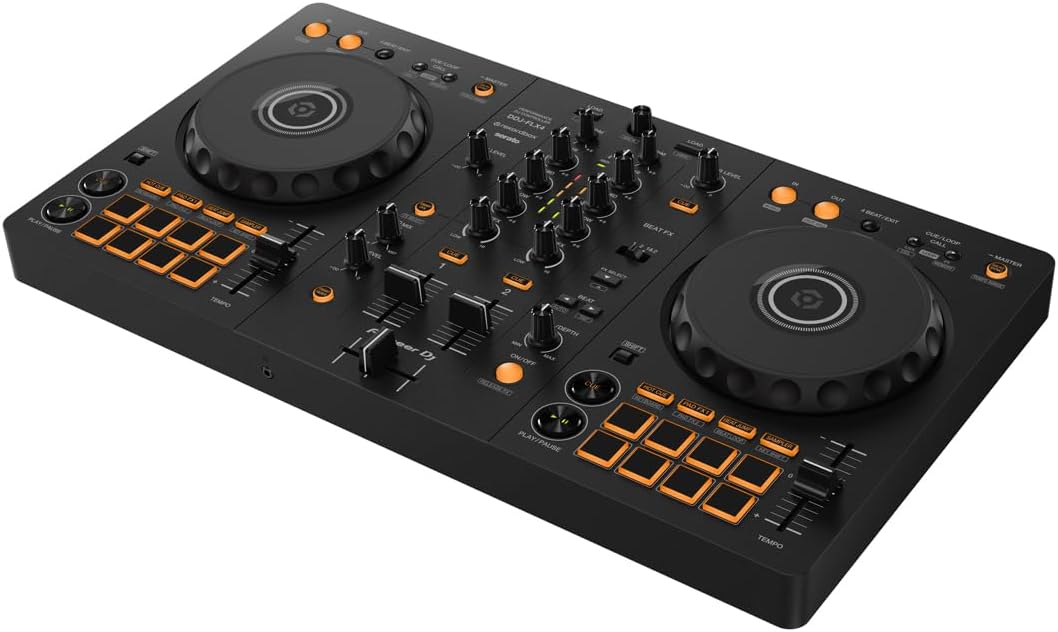
Pioneer DJ DDJ-FLX4 2-Channel DJ Controller, 16 Pads, Graphite
A two-channel controller with a 16-pad layout in a graphite finish. The pad count and the two-channel format make it the most straightforward unit here to learn transitions on, and it is the natural stopping point before a four-channel upgrade.
Visit on Amazon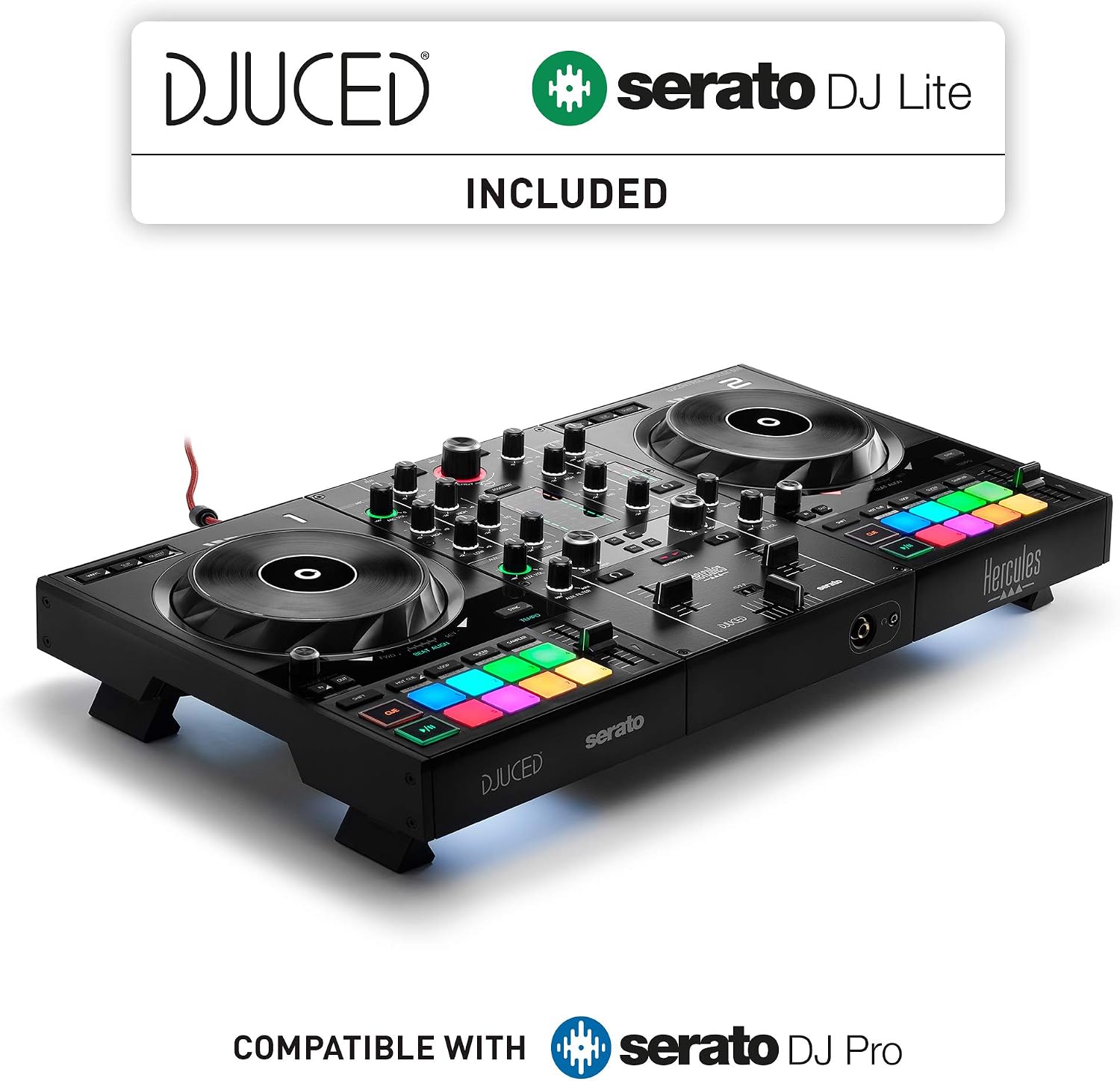
Hercules DJControl Inpulse 500-2-Deck DJ Controller for Serato & DJUCED
A two-deck controller built to run with both Serato and DJUCED. The dual software path is the headline: the same hardware gives you two different practice environments to work in.
Visit on Amazon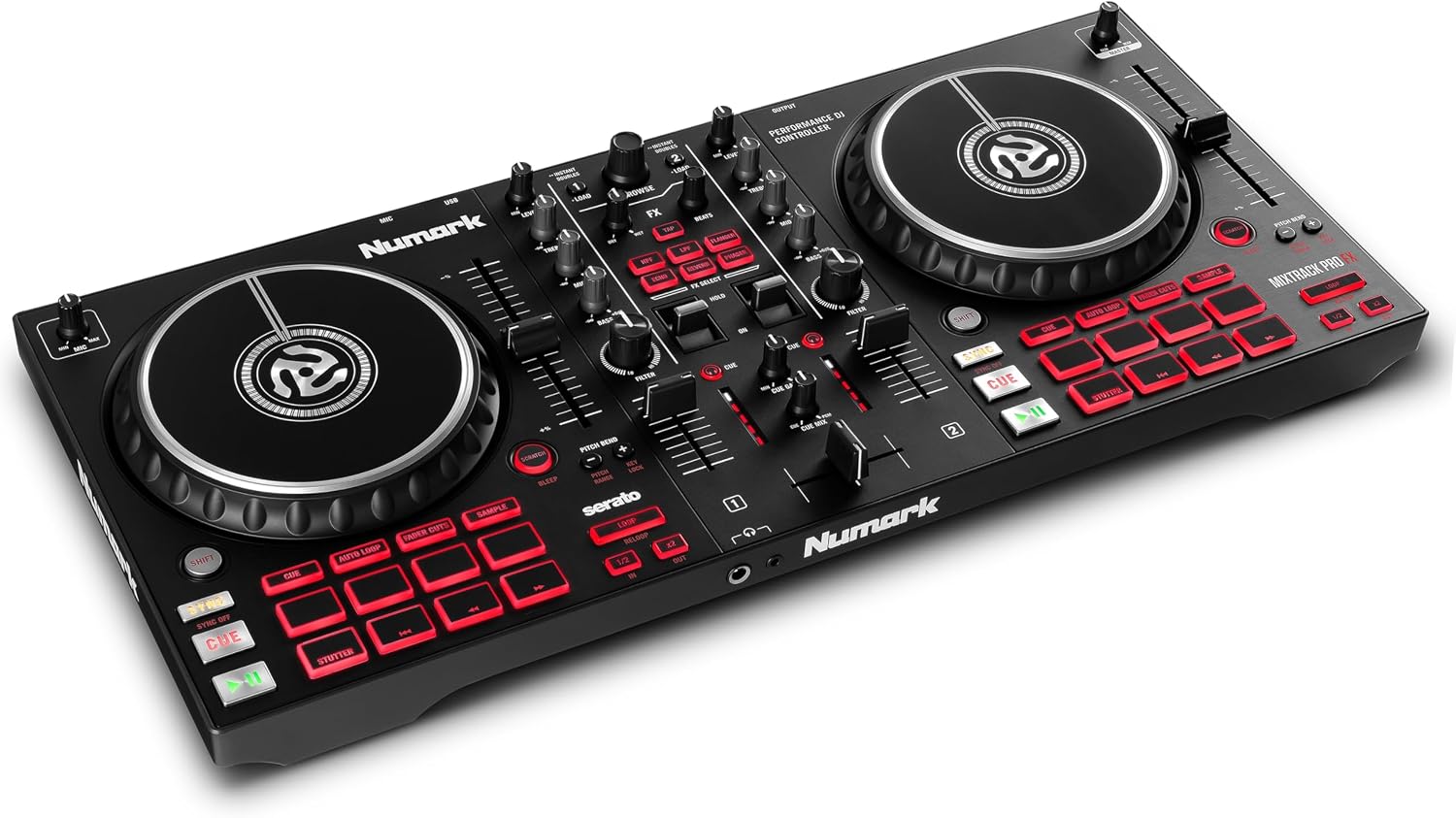
Numark Mixtrack Pro FX DJ Controller
Check current Amazon price
Numark's entry point in this group. It covers the standard two-deck mixing layout with effects controls on board, which makes it a sensible first deck and a less sensible long-term gigging unit.
Visit on Amazon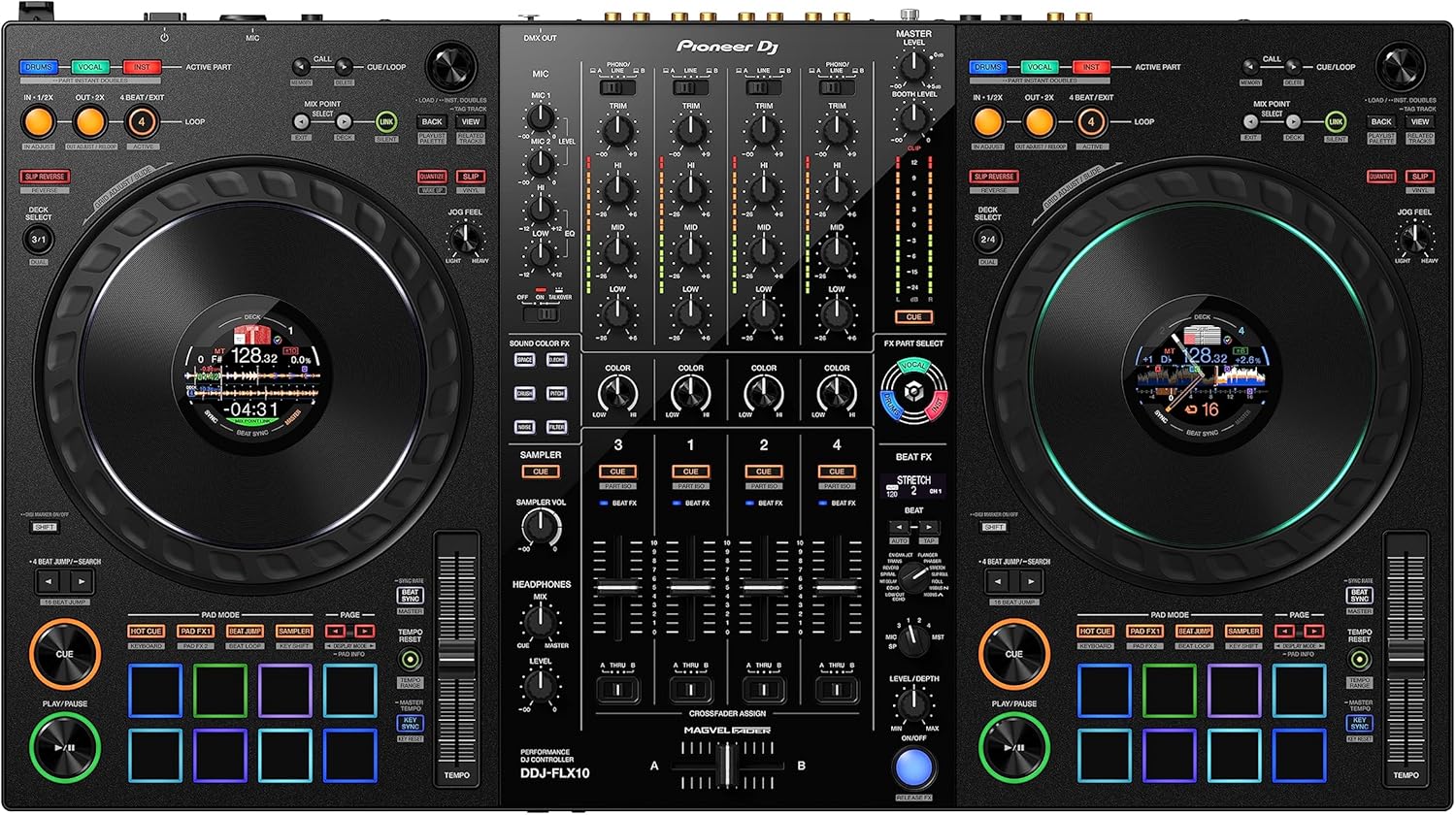
Pioneer DJ DDJ-FLX10 4-Channel DJ Controller, Track Separation, Black
Pioneer DJ's four-channel controller with track separation built into the workflow. If you already mix across four decks or want stem-style separation on the hardware, this is the upgrade target in this lineup.
Visit on Amazon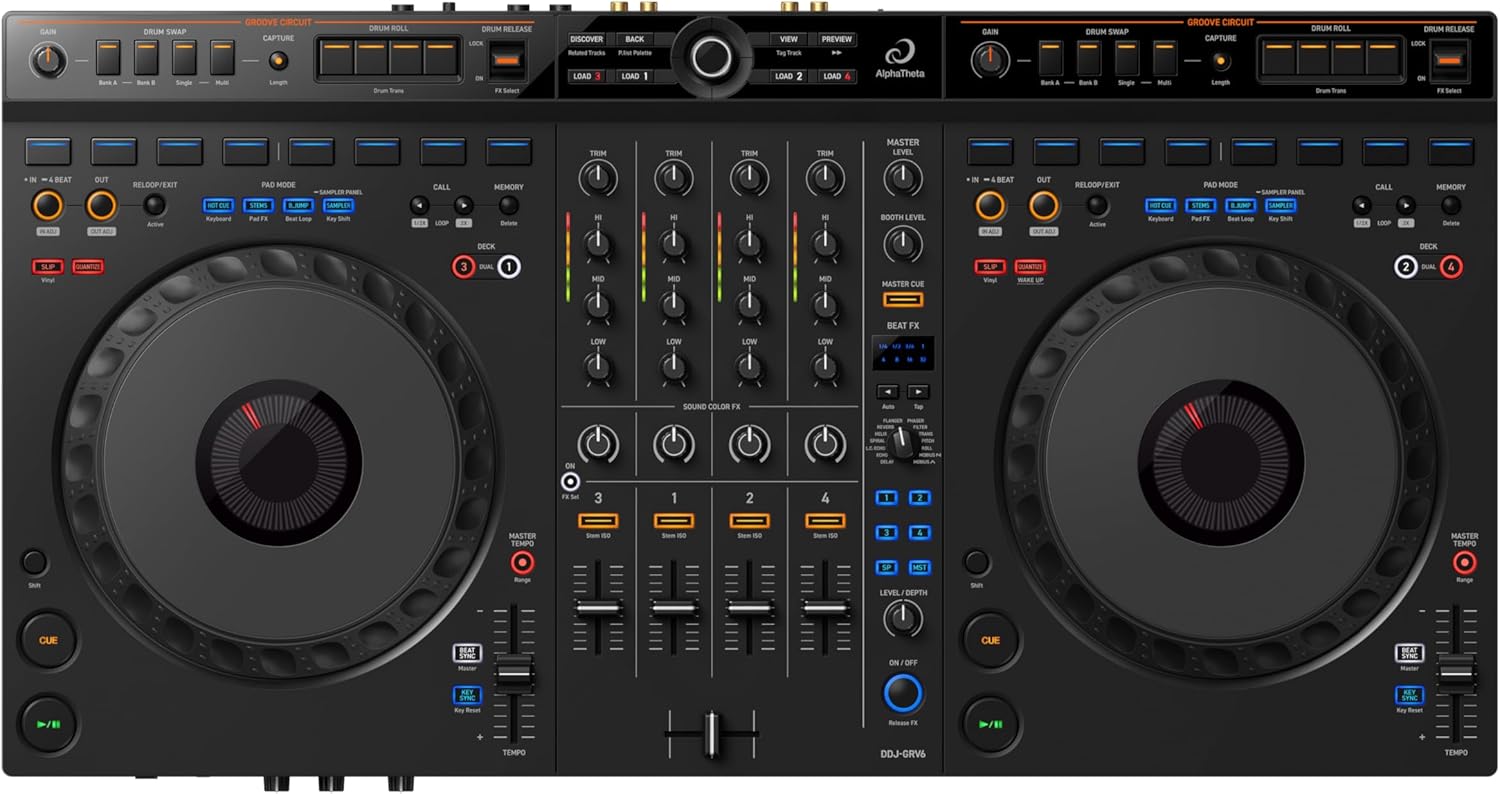
AlphaTheta DDJ-GRV6 4-Channel DJ Controller, Groove Circuit, Black
A four-channel AlphaTheta controller built around Groove Circuit. Four channels plus a performance-focused control set put it in the same working-DJ bracket as the FLX10, with a different emphasis in how you play.
Visit on Amazon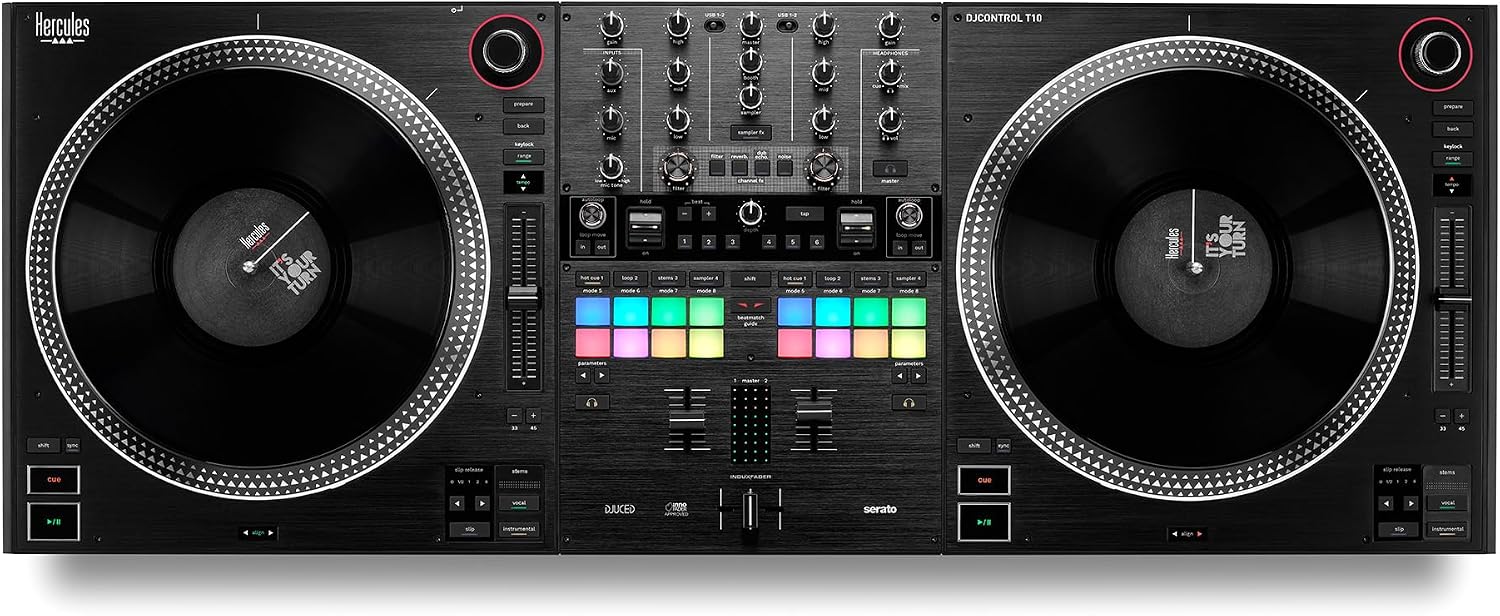
Hercules DJ Control T10
The second Hercules unit here. It sits in the same Hercules controller family as the Inpulse models, so check the current listing for its bundled software and feature set before deciding between the two.
Visit on AmazonPrices and availability may change. Check the retailer for current details.
How these products were compared
This guide compares channel count and deck layout, the software each controller is built to run, performance controls such as pad count and any named workflow feature, platter and jog wheel format where the listing specifies it, and how far each unit can reasonably be pushed before it needs replacing. Every card pairs the product name, image, and retailer link to the same product record, so the model you click is the model shown.
The comparison is built from published product details and the differences the models themselves identify. It is not a lab test, and nothing here should be read as a measurement of fader life, latency, or audio quality. Where two controllers look similar on paper, the tiebreaker is what each one is designed to do rather than a score.
How to choose the right DJ controller
Start with channel count, because it is the decision that costs the most to reverse. A two-channel controller is enough for the vast majority of mixing: track A into track B, with the transition itself as the skill you are building. Four channels only pay off when you genuinely layer a third element, whether that is an acapella, a loop, or a track you are letting run under a blend. Buying four channels before you mix on two mostly buys you a wider unit and a longer setup at the gig.
Software is the second filter, and it matters more than most spec sheets admit. Controllers are built to talk to specific applications, and the bundle decides what you practice on tonight. The Hercules Inpulse 500 is the clearest example in this lineup: it is built for both Serato and DJUCED, so you can try two environments on one piece of hardware instead of committing blind. If you already know which application your local scene runs on, buy the controller that matches it and skip the experiment.
Then look at the controls you touch constantly. Pad count tells you how much cue point and loop work you can do without menu diving, and 16 pads on the DDJ-FLX4 is a generous amount for a two-channel deck. On four-channel models, the named features matter: track separation on the DDJ-FLX10 and Groove Circuit on the DDJ-GRV6 describe two different approaches to playing, not two versions of the same thing.
Finally, decide whether you are buying a first controller or a last one. A first controller should be cheap enough that upgrading later does not sting, which is why the entry tier exists. A working controller should be the one you would carry to a paid set. Those are different purchases, and mixing them up is how people end up with a deck that is too complex to learn on and too limited to gig with. If you are still sorting out software, our Rekordbox vs Serato comparison for beginners covers that fork before you spend anything.
Pioneer DJ DDJ-FLX4 2-Channel DJ Controller, 16 Pads, Graphite
The DDJ-FLX4 is the pick here because its format matches how beginners actually learn. Two channels mean every mix is a decision between two tracks, which is exactly the constraint that builds transition skill. The 16-pad layout gives you room for hot cues, loops, and sample triggers without pushing you into a menu mid-mix, and the graphite finish keeps it looking like a piece of equipment rather than a toy.
The trade-off is honest and simple: two channels is two channels. Once you start layering a third source, or once a gig asks you to hold a track under a blend while you cue something else, you will want the four-channel tier. That is not a flaw in the FLX4, it is the boundary of what a two-channel controller is for. Buy it as a learning tool and an easy resale, not as the deck you will still be carrying in five years.
Alternatives to consider
The Numark Mixtrack Pro FX DJ Controller is better suited to a first purchase on a tight budget, while the Hercules DJControl Inpulse 500-2-Deck DJ Controller for Serato & DJUCED is a stronger fit when you want to try two software environments on one controller before committing to either.
The Pioneer DJ DDJ-FLX10 4-Channel DJ Controller, Track Separation, Black, the AlphaTheta DDJ-GRV6 4-Channel DJ Controller, Groove Circuit, Black, and the Hercules DJ Control T10 cover the rest of the field: the first two for DJs who already mix across four channels and want different playing styles, and the T10 for anyone comparing Hercules models directly.
Day-to-day use and maintenance
A controller lives or dies on the parts you touch. Keep drinks off the table, because liquid and fader tracks do not mix, and dust the unit with a dry cloth rather than a damp one so nothing seeps between the fader plates and the chassis. A simple dust cover or a hard case does more for longevity than any accessory marketed as protection.
Faders and jog wheels are the two wear points to watch. If a crossfader starts feeling gritty or a channel fader develops a scratchy spot, that is a mechanical issue rather than a software one, and cleaning or replacing the part is the fix. Store the controller flat rather than stacked under other gear, since pressure on the platters and knobs is how controls get bent out of alignment.
On the software side, keep the application and the controller firmware on the same version track. Update one without the other and you can end up with controls that stop responding or features that appear greyed out. Back up your library and your cue points separately from the application, because a library rebuild is a much longer night than a firmware update.
Finally, treat cables as consumables. USB cables take the most abuse of anything in the bag, and a controller that randomly disconnects mid-set is almost always a cable or a port, not the deck. Carry a spare.
Buying checklist
- Measure your desk or booth space, plus clearance for cables at the back.
- Choose two channels or four based on how you actually mix, not on an occasional edge case.
- Confirm the exact model includes the pad count and workflow feature you are paying for.
- Check which software the controller is built to run before you buy, since the bundle is half the value.
- Read the cleaning and maintenance instructions for the faders and platters.
- Verify the current retailer price, availability, and return terms.
Final recommendation
Choose the Pioneer DJ DDJ-FLX4 2-Channel DJ Controller, 16 Pads, Graphite when you are buying your first serious controller and want a layout that teaches mixing rather than hiding it. Choose the Pioneer DJ DDJ-FLX10 4-Channel DJ Controller, Track Separation, Black when you already work across four channels and want track separation on the hardware. If the budget is the deciding factor, the Numark Mixtrack Pro FX is the entry-tier option, and if you want to test two software environments on one deck, the Hercules DJControl Inpulse 500 is the one to look at.