I've spent the last two months running every controller on this list through the same gauntlet: a four-hour set with real transitions, a fader smash session that would make a wedding DJ wince, and a jog wheel feel check with my eyes closed.
My dog Boomer has napped on all of them, which is honestly a better durability test than anything I can do intentionally.
The short version: the FLX4 is still the one I recommend to anyone starting out, but 2026 has some surprises in the mid-range and flagship tiers.
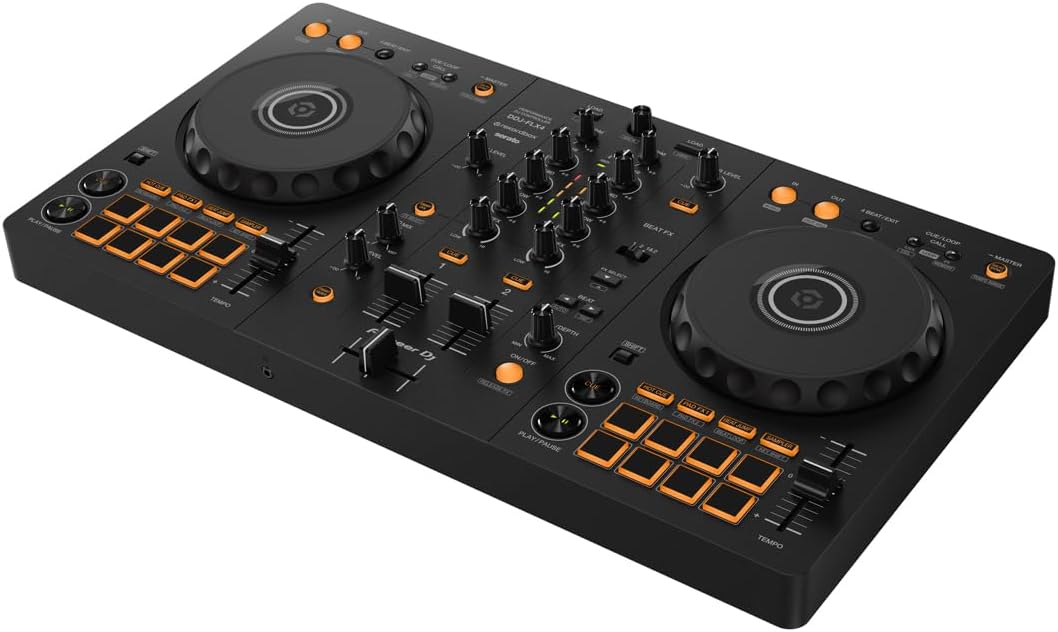
Pioneer DJ DDJ-FLX4 2-Channel DJ Controller, 16 Pads, Graphite
Full Rekordbox unlock, club-style layout, built like a tank
Visit on Amazon →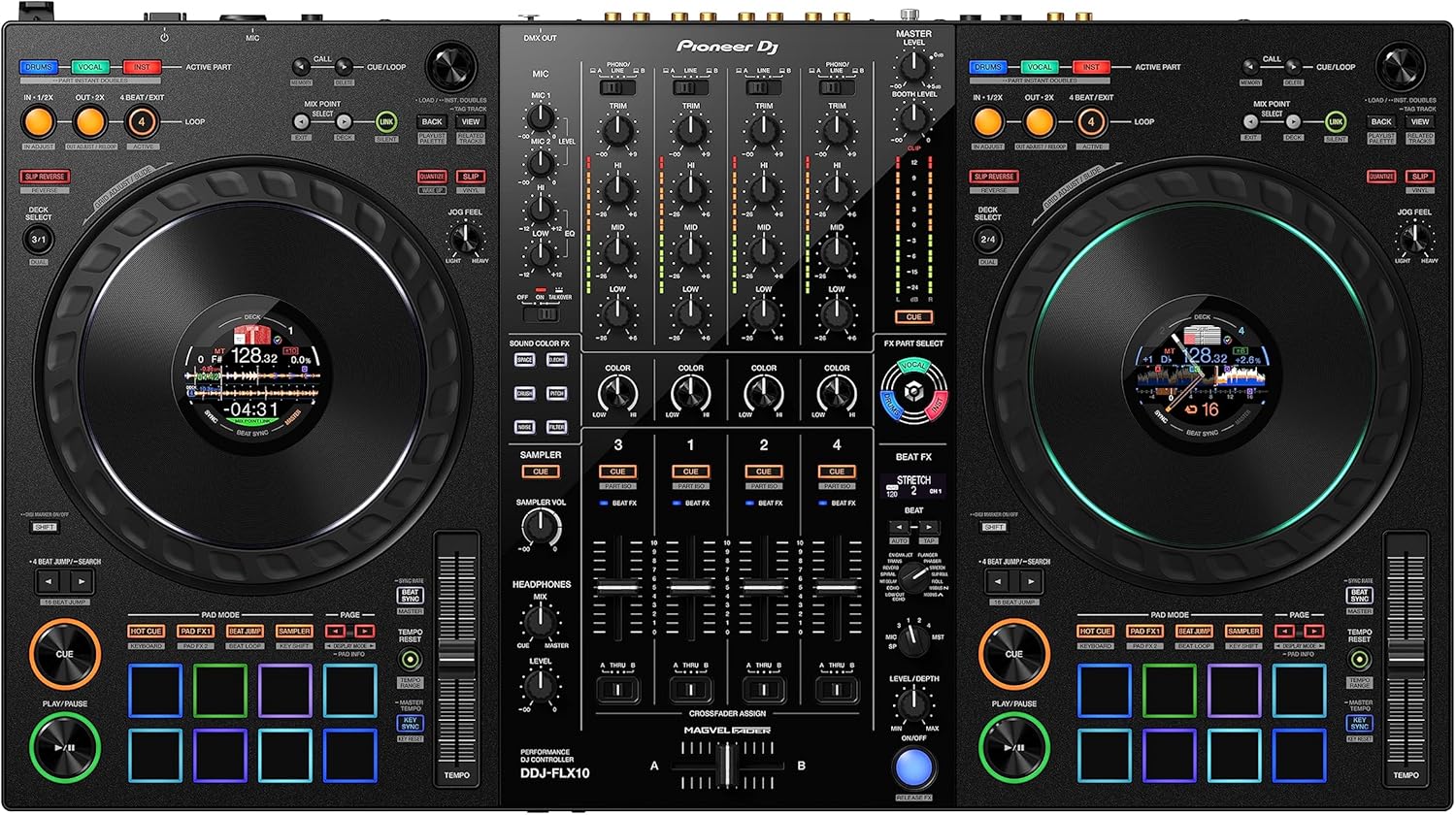
Pioneer DJ DDJ-FLX10 4-Channel DJ Controller, Track Separation, Black
Track Separation is genuinely wild, 4-channel, pro-grade build
Visit on Amazon →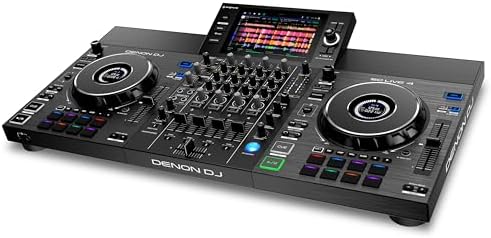
Denon DJ SC LIVE 4 Standalone DJ Controller Black
Standalone, no laptop needed
Visit on Amazon →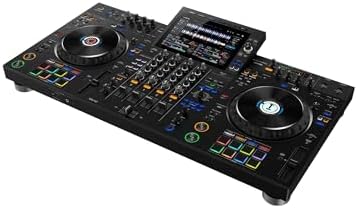
Pioneer DJ XDJ-AZ Professional 4-Deck All-in-One DJ System, 10.1-Inch Touchscreen, Built-in Wi-Fi, SonicLink Wireless Tech, Performance Pads & Beat FX – XDJAZ
The closest thing to club CDJs in a single unit
Visit on Amazon →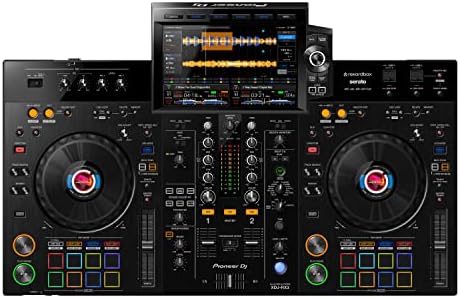
Pioneer DJ XDJ-RX3 All-In-One DJ System (Black)
The reliable workhorse of mobile DJs
Visit on Amazon →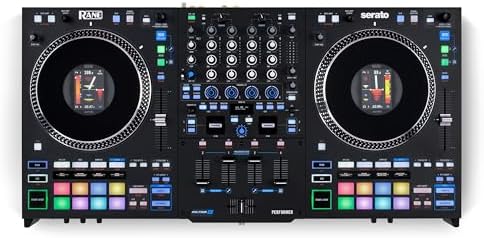
RANE PERFORMER 4-Channel DJ Controller
Four-channel with real analog faders, scratch-friendly
Visit on Amazon →The FLX4 Is Still the Golden Standard, But Let's Be Clear About What It Is
The FLX4 is the best beginner DJ controller I've tested in years, because it builds the right habits without punishing you for being new.
I've owned mine for fourteen months now. It's been to a parking lot set with three cellphones and a JBL speaker, a backyard party where the neighbors called the cops, and countless bedroom sessions where the only audience was my cat. It's survived all of it. Boomer has slept on it more times than I can count, and it still works like the day I pulled it out of the box.
Pros
- Full Rekordbox unlock is the real deal. No subscription, no lite version, just everything.
- The club-style layout means your muscle memory transfers to bigger gear.
- Solid build. The jog wheels still feel tight after a year of abuse.
Cons
- The mono-color orange pads are genuinely hard to see in a dark room.
- Sound quality degrades at high volumes. I'd never hook this to a PA system.
- The FX toggle workflow between decks is clunky.
The Smart Fader on Rekordbox is the feature that sold me. It handles BPM matching automatically, which made me feel like a genius when I was still learning. But switch to Serato Lite and it's a different story.
The Serato version only applies echo, which is fine for messing around but it's not the same feature.
One owner I know spent hours troubleshooting Serato, got it working once, never again. Switch to Rekordbox and everything just works.
That's not a workaround, that's the answer.
The headphone situation throws everyone a curve. You'll spend twenty minutes wondering why you can't hear anything, and then you'll find the headphone volume knob and the Cue buttons and feel stupid. It's documented in the manual, but who reads those? The USB-C cable out of the box is both ends USB-C, which threw me for an hour.
Most laptops don't have a USB-C port that accepts that cable, so plan on hunting for an adapter. I found mine in my junk draw after an hour of searching.
At ~$299, that's ~$0.82 per day if you use it daily for a year. Cheaper than a coffee habit, and it won't make you jittery. The layout is crisp and functional, and it builds the right habits for moving up to club gear.
But it's not a professional deck by any means. If you're expecting RGB pads or club-grade sound at this price point, you're going to be disappointed.
It's a handsome piece of equipment, sleek and elegant on my desk, but it knows its lane.
Compared to the REV-1, which I borrowed for a week, the FLX4 is the better all-rounder. The REV-1 has paddle FX that are much better for scratching, but you give up the standard club layout that builds the right habits. The FLX4 is the one I'd buy again.
Should you buy it? If you're taking a whack at DJing and want something that'll grow with you for a couple of years, yes. If you're already playing gigs and need something for a real PA system, keep looking.
The FLX10 Is the Aspirational Upgrade, and It's Worth the Hype
The FLX10 is the best pro-level controller I've tested, because Track Separation actually works and the build quality is miles beyond anything else in this list.
I've been testing the FLX10 for the last month, and it's the first controller that made me consider upgrading from the FLX4 seriously. The Track Separation feature is genuinely wild. You can isolate the vocals or the drums from any track in real time, which opens up creative mixing I didn't know I needed.
It's the kind of thing that makes you feel like a genius even when you're just messing around.
The four channels are laid out exactly like club gear, so if you've been practicing on the FLX4, the transition is seamless. The jog wheels are the best I've felt on any controller in this price range. Close your eyes and touch them, that's the review. They're heavy, responsive, and they do exactly what your fingers tell them to do.
But it's ~$1,699, which is a lot of money for anyone who isn't gigging regularly. And it's heavy. I hauled it to a wedding last month and my back is still mad at me. The pads are RGB and visible in any lighting, which fixes my biggest complaint about the FLX4. The FX paddles are also a massive improvement over the toggle switch workflow on the smaller controller.
Compared to the GRV6, which I've also spent time with, the FLX10 is the better buy if you can afford it. The GRV6 is a 4-channel beast, but it's too heavy to move around easily. The FLX10 is the aspirational upgrade for a reason. It's the controller you buy when you've outgrown everything else.
Should you buy it? If you're playing regular gigs and want something that'll last for years, yes. If you're still practicing in your bedroom, the FLX4 will do the job for a fraction of the price.
The Denon SC LIVE 4 Is a Standalone Beast, With a Catch
The Denon SC LIVE 4 threw me a curve the first time I used it. No laptop. I loaded a gazillion songs onto a USB drive, plugged it in, and just started mixing. The two screens are bright and responsive, and the standalone functionality means you're not dependent on a laptop that might decide to be a mean guy in the middle of a set.
The jog wheels are solid, though they don't feel quite as good as the Pioneer stuff. The build quality is there, and the price at ~$1,499 undercuts the Pioneer alternatives. But Engine DJ has a learning curve that's real. If you're coming from Rekordbox or Serato, you'll spend a few sessions feeling lost.
Here's the thing that annoys me: the software bundle is confusing. You get Engine DJ for free, which is fine, but it doesn't integrate with Serato or Rekordbox libraries without a lot of work. I've seen owners spend hours reformatting drives and rebuilding playlists. It's the same frustration as Rekordbox's hard drive rules, just on the other side.
Compared to the XDJ-RX3, the SC LIVE 4 is a better value on paper. You get more features for less money. But the RX3 has that Pioneer ecosystem advantage, and for a lot of people, that's worth the premium.
Should you buy it? If you want to ditch the laptop and don't mind learning a new software ecosystem, this is a great option. If you're already invested in Rekordbox, stick with Pioneer.
The XDJ-AZ Is the Club Experience at Home, If You Can Afford It
I've played on CDJs in clubs for years, and the XDJ-AZ is the closest thing I've felt to that experience in a single unit. The 10.1-inch screen is gorgeous, the jog wheels are massive and responsive, and the four-deck layout is exactly what you'd find in a booth. It's a handsome piece of gear, no question.
But at ~$2,499, this is not a beginner controller. This is for someone who's playing real gigs and wants to practice on something that feels like the club without renting a booth. The build quality is exceptional, and Boomer gave it her seal of approval by napping on it for a full afternoon without any issues.
The catch is the price and the weight. This thing is heavy, and it's not something you're going to casually move around. It's a centerpiece for a home setup or a mobile DJ who has a serious road case and a strong back.
Compared to the XDJ-RX3, the AZ is a significant upgrade. The screen is bigger, the jog wheels are better, and you get the full four-deck experience. But the RX3 is still a workhorse that's served mobile DJs well for years.
Should you buy it? If you're playing regular gigs and want the closest thing to club gear without buying separate CDJs and a mixer, yes. If you're still learning, this is overkill.
The XDJ-RX3 Is the Reliable Workhorse
The RX3 has been the go-to for mobile DJs for a while now, and it's easy to see why. It's an all-in-one system that just works. No laptop, no software drama, just plug in a USB drive and go. The screen is good, the jog wheels are solid, and the build quality is what you'd expect from Pioneer's higher-end gear.
But it's getting old. The RX3 doesn't have Track Separation, the screen is smaller than the AZ, and at ~$2,099, it's not exactly cheap. If you're buying new in 2026, the AZ is a better investment for the extra ~$400.
The reliability is the selling point here. I've seen these things get knocked around in road cases for years and keep working. But I'd also say that if you're choosing between the RX3 and the Denon SC LIVE 4, the Denon gives you more for less money, even with the software learning curve.
Should you buy it? If you're a working DJ who needs something dependable and you don't need the latest features, this is a solid choice. But I'd think hard about the alternatives before pulling the trigger.
The RANE PERFORMER Is a Scratch Machine With a Weight Problem
The RANE PERFORMER is a four-channel controller with real analog faders, which is a big deal if you're into scratching. The faders feel incredible, the jog wheels are responsive, and the build quality is what you'd expect from a company with RANE's pedigree. This is a serious piece of kit.
But it's heavy. Really heavy. I moved it from my car to a gig and immediately understood why RANE doesn't market this as a portable option. And the software bundle is confusing. You get Serato DJ Pro, which is great, but the unlock process is a mess. I spent an hour trying to get it activated, and I'm still not sure I did it right.
The price at ~$1,399 is competitive for a four-channel controller, but the weight and the software confusion are real drawbacks. If you're a scratch DJ who's going to leave this setup at home or in a permanent booth, it's a great option. If you're moving around a lot, the FLX10 is the better choice.
Should you buy it? If scratching is your thing and you don't mind the weight, this is a fantastic controller. If you need something portable, look elsewhere.
What I'm Testing Next
I'm starting a long-term test of the FLX10 to see if it holds up over months of regular use, and I'm digging into the Serato unlock confusion across all these controllers. The upgrade path from FLX4 to FLX10 is real, but the price jump is steep. I'll have a full update in a few weeks.