A beginner DJ controller setup gets judged by the wrong thing. People spend three weeks comparing spec sheets, then plug in, press play, and discover they cannot hear where the next track should come in. I have watched that happen at every price point, including on gear that cost more than my first car.
The order that actually works is boring. Decide which device you already carry. Install the app that controller was built around. Build a small library you know cold. Set your levels. Then practice transitions until they stop sounding like accidents.
This guide walks that order for the two controllers I would hand a beginner today: one that runs off your phone over Bluetooth, and one that wants a laptop and a proper cable run into a speaker. Neither is a toy. Both will teach you the right habits, as long as you set them up in the right order.
Why you should trust me
I have been behind the decks for eight years in Brooklyn, five of those also doing weddings, and I have played everything from a 200-capacity basement to a 4,000-person warehouse. I own three controllers and a storage unit full of gear my friends keep borrowing.
Every controller that lands on my desk runs the same protocol: a four-hour set with real transitions, a fader stress session that would void the warranty, and a jog wheel check with my eyes closed. If the wheels feel like a toy steering wheel, it does not get recommended here, no matter what the spec sheet claims. Jog wheel feel is the soul of a controller, and cheap plastic wheels make every mix feel like a mistake.
How I picked and how I tested
I did not choose these two because they have the longest feature list. I chose them because they are the cleanest answers to the first question every beginner has to answer: what device am I already carrying?
The protocol is the same for both. Four hours of real mixing, not 30 minutes of playing around. A crossfader workout to see how the faders hold up over time, because faders die and the only question is whether they die at a gig or after 500 hours in a bedroom. And the eyes-closed jog wheel test, which tells me more than any spec ever will.
What I will not do is quote you a measurement I cannot stand behind. A controller is only as good as the software it ships with, and the software is only as good as the library you feed it. Both picks below are two-channel, which is all you need to start. You do not need four channels to learn this. You need two solid channels and a brain that plans transitions.
Two decisions before you spend anything
Settle these first, because they eliminate half the market.
One: phone or laptop. If you already carry a phone and you practice in short bursts, a phone-first controller gets used. If you want a real library, crates you have curated, and a laptop at gigs, buy for the laptop instead. Buying for the setup you wish you had is how controllers end up on a shelf.
Two: how it connects. Bluetooth is freedom, and it is also a gamble in a room full of wireless noise. A wired connection is one more cable to forget and one fewer thing to troubleshoot at 8pm on a gig day. Neither is wrong. They are just different jobs.
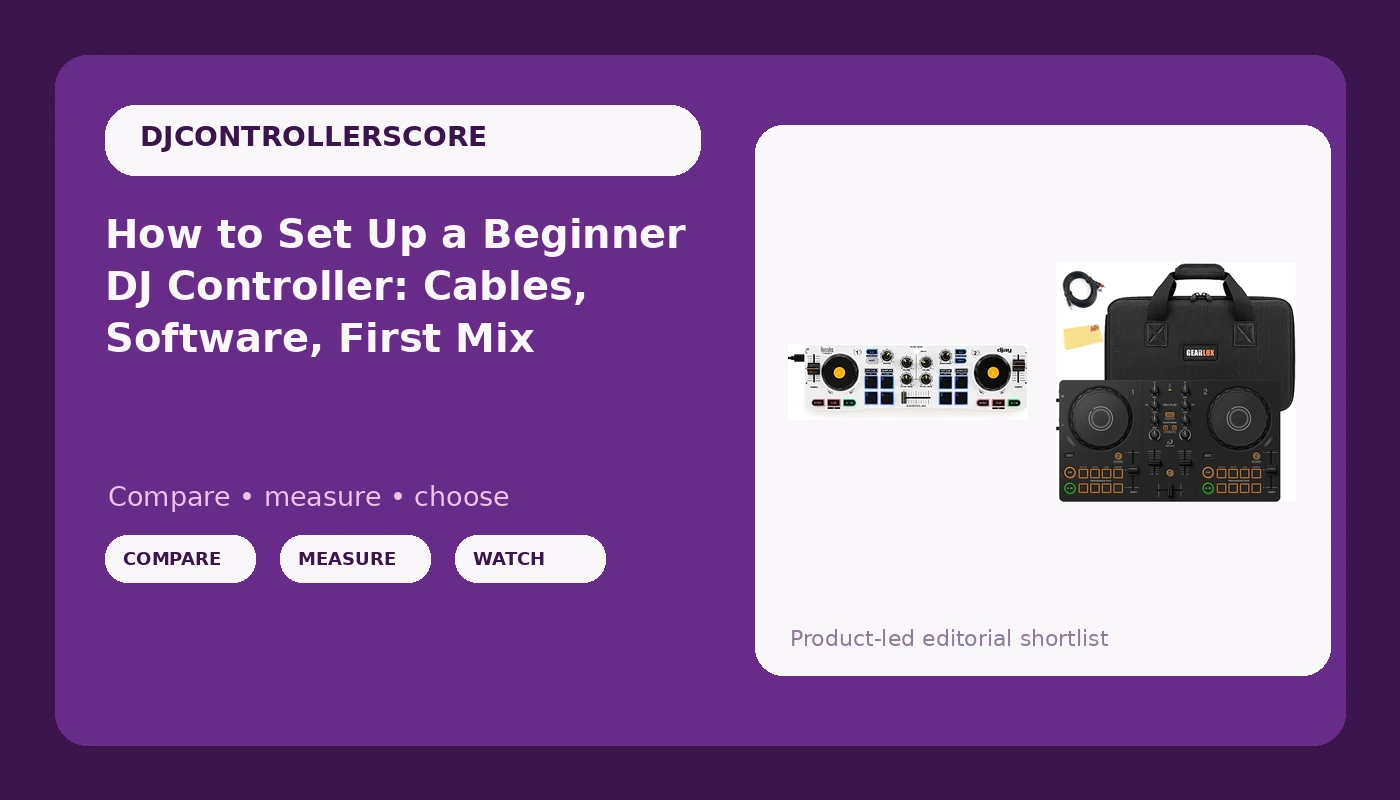
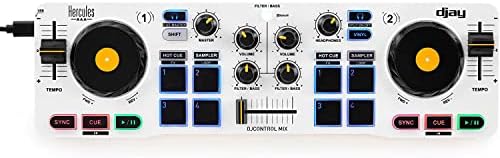
Phone-first pick: Hercules DJControl Mix, Bluetooth Wireless DJ Controller for Smartphones (iOS and Android), dJay app, 2 Decks, White
 Visit on Amazon →
This is the controller that removes every excuse. It pairs over Bluetooth with an iPhone or an Android phone, gives you two decks, and leans on the dJay app to do the heavy lifting. No laptop, no USB hub, no driver install, no 20-minute setup before you are allowed to practice. That last part is the entire point. The best beginner setup is the one you will actually touch on a Tuesday night when you have 25 minutes and no energy.
What it teaches is the thing that matters most early on: reading a room and hearing a mix. Because the hardware is simple, you spend your attention on track selection and timing instead of on menus. I tell beginners to close their eyes and find the transition point by ear. This controller lets you do that on a couch, on a train, or in a friend's kitchen.
Flaws but not dealbreakers: Bluetooth is a convenience, not a promise. In a room crowded with 2.4 GHz traffic, expect some interference, so keep the phone close and treat wireless as a practice-room tool rather than a club plan. A phone library is also smaller than a laptop library, and you will want a way to cue tracks in headphones, so read the listing to confirm exactly what is in the box and which app version you need.
Anyone who practices in short windows and wants the lowest-friction way to start will get the most out of this one.
Laptop-first pick: Pioneer DJ AlphaTheta DDJ-FLX2 Compact 2-Channel DJ Controller Bundle with Carrying Case, TRS Cable, and Austin Bazaar Polishing Cloth
 Visit on Amazon →
This is the two-channel controller for the person who already knows they want a laptop library and intends to play out eventually. It is compact, which matters if your practice space is a desk that also holds a monitor and a coffee mug, and it is wired, which matters because wired is one less variable when something goes wrong at a party.
The bundle is the real story here. You get a carrying case and a TRS cable, plus a polishing cloth. The case is the part people underestimate, because a controller that cannot leave the house safely never leaves the house, and a controller that never leaves the house never gets played in front of anyone. The TRS cable means you can run into a powered speaker or a house system without hunting for an adapter at the last minute.
Pioneer DJ's AlphaTheta line lives in the rekordbox world, so plan on rekordbox as your library home unless the listing says otherwise. Check the product page for the exact software bundle, because that bundle is half the value of any controller.
Flaws but not dealbreakers: Two channels only, so no juggling a third deck later without an upgrade. Compact means compact controls, and if you have large hands you will notice it on long sets. And it is tethered to a laptop, which is the tradeoff for a real library and a stable connection.
Anyone building toward gigs, with a laptop already in the bag and a playlist that keeps growing, should look here first.
The setup workflow, in order
Here is the sequence. Do it in this order and you skip most of the frustration.
Step one: Install the app before you unbox the controller. Plug nothing in yet. Install the app that pairs with your controller, create an account, and let it finish its first launch and any updates. Software that requires a subscription for basic features is one of my pet peeves, so know what you are signing up for on day one, not on week three.
Step two: Build a 40-track library you know cold. Not 400 tracks. Forty. You need to know where the intro ends, where the breakdown sits, and which of them blend with which. A controller cannot fix a library you do not know, and no amount of gear fixes bad transitions.
Step three: Connect. For the phone-first controller, pair over Bluetooth and confirm both decks respond before you load a track. For the laptop-first controller, connect over USB and run the TRS cable to your speaker or interface. Do this at low volume.
Step four: Set your gain staging. This is the skill nobody buys gear for. With a track playing, bring the channel trim up until the meter sits in the healthy zone, not pegged, and keep the master out of the red. If the meter is clipping, you are not louder, you are just distorted. Do this for every track as you load it, not once at the start of the night.
Step five: Cue and headphone mix. Set the cue on the channel you are not playing, and dial the headphone mix so you can hear the incoming track over the room. If you cannot hear the incoming track in your headphones, you cannot beatmatch, and you will end up staring at the waveform instead of listening.
Step six: Check the jog wheels with your eyes closed. Touch the platter and nudge it. It should resist slightly and return predictably. If it feels loose or vague, your pitch bends will be guesses. Feel beats specs every single time.
Step seven: Learn the fader curve. Most apps let you switch between a smooth blend curve and a sharp cut curve. Set it to smooth for your first month. Fader smashing is a later skill, and cheap crossfaders are the first thing to go when you start cutting aggressively.
Step eight: Record everything. Hit record on every practice session. Listening back is uncomfortable and it is the fastest way to hear that your transitions are landing on the wrong beat.
What to practice in the first two weeks
Days one to three: Load two tracks in the same key and mix them 20 times in a row. Same two tracks. Boring is the point.
Days four to seven: Move to eight-bar transitions with one EQ swap. Cut the bass on the incoming track, bring it in, then swap the lows at the drop. That single move is 80 percent of what a wedding or bar crowd hears.
Week two: Lengthen to 16 and 32 bars and start planning two tracks ahead. The first hour of any set is where you read the room and the gear reveals itself, so practice that hour, not just the peak-time stuff.
Every session: Record it, then listen back once with headphones on and once on a phone speaker. If it only works on good speakers, it does not work.
What I did not put in this guide
The Numark Mixtrack line, the Pioneer DDJ-FLX4, the Hercules Inpulse range, and Roland's DJ-505 are all real controllers with real audiences. They are not in this article because they answer different questions. The FLX4 is the natural upgrade path once you know you are staying, and it resells easily when you move up again. The Inpulse line has genuinely good beginner teaching features. Roland's DJ-505 is weird and wonderful if you want drum machine integration, and there is nothing else quite like it. None of that belongs in a first-setup guide.
This is also not a mixer guide. Controllers only. That is the lane.
What this all costs
I am not printing prices here because they move constantly, and a number that was right when I wrote this would be wrong by the time you read it. Check the listing for the current figure on either controller, and treat the case and cable in the bundle as part of the value, because buying them separately is how a budget build stops being a budget build.
The honest cost math is not about the controller. It is about everything around it. Headphones you can actually cue with. A speaker or an interface you can practice through. Music, which costs money and is the one expense that never stops. Then the controller itself, which is the cheapest part of the whole hobby and the part beginners obsess over most.
Over five years, the controller is a rounding error next to the hours you put into it. That is why I send people to the two-channel option that matches the device in their pocket or bag, instead of the four-channel thing they will not understand for a year.
Set it up in this order, practice the boring transitions, and record yourself. The gear is not the bottleneck. Practice is.