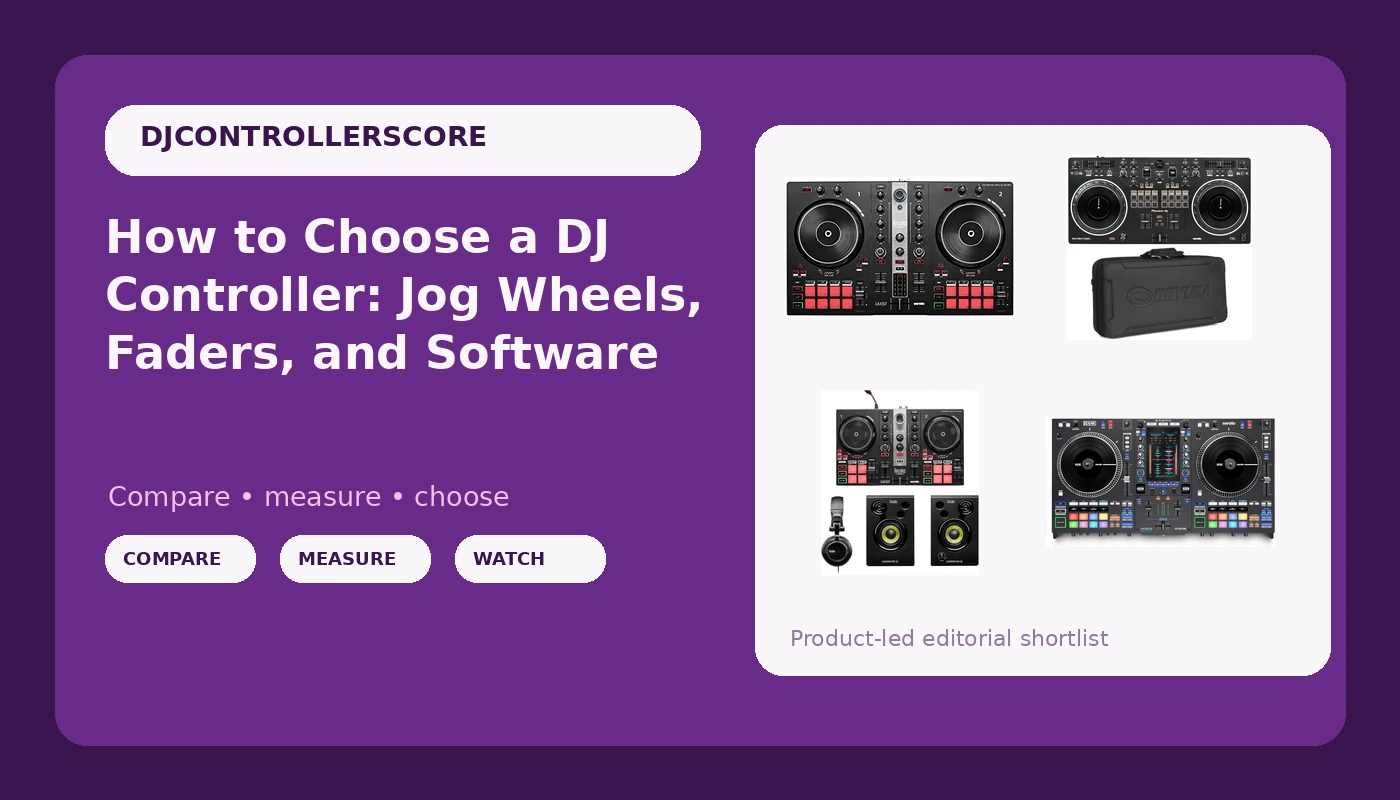
Choosing a DJ controller is really three decisions stacked on top of each other: which software you want to learn, how the jog wheels feel under your fingers, and whether the faders will still be trustworthy a year from now. Product listings are happy to list inputs, outputs, and channel counts. They rarely tell you whether the platter has any resistance, whether the crossfader can be replaced, or whether the bundled software will still make sense after your first hundred hours. This guide breaks those questions down and maps them onto four controllers at very different points in the market, from a complete beginner kit to a motorized standalone unit.
Related: Best DJ Controllers for Beginners: What to Buy First →
Quick answer
Decide on software first, then match the hardware to it. If you are building a first setup from nothing and want speakers and headphones included, the Hercules DJLearning Kit MK II covers all three in one purchase. If you want to learn on Serato with a conventional two-deck layout, the Hercules DJControl Inpulse 300 MK2 and the Pioneer DJ DDJ-REV1 are both two-deck Serato-compatible controllers, and the DDJ-REV1 ships with a carry case for transport. If you would rather not depend on a laptop at all, the RANE SYSTEM ONE is a motorized standalone controller built around that workflow.
Four useful options
| Model | Best fit | What stands out |
|---|---|---|
| Hercules DJLearning Kit MK II | A first setup with no other gear | Controller, speakers, and headphones in one box |
| Hercules DJControl Inpulse 300 MK2 | Learning a two-deck layout | Serato and DJUCED compatibility |
| Pioneer DJ DDJ-REV1 | Serato users who move gear around | Two-deck Serato controller bundled with a carry case |
| RANE SYSTEM ONE | Laptop-free performance | Motorized standalone design |
The starter kit: Hercules DJLearning Kit MK II
The hard part of starting out is not the mixing, it is the shopping list. A controller alone does not make sound, so a beginner ends up pricing a controller, a pair of speakers or monitors, headphones, and cables before the first practice session. A kit that includes speakers and headphones collapses that list into one order, and the PC compatibility note tells you the intended setup is a computer plus this hardware. The trade off is flexibility: bundled speakers are usually smaller than what you would pick yourself, and if you already own decent headphones, you are paying for a pair you did not need. For a first setup, though, getting to a playable rig faster is worth more than optimizing each part.
The two-deck learning option: Hercules DJControl Inpulse 300 MK2
The interesting thing about dual software support is that it lowers the cost of being wrong. Plenty of beginners pick an ecosystem, spend a year building crates and cue points, then discover a different platform suits how they actually mix. Here you can install both and compare before you commit your library. The Inpulse line is also positioned around guided learning features, and Hercules has traditionally leaned into teaching tools rather than pure performance specs, but the exact feature set of this revision is something to confirm on the current listing. Two decks is not a limitation at this stage. You need two channels and a plan for your transitions, not four channels and no plan.
Serato with transport: Pioneer DJ DDJ-REV1 2-deck Serato DJ Controller with Carry Case
Pioneer DJ is the name you will see in most booths, and that matters less for prestige than for muscle memory. If the layout you practice on resembles the layout you will meet at a venue, you spend your first gig mixing instead of hunting for a knob. The REV line takes a different physical approach from a standard club layout, so it is worth looking at where the mixer section sits and deciding whether that arrangement suits how you scratch and cut. The included case is the practical detail here: controllers get damaged in transit far more often than they fail on a desk, and buying a case separately is the purchase everyone postpones until after the first dent.
Laptop-free: RANE SYSTEM ONE Motorized Standalone DJ Controller
Motorized platters are the closest a controller gets to the feel of turntables, and for DJs raised on vinyl that feedback is not a gimmick. Standalone operation changes the workflow just as much. Instead of browsing a full library on a screen mid-set, you prepare and export in advance, then work from that prepared media, which forces a more deliberate approach to set construction. It also removes a failure point: no laptop means no laptop that freezes, overheats, or runs out of battery. This is the biggest commitment of the four by a wide margin, and it makes the most sense for someone who already knows how they play and wants that feel without a computer in the chain.
Prices and availability may change. Product images, names, and retailer links are matched to verified listings. No current price, rating, stock status, or measured result is stated here without current evidence.
Why the software bundle matters more than the spec sheet
Two controllers with near-identical layouts can feel completely different to live with, because the software decides how you prepare a set, how you search a library, and whether your tracks travel with you. Serato and DJUCED both appear in this group and they take different approaches. Serato is the long-standing standard in club and scratch circles with a broad hardware ecosystem, while DJUCED is Hercules' own platform, built around getting new DJs moving quickly. Neither is a wrong answer, but switching later means rebuilding crates, cue points, and habits, so the software choice deserves more thought than any hardware specification.
There is also the question of what happens when the laptop stays home. A standalone controller runs from exported media rather than a computer, which changes your preparation routine: you analyze and export tracks ahead of time instead of browsing everything you own mid-set. That is a genuine workflow shift, not a checkbox on a comparison chart, and it is the main reason standalone hardware sits in a different category from a laptop controller.
Watch for subscription requirements as well. A controller that needs an ongoing payment to unlock basic features changes the real cost of ownership, and the software that ships in the box is part of what you are paying for.
Jog wheels and faders: what actually wears out
The jog wheel is the part your hands touch most, and its feel appears in no spec sheet. A wheel with resistance lets you nudge a beat into place without thinking about it. A wheel that spins freely makes every correction feel like a guess. Motorized platters add weight and physical feedback that some DJs consider essential and others find tiring across a long set. None of this shows up in a bullet list, which is why your own hands on the unit are the only test that counts.
Faders are the part most likely to fail first. Crossfaders take the worst of it, especially if you cut rather than blend, and line faders wear from constant riding. A replaceable crossfader meaningfully extends the life of a controller, so check whether a replacement part exists before you buy. Motorized faders on higher-end units add another moving component to consider.
A controller is also a set of connections. Confirm the outputs match what you own now, whether that is powered speakers, a home stereo, or a venue mixer, and confirm what the software asks of your computer.
A workable order for the decision looks like this:
- Pick the software ecosystem first, because your library, playlists, and cue points live there.
- Decide whether you want a laptop in the setup, since standalone changes both the cost and the preparation routine.
- Match the deck count to how you actually mix, which for most beginners means two.
- Check the parts you will touch most: jog wheel surface, crossfader type, and whether replacements are available.
- Confirm the outputs and connections suit the speakers and headphones you own or plan to buy.
Before you buy: practical checks
- Run the bundled software before you commit, since an hour with the interface tells you more than any spec sheet.
- Budget for the accessories you will genuinely need: headphones, speakers, cables, and something to carry it all in.
- Decide in advance whether the controller stays home or travels, because weight and a case matter the moment it leaves the room.
- Check the return window and whether the crossfader is user replaceable.
- Buy used only when you can put your hands on the faders and jog wheels first.
Which option should you choose?
Choose the Hercules DJLearning Kit MK II when you own no gear at all and want a controller, speakers, and headphones arriving together. Choose the Hercules DJControl Inpulse 300 MK2 when you want a conventional two-deck layout and access to both Serato and DJUCED while you work out which ecosystem fits. Choose the Pioneer DJ DDJ-REV1 when you have settled on Serato and want a two-deck controller that ships with a case for transport. Choose the RANE SYSTEM ONE when you want motorized platters and a laptop-free workflow and you are ready for the largest commitment of the four.
Every option here is a current retail listing rather than a unit tested for this article. Feature sets, bundled software versions, and included accessories change between revisions, so confirm the specifics on the product page before you buy. Nothing here should be read as a measurement of jog wheel resistance or fader lifespan for a particular unit.
The bottom line
The controller does not make the DJ, but the wrong one will slow you down. If you are starting from zero, a kit with speakers and headphones included gets you practicing on day one instead of shopping for three more items. If you already know Serato is your platform, either two-deck option here gives you a familiar layout to learn on, and the one with the case is the easier one to carry. If you have outgrown the laptop entirely, a motorized standalone unit is the direction that makes sense. In every case, let the software and the feel of the jog wheel make the call, then check current Amazon price and availability before you commit.