Well, here's the thing about the "DJ controller vs mixer" debate that nobody tells you: you're probably not actually choosing between the two. You're choosing between a box that does everything and a box that does one thing really, really well.
Related: DJ Controller vs CDJ: What Actually Matters for Your Gigs
I've been messing around on DJ gear for about three years now, started on a Numark DJ2GO2 Touch I bought on a whim, and I've owned my Pioneer DJ DDJ-FLX4 for fourteen months.
I've played a parking lot set for a crowd of curious strangers, a backyard party where the neighbors called the cops, and a lot of bedroom sessions where the only audience was my cat Biscuit, who has zero respect for cables but apparently loves the warmth of a powered-on controller.
Here's the short version if you're in a hurry: a DJ controller is a mixer, two players, and an effects unit in one box that talks to your laptop. A standalone mixer is just the middle piece, and it's useless without CDJs or turntables feeding into it. For 99% of people reading this, you want a controller. But let me explain why, because the 1% is real and I don't want you to waste money.
The Mixer Argument That Almost Got Me
I almost bought a mixer instead of a controller. I had this romantic vision of myself with a proper 2-channel mixer, two CDJs, and a setup that looked like a real DJ booth. Then I looked at the price of two CDJs plus a mixer and realized I could buy a used car for that money.
The mixer alone won't do anything without sources feeding into it. You need players, you need speakers, you need a way to connect everything.
It's a different beast entirely.
The thing is, a mixer is a skill tool. If you're already a DJ and you're playing on club gear, you know how to use a mixer. You've practiced on them. But if you're starting out, a mixer is a box of knobs with no sound coming out until you figure out what to plug into it. That's not a learning curve, that's a brick wall.
The Controller Reality Check
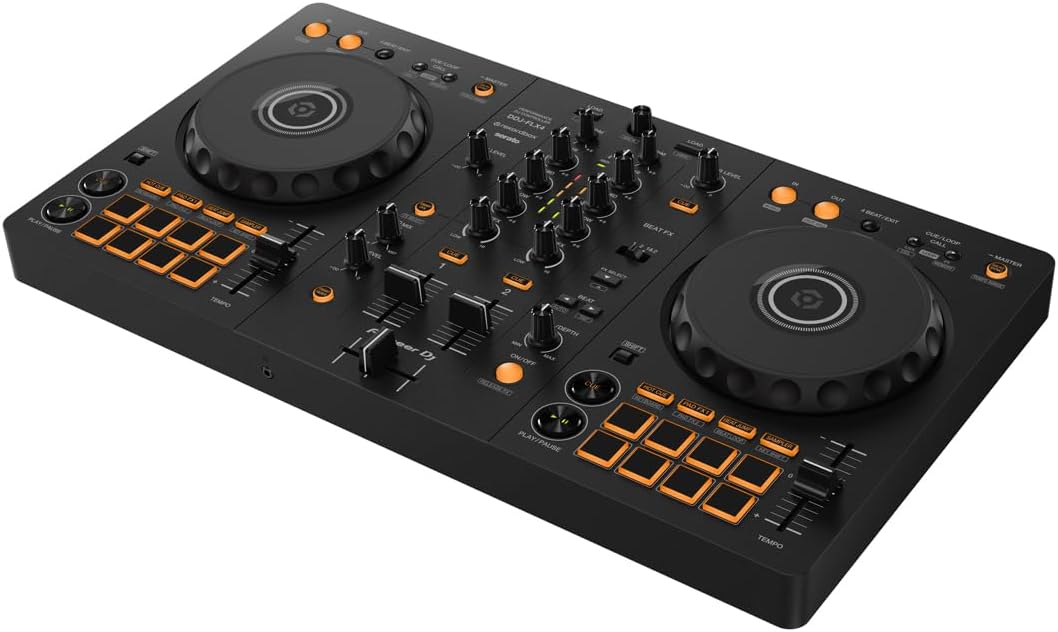
A controller is the whole booth in one box. My FLX4 has two jog wheels, a mixer section, effects, pads, and it plugs into my laptop with one cable. That's it. I've hauled it to a friend's apartment in a backpack, set it up on a wobbly table at a backyard party, and Biscuit has napped on it more times than I can count. It's survived all of it.
The version I own, the FLX4, is the golden standard for a reason. It's ~$339, it unlocks Rekordbox fully out of the box, and the layout is crisp and functional. It builds the right habits for moving up to club gear because the layout mirrors what you'd find on a professional setup. But I'm going to lead with the flaws because that's what you actually need to hear.
Pioneer DJ DDJ-FLX4
 Visit on Amazon →
The mono-color orange pads are my biggest gripe. In a dark room with any lighting, they're hard to see. I've missed cues because I couldn't tell which pad was which. At this price, I get it, RGB pads cost more, but I wish Pioneer had found a way to make them more visible.
Visit on Amazon →
The mono-color orange pads are my biggest gripe. In a dark room with any lighting, they're hard to see. I've missed cues because I couldn't tell which pad was which. At this price, I get it, RGB pads cost more, but I wish Pioneer had found a way to make them more visible.
The FX toggle workflow is also clunky. It requires switching between decks with a toggle, and it's just not as smooth as the paddle-style FX on the REV-1 or the Numark Mixtrack Platinum FX.
When you're in the middle of a transition and you need to switch FX, you don't want to be hunting for a toggle switch.
The sound quality also degrades at high volumes. I'd warn anyone against hooking it up to a PA system. It's an affordable piece of equipment for the beginner, and it didn't break the bank. But if you're expecting club-grade sound at this price point, you're going to be disappointed.
Here's what I love: Rekordbox just works with this controller. No driver installs, no fuss. The Smart Fader on Rekordbox handles BPM matching automatically, and it'll make you feel like a genius even when you're just messing around.
At ~$299, that's ~$0.71 per day if you use it daily for a year, cheaper than a coffee habit, and it won't make you jittery.
I couldn't recommend this exact model more. But know what you're getting into first.
The Serato vs Rekordbox Mess
This is the thing that trips up so many buyers. The FLX4 unlocks Rekordbox fully, but only gives you Serato Lite. Owners feel tricked, and honestly, I don't blame them. One owner I know spent hours troubleshooting Serato, got it working once, then never again. He now warns everyone to get Rekordbox. His frustration is my frustration.
Serato Lite is fine for messing around, but you'll hit a wall fast if you actually want to use Smart Fader the way it's meant to work. On Serato, it only applies echo, not the BPM matching that Rekordbox does. It's weak, and it makes the REV-1's paddle FX look even better by comparison.
If you want to use Serato properly, you're looking at ~$10 a month or ~$250 for a one-time payment. That's a real cost that isn't clear on the box. Get Rekordbox if you want to use this controller. That's not a workaround, that's the answer.
The Scratch Alternative
If you're into scratching, the REV-1 is worth a serious look. The paddle FX are much better, and the layout is designed for a different style of DJing. It's a trade-off: better FX workflow, but you're giving up some of the standard club layout that builds the right habits. It's not the all-rounder that the FLX4 is.
I borrowed a REV-1 from a friend for a weekend and took a whack at scratching. The paddle FX feel natural, like a real mixer. But the layout is battle-style, which means the mixer section is in the middle and the jog wheels are on the sides.
That's great for scratching, but it doesn't translate to club gear the same way. Choose the REV-1 if scratching is your goal.
Choose the FLX4 if you want to build habits that carry over to a professional booth.
The Upgrade Path
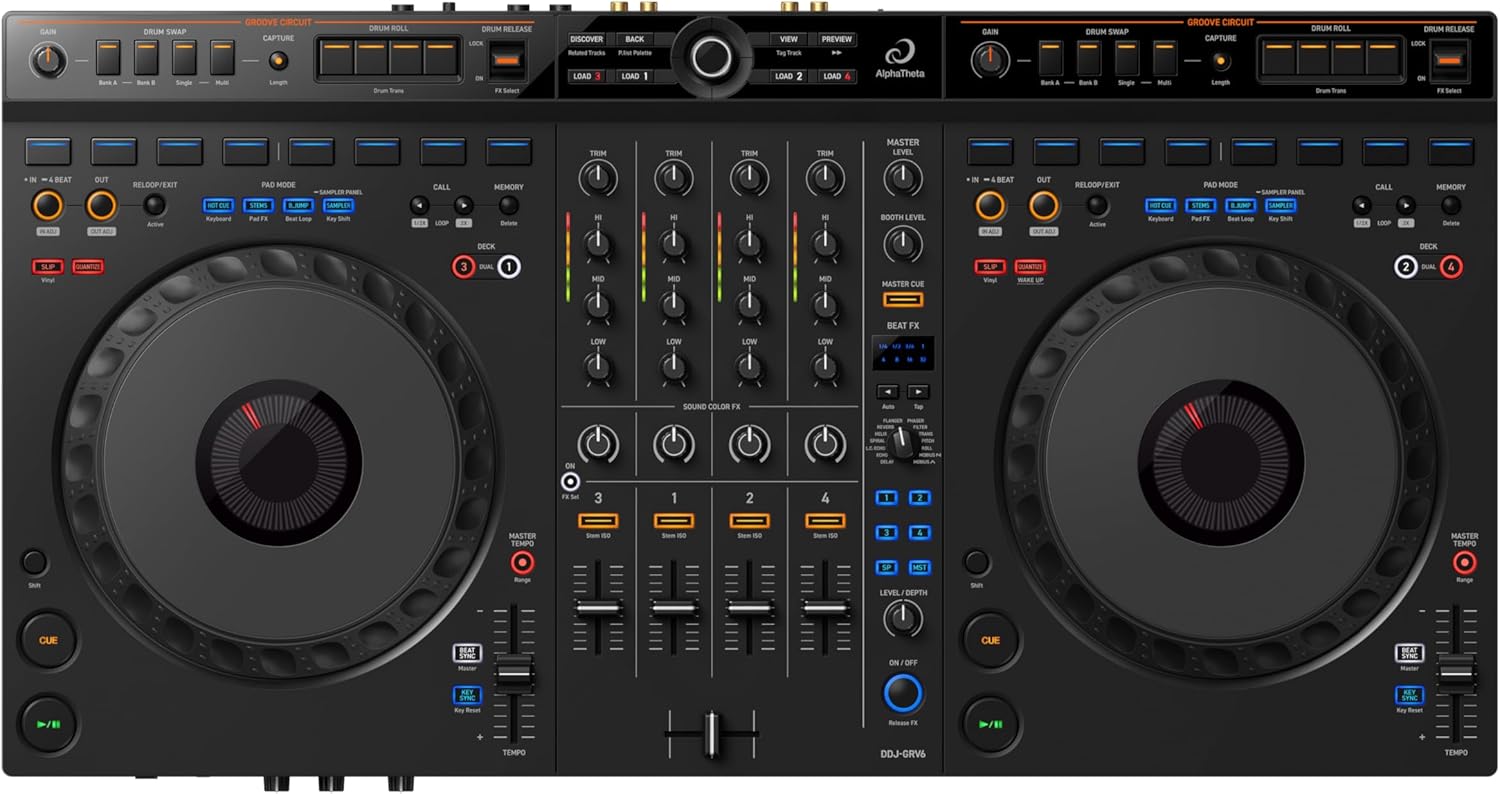
I've seen the progression: start on a DDJ-200 or a Numark DJ2GO2 Touch, outgrow it in a year, and step up to the FLX4. Then, when you're ready for something bigger, you're eyeing the FLX10 or the GRV6.
The GRV6 is a 4-channel beast, but it's a bit too heavy to move around. The FLX10 is the aspirational upgrade.
But for most people, the FLX4 is where you should start and where you'll stay for a while.
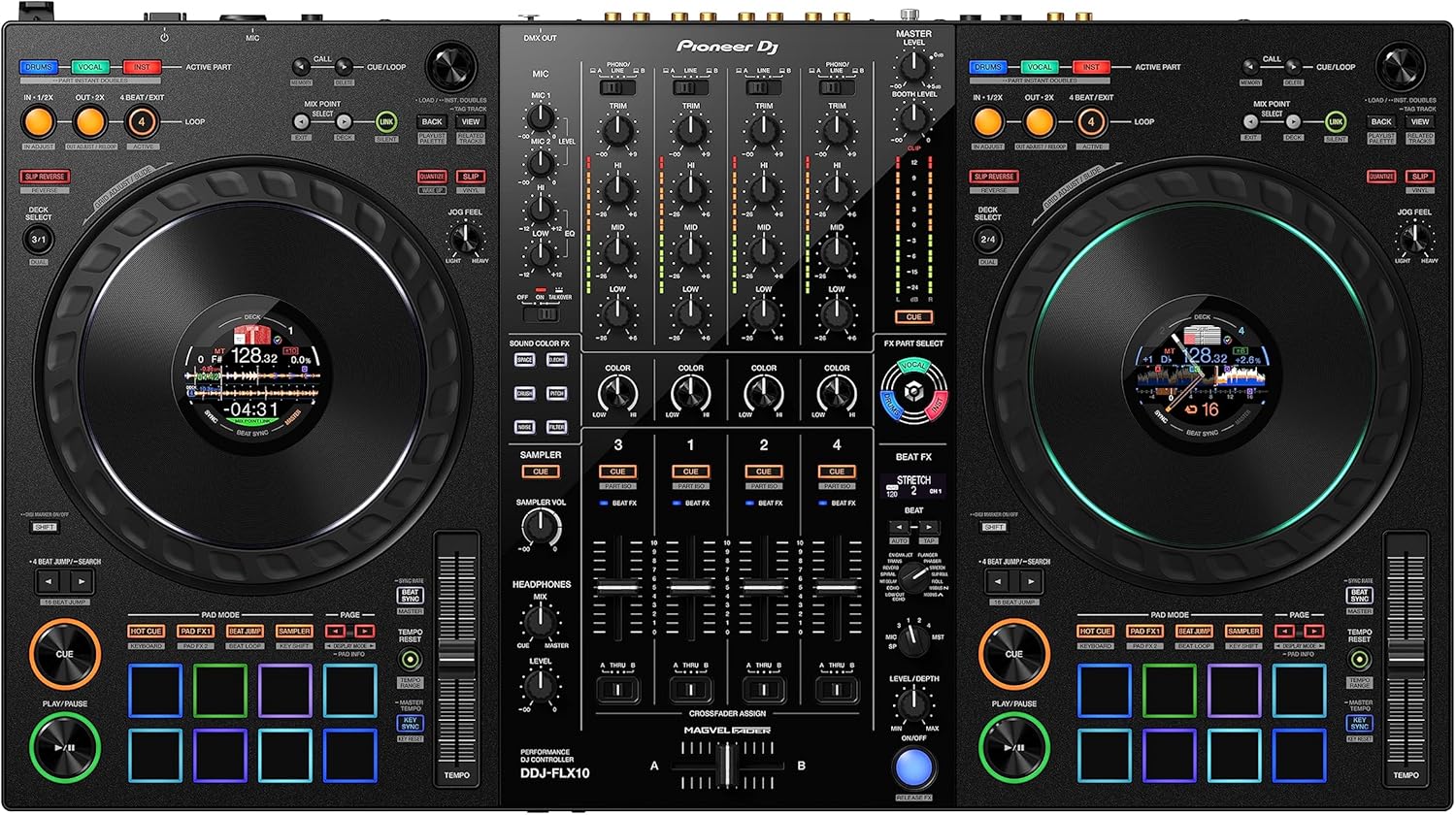
The FLX10 is a 4-channel controller that costs ~$1,699. That's a serious investment. It's got RGB pads, better sound quality, and it's built for gigging. But if you're a beginner, you don't need RGB pads or a 4-channel mixer to learn. You need something you'll actually use every night. Start with what lets you practice, not what looks impressive.
The Mid-Range Options
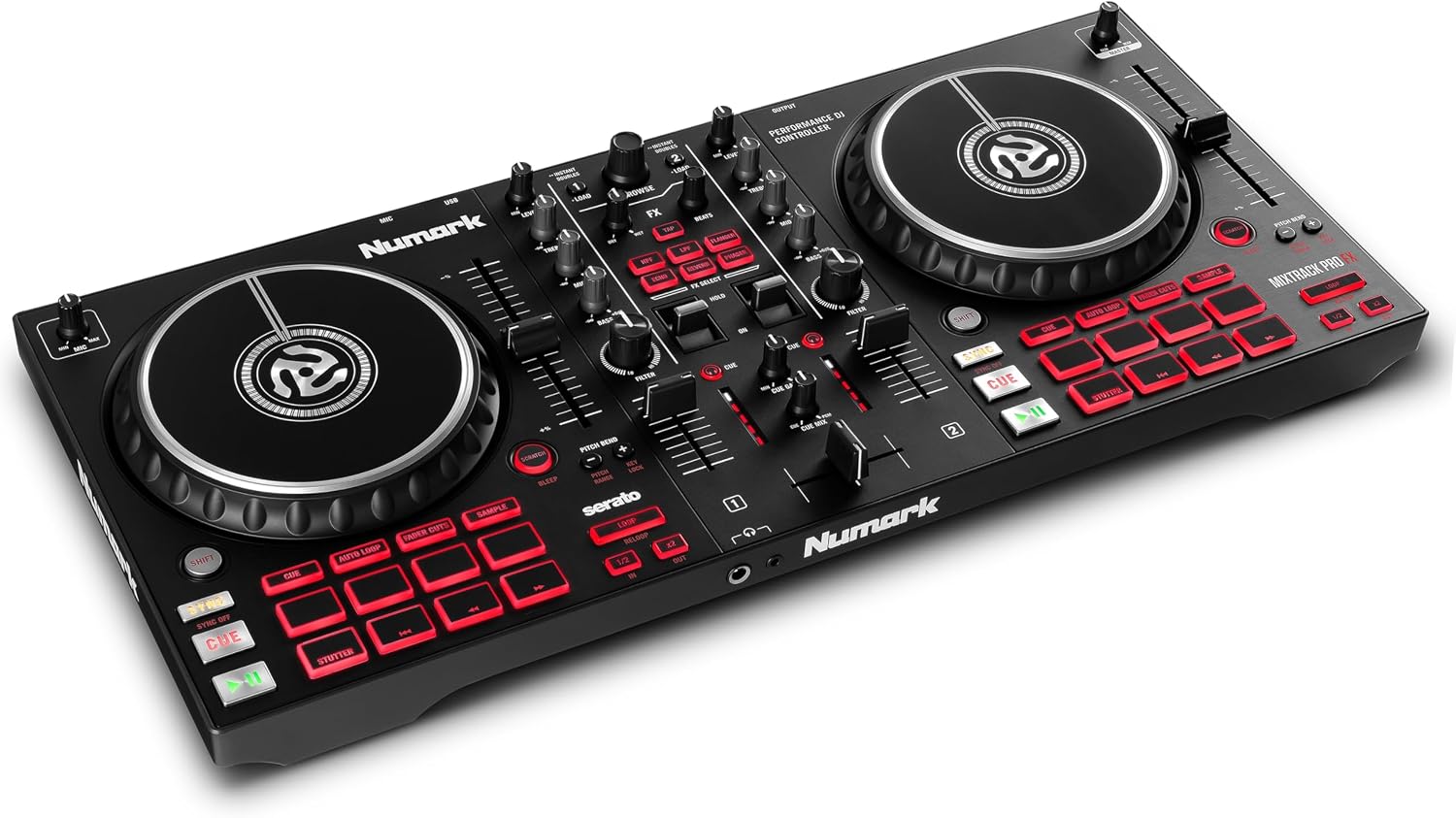
The Numark Mixtrack Pro FX is the Serato-friendly alternative. It comes with Serato DJ Pro included, which is a full version, not a lite version. That's a big deal if you're a Serato loyalist. It's also got paddle FX, which feels better than the toggle on the FLX4. But it doesn't unlock Rekordbox, so if you ever want to switch, you're buying that software separately.
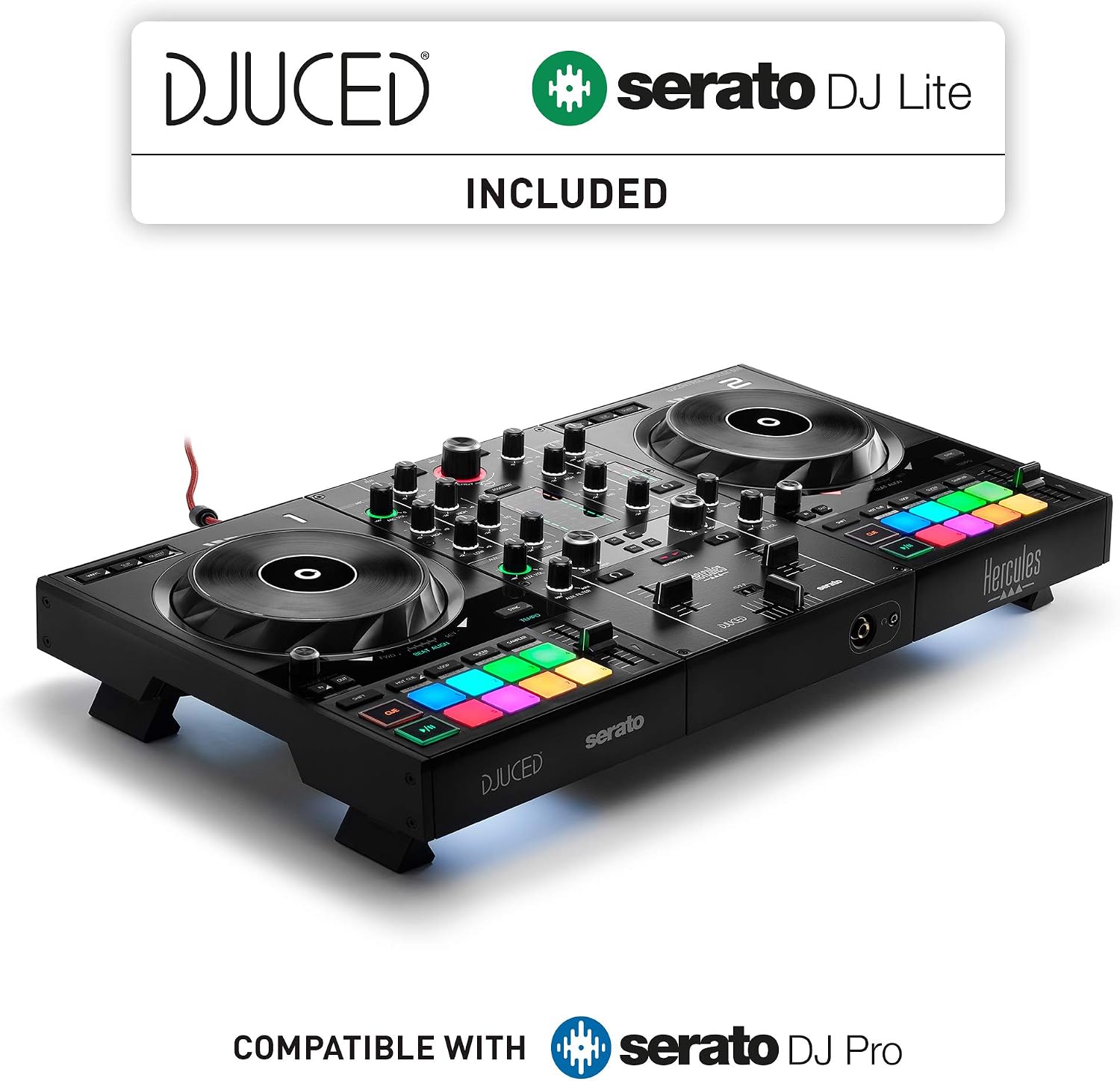
The Inpulse 500 is another option in the same price range. It's got a built-in audio interface, which is nice, and it works with both Serato and djay Pro AI. But the software unlock situation is a bit murky, and I've seen owners complain about the build quality.
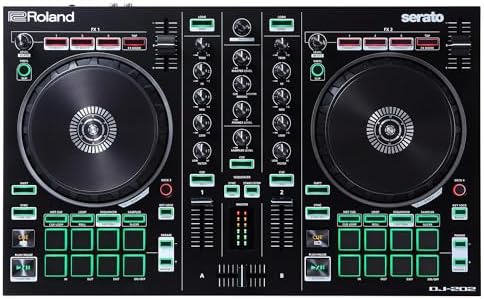
The DJ-202 is a budget option that's been around for a while. It's got 2 channels and it's fine for messing around, but it feels dated compared to the FLX4. If you're on a tight budget, it'll do the job, but you'll outgrow it fast.
The Headphone Curve
One thing that throws every single newbie: the headphone volume knob. I spent twenty minutes wondering why I couldn't hear anything, and then I found the headphone volume knob and felt stupid. You have to engage the Cue buttons and turn up the headphone volume separately. It's confusing for beginners, but it's also clearly documented, if you read the manual. I read the manual so you don't have to.
The Hard Drive Rules
Rekordbox rejects hard drives that aren't formatted to its strict conditions. Serato doesn't care, it'll read anything. This is the kind of thing that drives me crazy. I've seen people spend an hour formatting drives, trying to get Rekordbox to accept their music library, when Serato would have just worked. It's a real pain point, and it's not documented clearly anywhere.
The Bottom Line
Here's the honest truth: you want a controller, not a mixer. The mixer is a piece of a bigger puzzle, and the controller is the whole puzzle in one box. The FLX4 is the golden standard for a reason, but it's not a professional deck by any means.
It's a ~$299 box that builds the right habits, and when you outgrow it, you'll know because you'll have put in the hours and you'll feel the limits of your gear.
I don't track prices day to day, so I won't pretend to know next week's. But I know that gear is not the bottleneck, practice is. The FLX4 has been on my desk for fourteen months, Biscuit has napped on it, I've loaded a gazillion songs into playlists and just let it run, and it's still going strong. That's the test that matters.