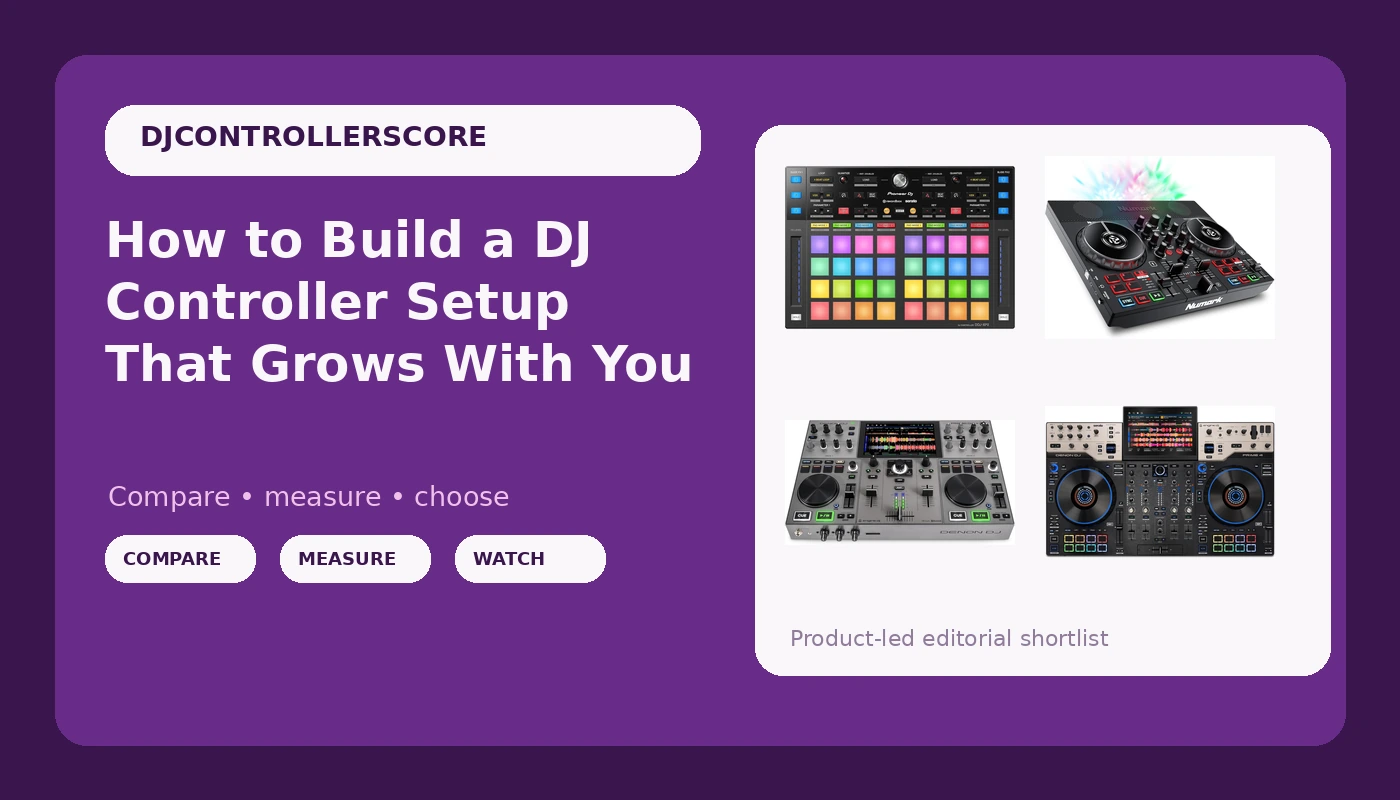
Most people who go shopping for a DJ controller setup are not really shopping for hardware. They are shopping for the next obstacle to disappear. Maybe it is the laptop tether, maybe it is the crossfader under your hand that you do not trust at a paying gig, maybe it is simply that you have outgrown a starter deck and cannot tell which direction to move next.
The four controllers below sit at four different points on that path. One is a first controller. One is an add-on that assumes you already own something to add it to. Two are standalone units that do not need a computer at all. They are not competitors, and treating them as a ranked list is exactly how people end up buying the wrong thing. This is a guide to roles, not a scoreboard.
Related: Best DJ Controllers for Beginners →
Quick answer
Match the controller to the role you need filled, not to a spec sheet. If you are starting from nothing and want to practice every night, a compact all-in-one like the Numark Party Mix Live covers the fundamentals. If you already have a working setup and want more pads and hands-on performance control, the Pioneer DJ DDJ-XP2 is an add-on, not a replacement. If you want to leave the laptop at home, the Denon DJ PRIME GO+ is the portable standalone option, and the Denon DJ PRIME 4 G2 is the flagship standalone with onboard stems rendering. There is no single right first purchase here, because the right first purchase depends on whether you already own a controller.
Four useful options
| Model | Best fit | What stands out |
|---|---|---|
| Numark Party Mix Live DJ Controller with Built-in Lights and Speakers | A first controller for home practice | Built-in lights and built-in speakers |
| Pioneer DJ DDJ-XP2 Add-On Pad Controller, 32 Pads, rekordbox Serato | Adding pads and performance control to a setup you already own | 32 pads, listed rekordbox and Serato compatibility |
| Denon DJ PRIME GO+ Standalone Portable DJ Controller | Playing without a laptop in small rooms and on the move | Standalone operation in a portable chassis |
| Denon DJ PRIME 4 G2 Standalone DJ Controller with Onboard Stems Rendering | A permanent main rig that does not need a computer | Onboard stems rendering in Denon DJ's flagship PRIME line |
The starting point: Numark Party Mix Live DJ Controller with Built-in Lights and Speakers
The trade-off with any beginner controller is the same: the money went into features that make practicing easier, not into the components that make a long night feel good. Built-in speakers and lights are genuinely useful when you are learning in a bedroom, and they are the first thing you stop caring about once you start playing for other people. That is not a flaw, it is the point. A first controller should make the daily habit cheap and frictionless.
The question to ask is whether the lights and speakers will keep you playing at home for the next year, or whether you already own a decent speaker and would rather put the budget toward better faders. If you already have a sound system, this specific bundle's main advantage is smaller than it looks.
The add-on: Pioneer DJ DDJ-XP2 Add-On Pad Controller, 32 Pads, rekordbox Serato
The mistake people make with pad controllers is buying one before they have a reason to use it. If your current sets are two tracks, a crossfade, and a prayer, 32 pads will not fix that, and the money would be better spent on practice time or music. The DDJ-XP2 earns its place when you are already building sets around hot cues, loops, and layered samples, and your current controller's pad section has become the bottleneck.
It is also worth being honest about desk space. Adding a second surface changes how you stand, where your laptop sits, and how far your hand travels between the fader and the pads. That is a real adjustment, and it is the kind of thing you only discover by setting it up and playing a full session.
The portable standalone: Denon DJ PRIME GO+ Standalone Portable DJ Controller
Standalone gear solves one problem and creates another. The problem it solves is real: no laptop means no driver surprises, no screen glare, no cable that someone kicks at the worst possible moment. The problem it creates is library management. You are now responsible for getting your music onto the unit and keeping it organized there, and that workflow is different from dragging files into a laptop library.
Portability also invites a specific kind of overconfidence. A unit being easy to carry does not automatically make it right for a loud room, and it does not automatically make it right for a long night. The honest way to evaluate any portable standalone is to ask how many hours you actually expect to play on it in one sitting, and whether you are willing to carry a separate speaker and stands to make it work.
The flagship standalone: Denon DJ PRIME 4 G2 Standalone DJ Controller with Onboard Stems Rendering
Stems are the interesting part here, and also the part most likely to be oversold. Being able to isolate vocals, drums, bass, and melody on the fly changes what a transition can be, but it does not change whether your transitions are any good. The feature rewards people who already plan sets carefully and punishes people who reach for it as a rescue button mid-mix.
This tier is also where the money conversation gets uncomfortable. A flagship standalone is a commitment to a whole workflow: how you organize a library, how you back it up, how you carry it, and how long you plan to keep it. If the answer to "how long" is "until something shinier comes out," this is the wrong tier. If the answer is "for the next several years," the math looks very different.
Prices and availability may change. Product images, names, and retailer links are matched to verified listings. No current price, rating, stock status, or measured result is stated here without current evidence.
Add-on, all-in-one, and standalone: what the words actually mean
These three labels get used loosely in listings, and the confusion costs people money.
An add-on controller is a surface without a brain. The DDJ-XP2 is the example here: it depends on a host setup and software to do anything at all. Buying one before you own a working controller is buying a second steering wheel before you own a car.
An all-in-one controller is the traditional shape: decks, mixer section, and jog wheels in one chassis, connected to a laptop running DJ software. The Numark Party Mix Live fits this description. The computer does the processing, stores the library, and usually supplies the screen. This is the cheapest way into the hobby and the easiest way to change software later.
A standalone controller contains its own processing, its own screen, and its own library storage. The PRIME GO+ and the PRIME 4 G2 are both standalone units. You trade the laptop for a self-contained box, and you take on the job of managing music inside that box. Standalone gear tends to cost more, weigh more, and hold its role in a setup for longer.
How to choose in five steps
- Decide whether you need to play without a laptop. If the answer is no, an all-in-one controller is the cheaper and more flexible path. If the answer is yes, you are shopping standalone and should budget accordingly.
- Count the channels you genuinely use. Most bedroom and small-room sets run on two. Paying for channels you never touch is the most common upgrade mistake.
- Check what software the controller ships with and what that software costs over time. A bundle that requires an ongoing subscription is a different total cost than one that does not, and this matters more than any hardware spec.
- Decide whether you are adding to a setup or replacing one. Add-ons like the DDJ-XP2 only make sense in the first case, and they only make sense once you know which control you keep reaching for and not finding.
- Sketch the upgrade path before you buy. Ask what the next step would be if this controller stops being enough, and whether the thing you are buying now can be sold or repurposed when that day comes.
Practical guidance before you buy
- Set a total budget, not a controller budget. Cables, stands, headphones, speakers, and software all come out of the same pocket.
- Be suspicious of the word "pro" on a low-cost plastic chassis. The label is marketing, the faders are the truth.
- Read the software compatibility list on the listing itself, because bundles and editions change between revisions of the same model.
- If you plan to play out, think about how the controller travels, not just how it feels on your desk at home.
- Give yourself a return window and use it. A full session in your own room tells you more than any spec sheet will.
- Ignore RGB lighting as a reason to buy. Lights are nice. Faders are the job.
Which option should you choose?
Choose the Numark Party Mix Live DJ Controller with Built-in Lights and Speakers when you are starting from zero and want the lowest-friction way to practice every night. Choose the Pioneer DJ DDJ-XP2 Add-On Pad Controller, 32 Pads, rekordbox Serato when you already own a working controller, you already use rekordbox or Serato, and your pad section has become the limiting factor. Choose the Denon DJ PRIME GO+ Standalone Portable DJ Controller when leaving the laptop at home matters more to you than screen size or channel count. Choose the Denon DJ PRIME 4 G2 Standalone DJ Controller with Onboard Stems Rendering when you want a permanent standalone main rig and you plan to keep it for years.
One caveat applies to all four: nothing here is a substitute for a proper look at the listing. Compatibility lists, bundled software editions, and included accessories can change between revisions of the same model name, and those details decide whether a controller fits your setup far more than the headline description does. Verify the specifics on the product page before you commit.
The bottom line
The four controllers in this guide are not ranked, because they are not doing the same job. The Numark Party Mix Live is a practice machine with speakers and lights built in. The Pioneer DJ DDJ-XP2 is an extension for a setup that already works. The Denon DJ PRIME GO+ is the standalone option you can carry, and the Denon DJ PRIME 4 G2 is the standalone option you build a booth around, with onboard stems rendering as its headline capability.
Pick the role first, then pick the box. If you cannot say out loud which problem the purchase solves, you are not ready to buy, and another week of practicing on what you already own will teach you more than a new controller will.