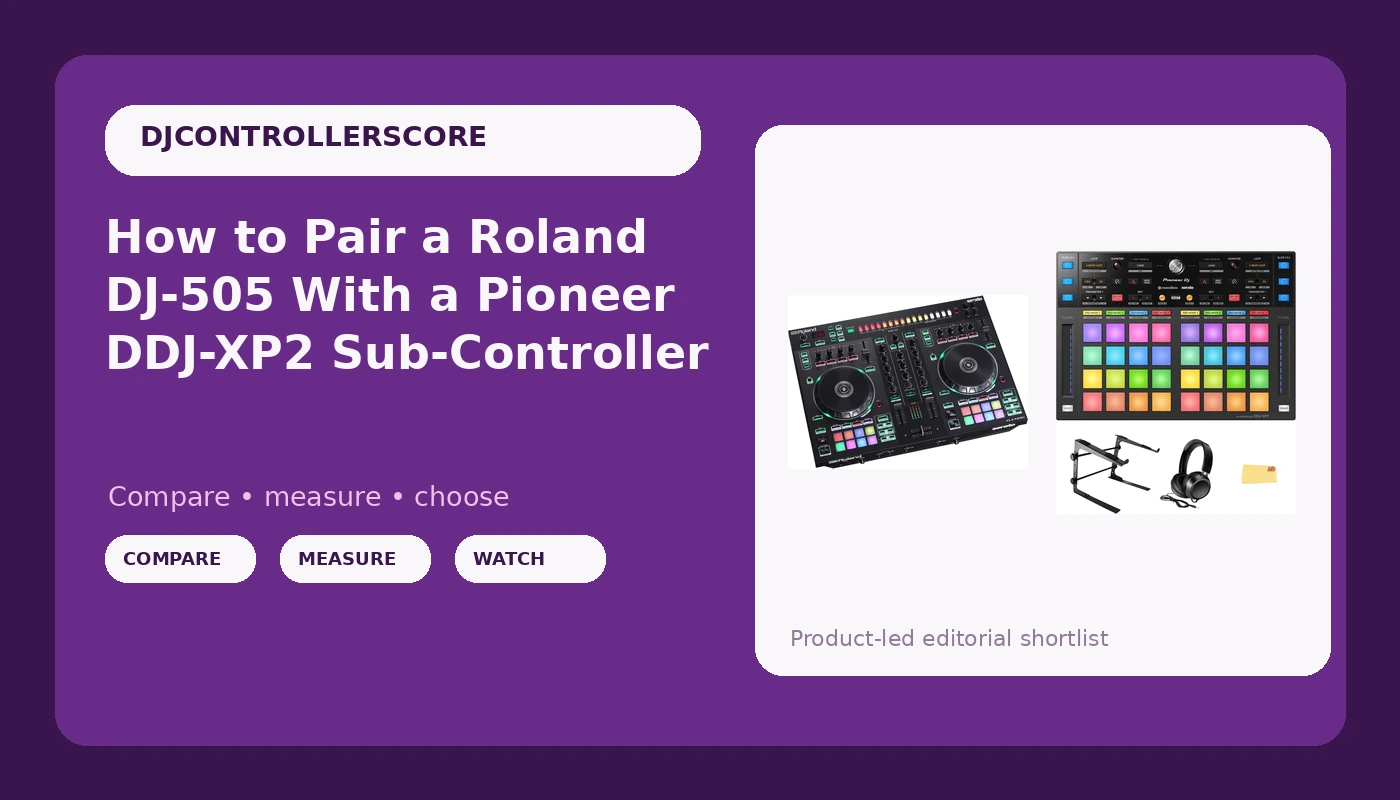
Two controllers on one table looks like a flex. It is really a workflow decision, and the Roland DJ-505 and DDJ-XP2 setup is the version of that decision I keep coming back to. You keep real jog wheels and real channel faders under your hands, and you add a second surface for pads, cues, and loops so your eyes stay on the room instead of on the laptop.
I have played two-piece rigs in 200-capacity basements and in a 4,000-person warehouse, and the thing that separates a rig that works from a rig that fights you is almost never the gear. It is the order you plug it in, the way you map it, and whether you tested it before the doors opened. A sub-controller with a bad mapping is worse than no sub-controller at all, because you will reach for a pad that does the wrong thing and blame your own hands.
This is the sequence I use. Budget about two hours the first time, including the boring parts, and about fifteen minutes every time after that.
Why you should trust me
Eight years of club sets and five years of weddings, mostly around Brooklyn, plus a storage unit full of gear my friends keep borrowing. I own three controllers and I have bought and sold more than that. Every controller I keep gets the same treatment: a four-hour set with real transitions, a fader smash session that would void any warranty, and a jog wheel check with my eyes closed, because if the platter does not tell my fingers where the pitch is, the mix will not hold.
I do not review mixers, and I do not review anything I have not played a full set on. Thirty minutes of messing around in a bedroom does not count. Controllers only, that is the lane.
What the second controller actually buys you
A sub-controller is not a second mixer. It is a pad layer. It exists so you can fire hot cues, roll loops, trigger samples, and move around the arrangement without leaving the deck you are already riding.
That sounds like a small thing until you are three hours into a set and your transitions have gotten lazy. The difference between a clean blend and a sloppy one is usually whether your hands had to leave the decks. Two surfaces let you plan the next move while the current one is still running.
The cost is real, though. Two pieces of gear means two firmware updates, two USB cables, two things to pack, and one more thing that can fail at 1 a.m. That is why the setup order below matters more than the shopping list.
The two pieces this rig is built on
One piece does the mixing and the deck control. The other does pads and nothing else. Keeping those jobs separate is the whole reason this pairing works.
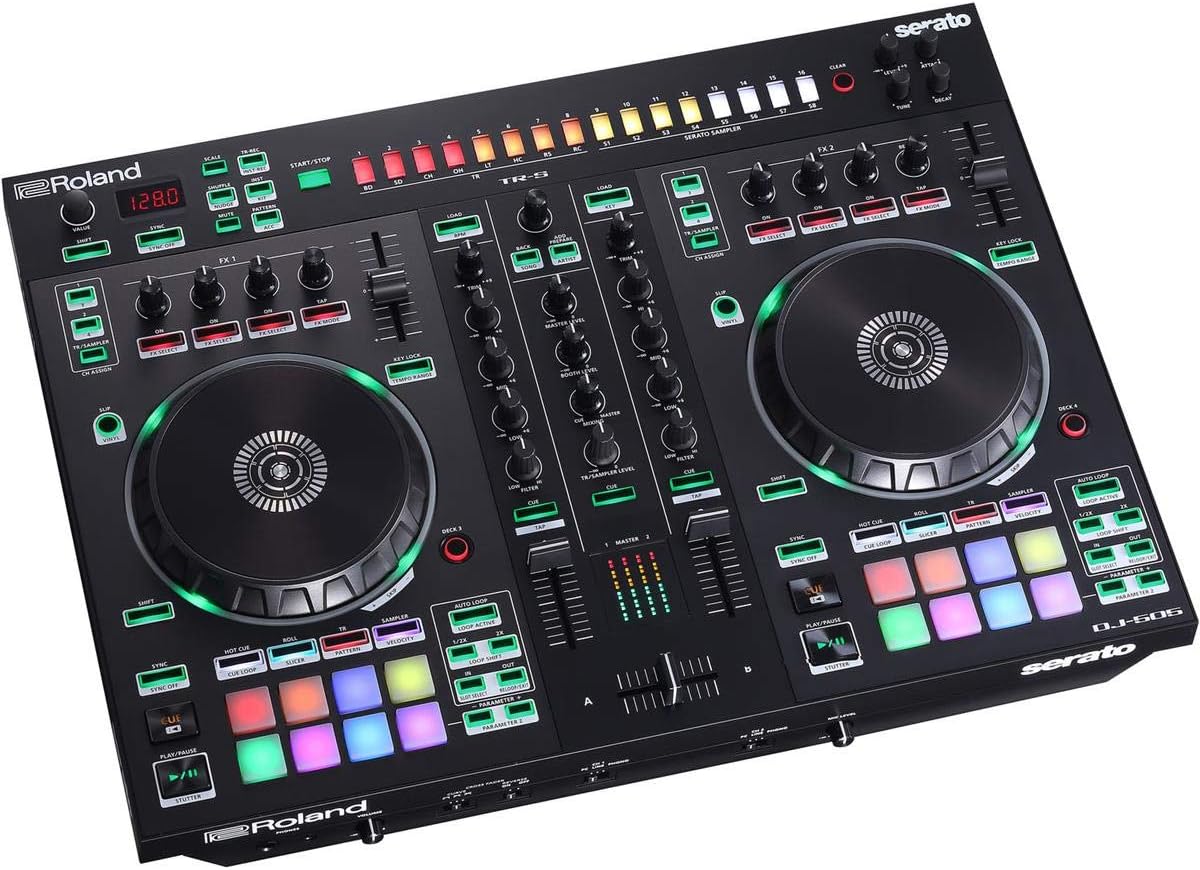
Main controller: Roland DJ-505 Two-Channel Four-Deck Serato DJ Controller
 Visit on Amazon →
This is the brain of the rig, and it is the piece I would keep if I could only keep one. Two channels of faders and a full mixer section on the surface, four decks inside the software, and jog wheels with enough resistance that they feel like they are doing something. That last part matters to me more than any spec line on a box. A jog wheel with no resistance is a toy steering wheel, and every pitch bend you make with one sounds like a guess rather than a correction.
The other reason this controller stays in the conversation is the drum machine integration. Roland put a step sequencer inside a DJ controller, and if you play anything with a live percussion layer, there is nothing else quite like it. It is a weird piece of gear, and I mean that as a compliment. It ships for Serato DJ Pro, which matters, because the software bundle is half the value of any controller you buy.
Check current Amazon price before you commit, and check whether your laptop has the ports to spare. This thing wants a clean USB path, not a daisy chain of dongles.
Flaws but not dealbreakers: The two-channel layout is the point, not a limitation, but if you already mix on four faders you will feel the difference in the first hour. Anyone who plans transitions rather than stacking tracks will not miss the extra channels.
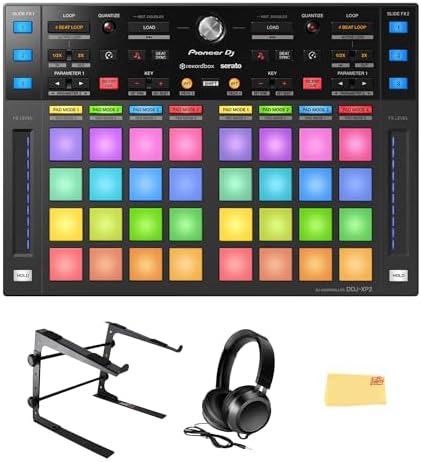
Sub-controller: Pioneer DJ DDJ-XP2 Sub-Controller for Rekordbox & Serato DJ Pro Bundle with Laptop Stand, Headphones, and Austin Bazaar Polishing Cloth
 Visit on Amazon →
The second surface. It is a sub-controller built for both rekordbox and Serato DJ Pro, with no jog wheels and no channel faders, which is exactly the point. It does pads and nothing else, so it never argues with the DJ-505 about who is in charge of the mix. That is the cleanest way to run two controllers: one brain, one set of extra hands.
The bundle is what makes this listing interesting for a two-piece rig. A laptop stand, headphones, and a polishing cloth are not glamorous, but a raised laptop is not a luxury when two controllers are already eating your table space. You need the screen high enough to glance at a waveform without bending your neck, and low enough that it does not block your sightline to the floor. Headphones are the piece people forget they need a spare of, especially when a wedding runs long and a cable starts crackling.
Check current Amazon price, because bundles like this move around more than single units do.
Flaws but not dealbreakers: It is not a standalone setup. Without a main controller running the decks, this is a pad surface with nothing to control. Anyone who already owns a Serato DJ Pro or rekordbox controller and wants more pads under their fingers is the right buyer.
The setup, step by step
Step one: Decide which unit is the brain. The DJ-505 handles mixing, deck control, and audio output. The sub-controller handles pads. Write that down and do not violate it later, because the temptation to split duties mid-set is how mappings get confusing.
Step two: Update everything before you connect anything. Firmware on both controllers, then your DJ software, then your laptop's OS if it has been nagging you. Do this on a wired connection, not at the venue. The worst time to discover a firmware mismatch is during soundcheck.
Step three: Use a powered USB hub, and plug in a fixed order. Main controller first, let the software see it and settle, then the sub-controller. Two bus-powered controllers on one laptop is how you get a dropout in the middle of a blend. A powered hub costs less than one bad gig, and a fixed plug-in order means your mapping loads the same way every time.
Step four: Check your audio routing and gain staging. Confirm master out, booth out, and headphone cue are where you expect them. Then set your channel trims so your loudest track sits around the same level as everything else. Gain staging is the skill nobody buys gear for, and it is the one that keeps a system from clipping when the room fills up.
Step five: Map the pads to your hands, not to a video. Start from the software default, then change the three or four pads you actually use. If you copy someone else's mapping, you will spend a month reaching for the wrong button.
Step six: Run the eyes-closed jog check. Close your eyes, put a finger on the platter, and see whether you can find the pitch you want without looking. If you cannot, adjust the jog sensitivity in the software before you adjust your technique.
Step seven: Fader smash and cable tug. Work the crossfader hard for a few minutes, then gently tug every cable at both ends. You are looking for the failure that happens at hour four, not hour one.
Step eight: Play the four-hour set. Not a playlist. A real set with real transitions, in one sitting, at the volume you would actually use. This is the only test that tells you whether the rig is ready for a paying gig.
Three things that go wrong
The first is power. Two controllers, a laptop, and a phone charger on one unpowered hub is a recipe for a USB reset exactly when the floor is fullest.
The second is mapping drift. If you map pads while tired, you will not remember what you did. Label it, save the preset, and back it up somewhere that is not the laptop you DJ with.
The third is software. Any controller that needs a subscription for basic features is a controller with a monthly bill attached. Read what is included before you buy, because the bundle is half the value of the hardware.
What this all costs
Both pieces sit in the mid range for their categories, and the honest math is not the sticker price. It is the cost per gig. If you play twice a month for two years, a rig you actually like works out to a few dollars a night, and gear you outgrow in three months works out to nothing at all because you take the loss on resale.
Check current Amazon price on both, and remember that the DJ-505 holds value better than most because the software it ships for is not going anywhere. The sub-controller is the cheaper half of the equation and the easier one to add later, which is a good reason to buy the main controller first and the pad layer second.
The order matters more than the money. Get the brain working, then add hands, then test it under real conditions. That is the whole job, and it takes one afternoon to get right.