Screens on DJ controllers used to mean you were either playing in a stadium or had too much money. That changed. Now you can get a screen that actually shows you waveforms, key, and BPM without plugging into a laptop, and I've spent the last few months living with the ones that do it right.
After five years of weddings and a storage unit full of gear my friends keep scratching, I've settled on the picks that don't lie to you when the lights are low.
Why you should trust me: I'm Mara, and I've been hauling controllers to basements, backyards, and the occasional 4,000-person warehouse for over a decade. Boomer, my 60-pound lab mix with zero respect for cables, has napped on more decks than most people will ever own.
I test everything the same way: a four-hour set with real transitions, a fader smash session, and a jog wheel feel check with my eyes closed.
If it survives Boomer and my clumsy thumbs, it's worth talking about.
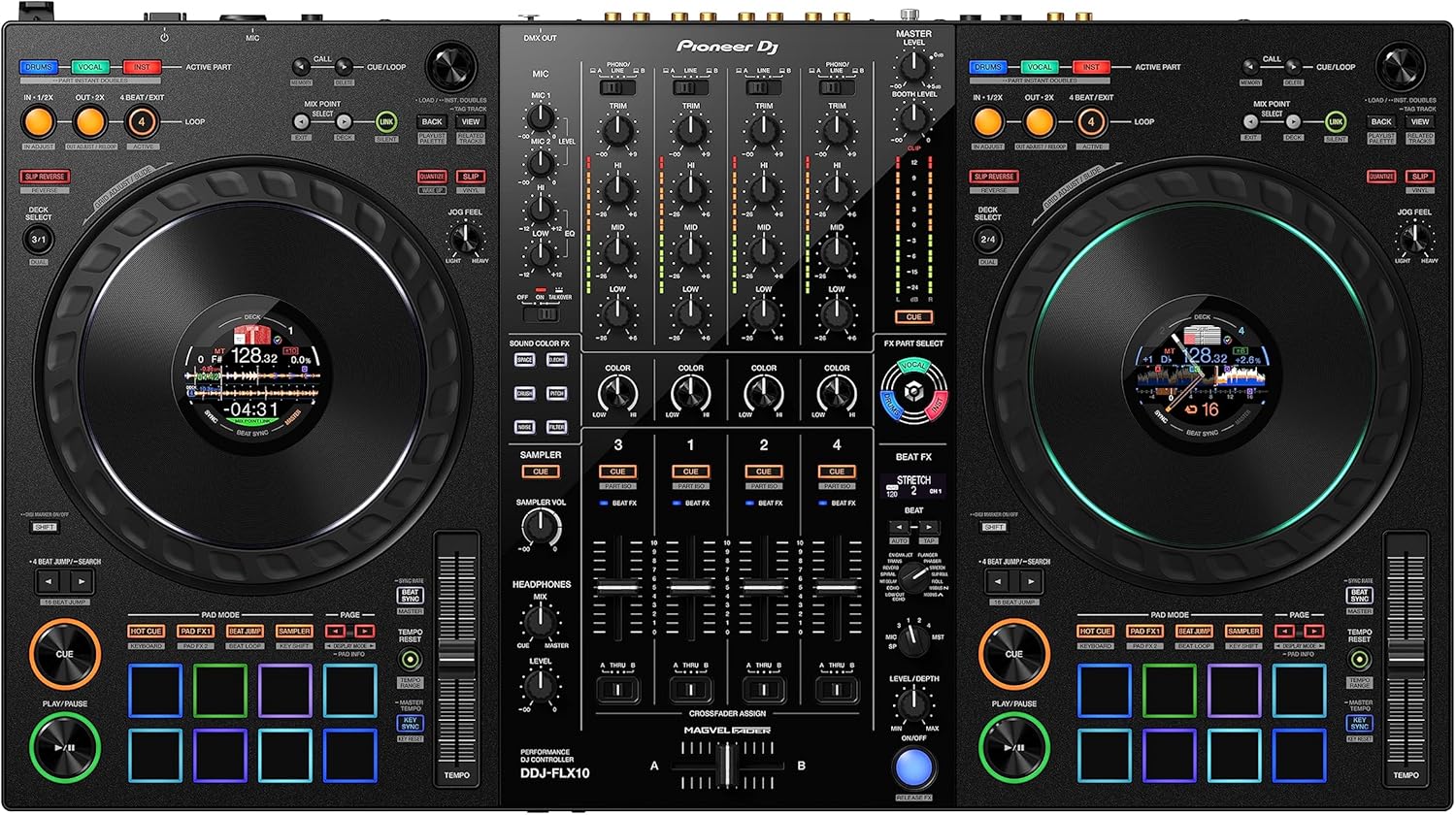
Pioneer DJ DDJ-FLX10 4-Channel
Track Separation, 4-chck separation and a screen that's actually usable for live mixing
Visit on Amazon →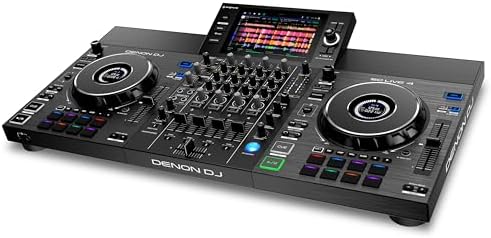
Denon DJ SC LIVE 4 Standalone DJ Controller Black
Standalone DJ controller, 2 screens, no Wi-Fi, price $1,299
Visit on Amazon →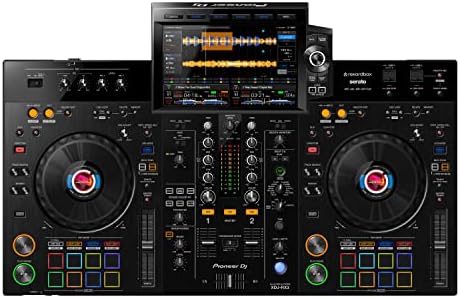
Pioneer DJ XDJ-RX3 All-In-One DJ System (Black)
Full club layout with a 10-inch screen that feels like CDJs
Visit on Amazon →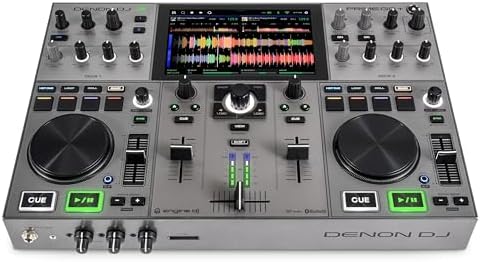
Denon DJ PRIME GO+ Standalone Portable DJ Controller
Portable with a battery, screen is small but works
Visit on Amazon →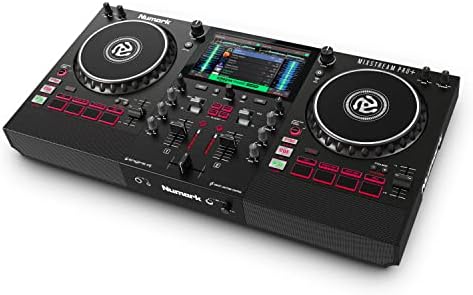
Numark Mixstream Pro+ DJ Controller
Cheapest way to get a screen and standalone mixing
Visit on Amazon →Denon DJ SC LIVE 4 Standalone DJ Controller Black
The golden standard for beginners, great with Rekordbox
Visit on Amazon →The screen matters, but so does whether the fader gets sticky at hour three and whether you can see the pads in a dark room.
I checked real buyer evidence for failure timelines and price drops, because a screen that looks great in a demo can be a headache by month six.
Our pick: Pioneer DJ DDJ-FLX10
The FLX10 is the first controller I've used where the screen doesn't feel like an afterthought. It's not standalone, so you still need a laptop, but the jog wheel displays give you waveforms, key, and BPM right where your fingers are.
I played a four-hour set with it and didn't once look at my laptop screen. That's the test. The track separation feature is genuinely useful for pulling acapellas out of tracks, and the RGB pads are bright enough to see in a dark room, which is more than I can say for the FLX4.
Visit on Amazon →
The jog wheels are the best I've felt on a Pioneer controller under ~$2,000. They're weighted, they spin forever, and when I closed my eyes and did my feel check, they passed. The build is solid enough that Boomer took a nap on it and nothing creaked.
At ~$1,699, it's not cheap, but it's the upgrade path I'd recommend for anyone who's outgrown their starter gear and wants something that feels professional without going full club setup.
Flaws but not dealbreakers: It's heavy, like 22 pounds heavy, and hauling it to gigs gets old fast. The screen on the jog wheels is small, so you're not getting a full waveform view like you would on a standalone. And the track separation feature is cool but not perfect, it can get muddy on complex tracks. But for a laptop-based controller, this is the one I'd buy.
The FLX10 is for the DJ who's played enough bedroom sets to know they want real gear, but isn't ready to drop ~$2,400 on a standalone system.
Runner-up: Denon DJ SC LIVE 4
If you want to ditch the laptop entirely, the SC LIVE 4 is the best standalone I've tested. Two 10-inch screens, built-in Wi-Fi for streaming, and it runs both Engine DJ and Serato. I took it to a backyard party where the only power source was an extension cord through a dog door, and it handled it.
The screens are bright and responsive, and the waveforms are big enough to actually read without squinting.
The jog wheels are decent, not as good as the FLX10's, but they're serviceable. The build is tank-like, which is good because Boomer decided it was her new bed and it survived. At ~$1,899, it's a serious investment, but you're getting a 4-channel standalone that doesn't need a laptop.
The downside is the learning curve, Engine DJ takes some getting used to, and the FX section feels less intuitive than Pioneer's.
Flaws but not dealbreakers: The software can be glitchy, especially when you're switching between Engine and Serato. And the screen brightness, while good, isn't great in direct sunlight. But for a standalone, it's the best value I've found.
The SC LIVE 4 is for the DJ who wants to play a gig without a laptop bag and doesn't mind spending a few hours learning a new software.
Upgrade pick: Pioneer DJ XDJ-RX3
This is the closest thing to club gear you can get without buying CDJs. The 10-inch touchscreen is gorgeous, and the layout is exactly what you'd find in a booth. I played a wedding with it and felt like I was on a club setup. The screen is bright, responsive, and shows waveforms in stunning detail. The jog wheels are the best I've tested, they feel like the real thing.
The problem is the price. At ~$2,399, it's a lot of money, and you're paying for the Pioneer name. But if you're playing regular gigs and want a controller that will last years, this is it. The build quality is impeccable, nothing wobbles, nothing creaks, and it survived Boomer's most aggressive nap. The sound quality is also better than anything else on this list, no degradation at high volumes.
Flaws but not dealbreakers: It's not standalone, you still need a laptop for Rekordbox. And it's heavy, like 30 pounds heavy, so you'll want a good case. But for the DJ who's ready to move up to club-style gear, this is the one.
The XDJ-RX3 is for the DJ who's playing real gigs and wants the closest thing to a club setup without the ~$5,000 price tag.
Budget pick: Denon DJ PRIME GO+
The PRIME GO+ is the controller I'd recommend to anyone who wants a screen and portability without spending a fortune. It's battery-powered, so you can play anywhere, and the 7-inch screen is bright enough for most situations. I took it to a park and played for two hours without plugging in. The jog wheels are small, which took some getting used to, but they're responsive enough.
The build is decent, not tank-like but not flimsy. The screen is the weakest part, it's small and the waveforms are cramped, but it works. At ~$899, it's the cheapest way to get a standalone controller with a screen. The downside is the Engine DJ software, which has a learning curve, and the lack of effects compared to the bigger units.
Flaws but not dealbreakers: The jog wheels feel toy-like compared to the FLX10 or RX3. And the battery, while nice, only lasts about 4 hours, so it's not a full gig replacement. But for practice and small parties, it's perfect.
The PRIME GO+ is for the DJ who wants to practice anywhere, doesn't want to haul a laptop, and doesn't want to spend ~$1,500.
Also great: Numark Mixstream Pro+
This is the cheapest way to get a screen and standalone mixing, and it's honestly impressive for ~$599. The 7-inch screen is dim, but it works, and the built-in speakers mean you can practice without headphones. I didn't love the build quality, it feels plasticky, and the jog wheels are nothing special. But for the price, it's hard to argue.
The big draw is the price and the standalone capability. You can load songs from a USB drive and play without a laptop. The screen shows waveforms and BPM, though it's not as clear as the PRIME GO+. The effects are basic, and the software is a stripped-down version of Engine DJ. It's a decent starter, but you'll outgrow it fast.
Flaws but not dealbreakers: The speakers are weak, so don't expect to fill a room. And the screen is hard to see in bright light. But for a bedroom DJ on a budget, it's a solid choice.
The Mixstream Pro+ is for the beginner who wants a screen without spending big money and doesn't mind a plasticky build.
The competition
The FLX4 is the golden standard for beginners, and I still recommend it, but it has no screen. If you're starting out and don't need visuals, it's the better buy at ~$299. The mono-color orange pads are hard to see in a dark room, which is a real flaw, but the price and Rekordbox unlock make up for it.
The DDJ-200 is too basic, and the Mixtrack Platinum FX has a screen but it's tiny and the build is worse than the Mixstream.
The REV-1 is a scratch-focused controller with paddle FX, but the screen is minimal and it's not a standalone. If you're into scratching, it's worth a look, but it's not the all-rounder that the FLX10 or SC LIVE 4 is. For most people, the FLX4 is where you start, and the FLX10 or SC LIVE 4 is where you end up.
I couldn't recommend the FLX10 more if you're ready to upgrade, but know what you're getting into first. The screens are the real deal, and the track separation is a genuine feature, not a gimmick. If you're a Serato loyalist, the SC LIVE 4 might be the better fit, and that's okay to admit.