Related: Best DJ Controller for Wedding Gigs: Gear That Survives a Full Reception
I have lost count of how many people have asked me which controller to buy first. It usually happens at a wedding, an hour before the first dance, when someone's cousin tells me he wants to start DJing. My answer is always the same: the controller matters less than the software it comes with and the hours you put into it. But you still have to buy something, and this guide to DJ controllers for beginners is the version of that conversation I wish I could have with everyone at once.
I have been a club DJ in Brooklyn for eight years and a wedding DJ for five. I have played 200-capacity basements and a 4,000-person warehouse. I own three controllers, and my storage unit is full of gear that friends keep borrowing and not returning. I have also watched a lot of beginners buy the wrong thing: four channels they never use, RGB lights that do nothing for a mix, faders that give up in month three.
The four controllers below cover the real spread of what a new DJ should consider, from a compact two-channel starter to a standalone unit you could run an entire gig on without a laptop. I put every controller through the same routine: a four-hour set with real transitions, a fader session that would void most warranties, and a jog wheel check with my eyes closed. That last one is the review. Close your eyes, touch the platter, and you already know whether mixing on this thing will feel like music or like fighting a toy steering wheel.
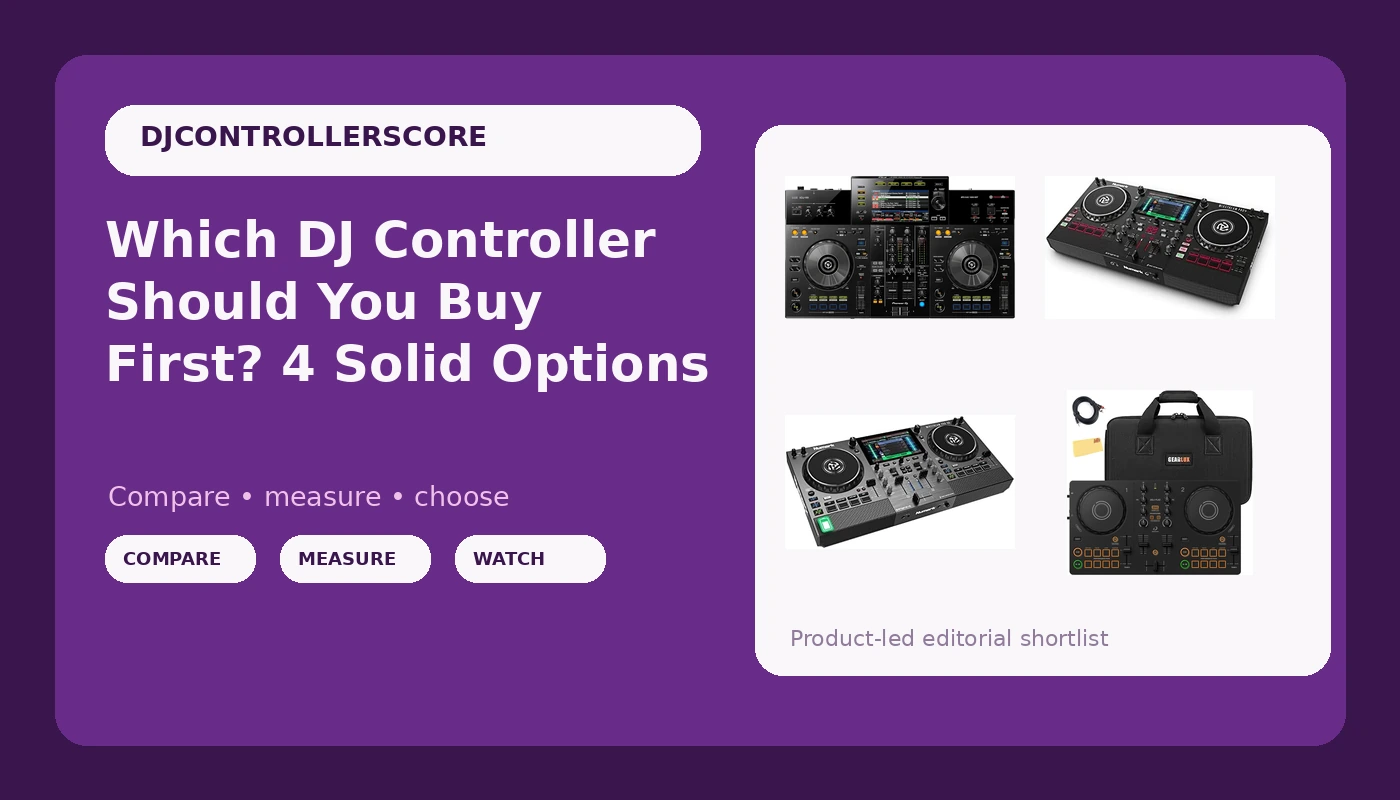
Best First Controller: Pioneer DJ DDJ-FLX2 Bundle
When someone asks me what to buy with a starter budget, this is what I point at. Two channels, a crossfader, and the layout Pioneer has spent two decades teaching the world's DJ booths. Two solid channels and a brain that plans transitions is all a beginner needs, and that is exactly what this is.
The bundle is the part I like. A carrying case, a TRS cable, and a polishing cloth sound like filler until you price them separately. Cases for compact controllers are not cheap, and a TRS cable is the one thing everybody forgets until the first gig. Pioneer also unlocks rekordbox Performance mode when the hardware is connected, so the software you practice on is the same software running the CDJs at the venue. That matters more than any spec printed on the box.
What you give up is size and feel. The platters on a compact two-channel unit are smaller and lighter than the full-size jog wheels on club gear, and if you came from turntables you will notice it immediately. Small wheels are not a dealbreaker for a beginner, they are a trade. Learn pitch bends on small wheels and the big ones feel effortless later.
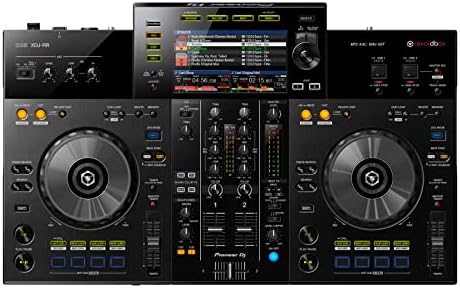
Best Standalone for a Real Gig: Pioneer DJ XDJ-RR
This is the one I would buy if I were starting over with a real budget. The XDJ-RR is standalone: no laptop, no USB cable running to a computer, no software update in the middle of a set. You export your rekordbox library to a USB drive, plug it into the deck, and play. That is the workflow you will meet at almost every club and every wedding, so learning it early saves you a translation step later.
Two channels again, and that is not a limitation, it is a discipline. The screen shows you waveforms and key, the platters have the weight your hands expect from club gear, and the whole unit is built to be carried in a bag and set up in a booth. I have played rooms where the house gear was a mystery and a standalone unit saved the night, and that memory is why I recommend this class of controller to anyone who is serious.
The cost is real, and it is heavier than anything else on this list. If you are still deciding whether DJing is your thing, buy the cheap one and put the difference into music. If you already know you are going to play out, skip the middle steps and learn on the standard.
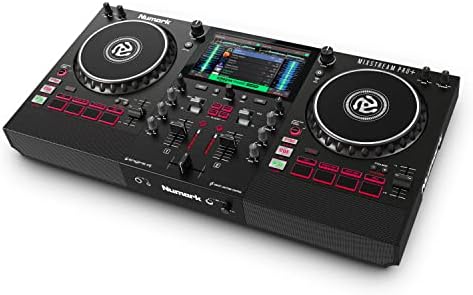
Best for Streaming and Small Rooms: Numark Mixstream Pro+
Numark's Mixstream line is what I recommend to people whose music library lives online. The Pro+ runs standalone on Engine DJ, which means no laptop, and the streaming services are built into the unit over Wi-Fi. When someone asks for a song at a party and you do not own it, you can pull it up without leaving the decks. That is a bigger deal than any hardware spec, because requests are the job.
The built-in speakers are the sleeper feature. They are not going to fill a warehouse, and I would not run a wedding reception on them, but for a small room, a backyard, or a practice session at 2 a.m. when the neighbors are asleep, they are exactly enough. The touchscreen keeps your eyes on the hardware instead of a laptop lid, and that changes how you read a room.
What I would watch is the crossfader. Numark's budget lines have a reputation for faders that feel like they are made of hope, and the Mixstream sits above that tier without being a Pioneer. Treat the crossfader with respect, keep the unit out of a dusty bag, and it will hold up. If you are a scratch DJ who cuts hard every single night, this is not the one.
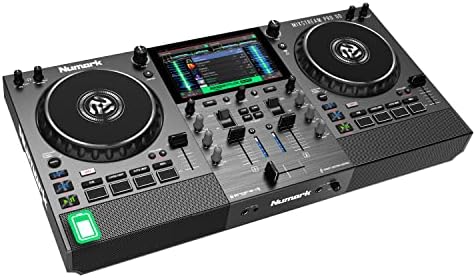
Best for Playing Anywhere: Numark Mixstream Pro Go
The Go is the Pro+ with a battery, and that one word changes where you can work. Pop-ups, rooftops, beach parties, a friend's birthday in a park with no outlet in sight: this is the controller for the gig that does not come with power.
Same standalone Engine DJ workflow, same built-in speakers, same streaming options over Wi-Fi when you have it. When you do not have Wi-Fi, you play from a drive or a memory card, which is how I would plan any outdoor set anyway. Battery claims on portable gear should always be treated as optimistic, so bring a power bank and a cable and stop worrying about it.
For a beginner, this is a strange first purchase, because you are paying for portability before you have learned to mix. For a working DJ who plays three kinds of rooms in a month, it might be the most useful thing on this list. Ask yourself honestly which one you are.
How I judge a controller before I recommend it
Four hours. That is the minimum. Thirty minutes of playing around in a store tells you nothing except how the lights look. A four-hour set with real transitions is where a controller reveals itself, in the hour where you read the room and the gear stops being new.
The jog wheel check comes next, and it is done with my eyes closed. Resistance, weight, and the way a platter responds to a small nudge are things your hands know before your brain does. Cheap plastic wheels make every mix feel like a mistake, and no amount of practice fixes a wheel that fights you.
Then the faders. I push them harder than I ever would at a paying gig, because I want to know whether they die in my studio or in front of 300 people. Faders die eventually. The question is when and where.
Software is the last check, and honestly it should be the first thing you look at when you buy. A controller is only as good as what it ships with. A machine that requires a subscription for basic features is a machine that will annoy you every month for as long as you own it.
The DJ controller comparison table
This is the table I would hand a friend standing in a store trying to decide. Same four controllers, sorted by what they are actually for.
| Controller | Best for | Software | Laptop needed | Where to buy |
|---|---|---|---|---|
 Visit on Amazon → Visit on Amazon →Pioneer DJ DDJ-FLX2 bundle |
First controller, bedroom practice, small parties | rekordbox | Yes | Visit on Amazon → |
 Visit on Amazon → Visit on Amazon →Pioneer DJ XDJ-RR |
Club-standard layout, playing out without a laptop | rekordbox, USB export | No | Visit on Amazon → |
 Visit on Amazon → Visit on Amazon →Numark Mixstream Pro+ |
Streaming libraries, small rooms, built-in speakers | Engine DJ | No | Visit on Amazon → |
 Visit on Amazon → Visit on Amazon →Numark Mixstream Pro Go |
Outdoor gigs, pop-ups, anywhere without power | Engine DJ | No | Visit on Amazon → |
What the spec sheet will not tell you
Channels are the most overrated number in DJing. Every controller on this list has two, and two is enough to play a full night if you plan your transitions instead of hoping. Four channels are for people who already know what they would do with four channels.
Jog wheel feel is the soul of a controller. You can read every line on a product page and still not know whether the platters have resistance or spin like a fidget spinner. That is why the eyes-closed check exists. If you can touch one before you buy, do it. If you cannot, buy from a seller with a return window and test it in the first week, not the first month.
Gain staging is the skill nobody buys gear for. You can put an expensive standalone unit in front of someone who does not understand levels and it will sound worse than a beginner on a cheap controller who does. Set your trim so the meters sit where they should, then mix with the faders. Gear is not the bottleneck, practice is.
Then there is the Pioneer tax. I complain about it constantly and I own two Pioneer controllers, so take that for what it is. What you pay for is a layout that matches the industry standard and software the rest of the world already uses. What you get in raw features for the money is often less than the competition offers. That trade is worth it for some people and not for others, and only you know which one you are.
Finally, ignore the phrase pro-grade stamped on a plastic controller, and ignore RGB lights. Lights do not mix. Faders do. A controller with cheap faders and a light show is a controller that will embarrass you at the worst possible moment.
Should you buy the Pioneer DJ DDJ-FLX2?
Yes, if you are starting out and you want the least expensive path into the standard workflow. Two channels, rekordbox unlocked by the hardware, and a bundle that covers the accessories you would otherwise forget. It resells easily when you upgrade, which is the quiet advantage of buying the brand everyone recognizes. Just accept the small platters as part of the deal.
Should you buy the Pioneer DJ XDJ-RR?
Yes, if you want to play without a laptop and you are working toward club-standard gear. It reads rekordbox-exported libraries from USB drives, so you rehearse the exact workflow you will meet at a venue. It costs more and it weighs more, and neither of those is a small thing for a beginner. Buy it when you already know you are going to play out.
Should you buy the Numark Mixstream Pro+?
Yes, if your music lives in the cloud and you want speakers built in. Standalone Engine DJ, streaming over Wi-Fi, and a touchscreen that keeps your head up instead of buried in a laptop. Watch the crossfader if you cut hard, and plan on a case, because this is a unit that will travel.
Should you buy the Numark Mixstream Pro Go?
Yes, if you play places without power. The battery and the built-in speakers turn any flat surface into a booth. As a first controller it is an odd choice, because you are paying for portability before you have learned to mix. As a second controller for a working DJ, it might be the one you reach for most.