I have been a club DJ for eight years and a wedding DJ for five, and I have watched more people buy the wrong controller than the right one. This DJ controller comparison is built around the three things I check before I trust any unit: how the jog wheel feels with my eyes closed, whether the faders feel like they will survive a year of hard cuts, and what software comes in the box. Everything else on the spec sheet is marketing.
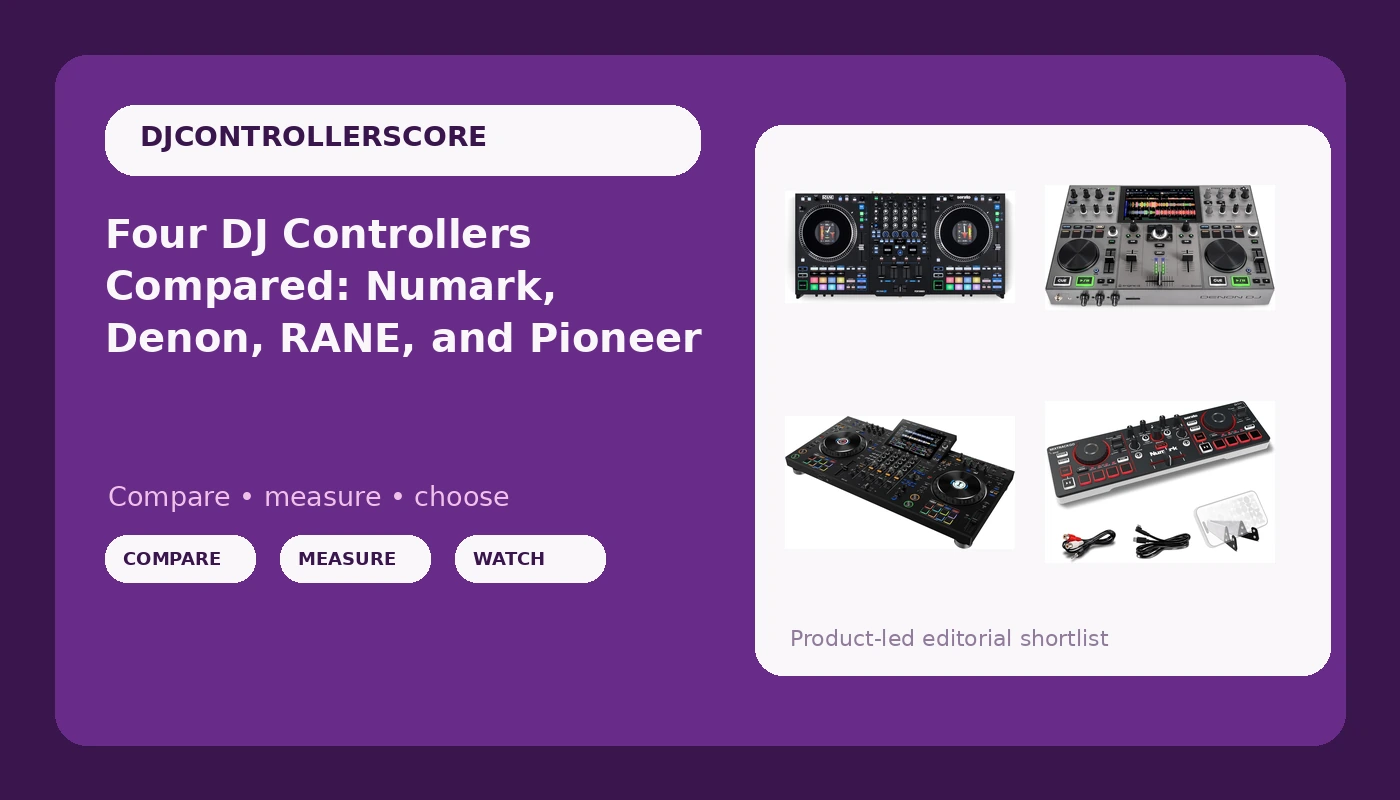
The four controllers here cover almost the entire market. The Numark MixTrack Go is the compact, Bluetooth, stems-capable way in. The Denon DJ PRIME GO+ is the standalone portable for DJs who do not want a laptop in the bag. The RANE PERFORMER is a four-channel workhorse for people who care about feel first. And the Pioneer DJ XDJ-AZ is the flagship all-in-one with a 10.1-inch touchscreen, built-in Wi-Fi, SonicLink wireless tech, performance pads and Beat FX.
The short answer: the Numark MixTrack Go is the right first controller for most beginners, the Denon DJ PRIME GO+ is the right one for mobile DJs who want to leave the laptop at home, and the Pioneer DJ XDJ-AZ is the one to buy if you want to buy once and stop thinking about gear.
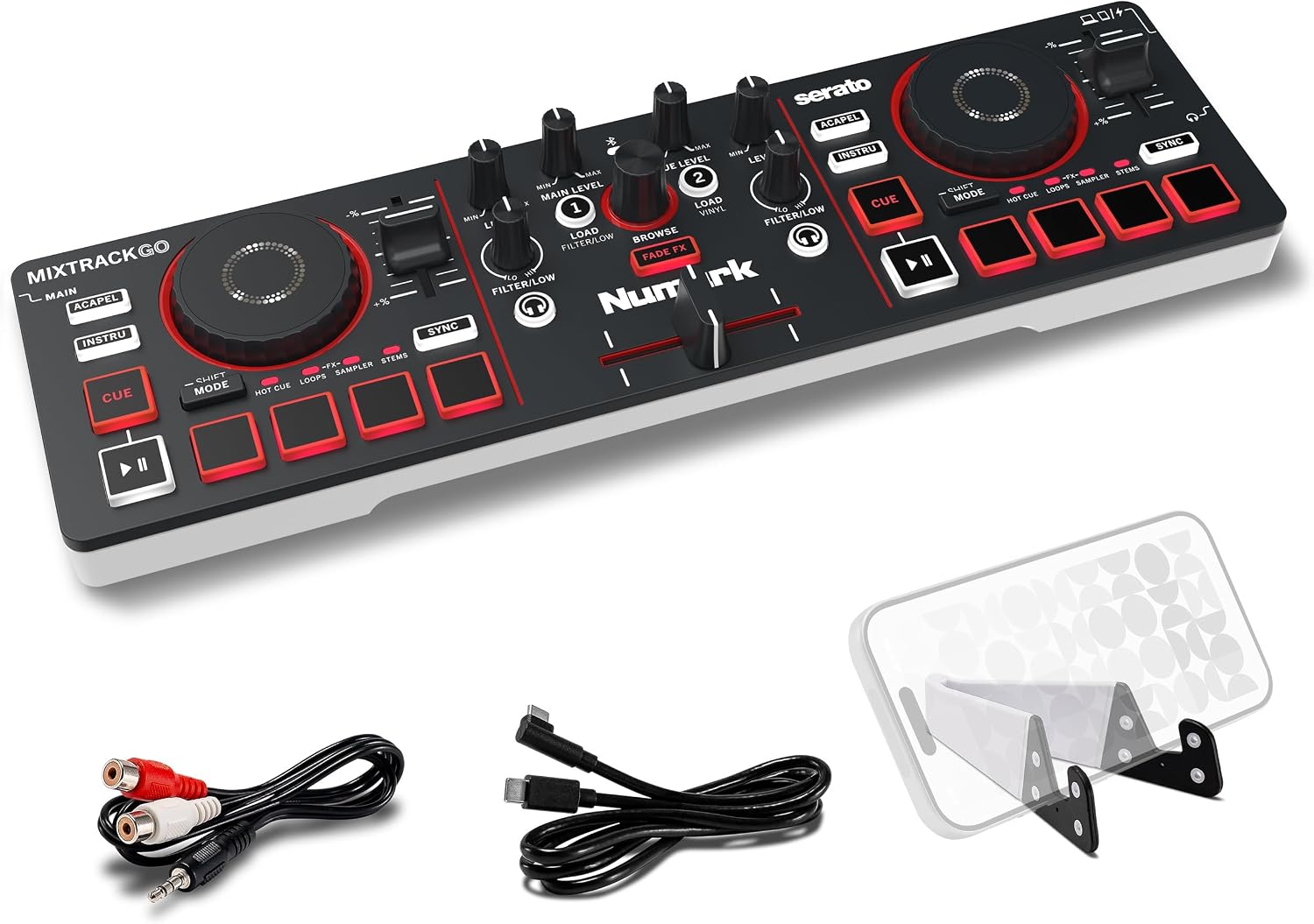
Numark MixTrack Go Compact Bluetooth DJ Controller with Stems Control
Lowest cost of entry here, and Bluetooth plus stems control make nightly practice easy
Faders and jog wheels are built to a price, so it is a practice tool more than a paying-gig tool
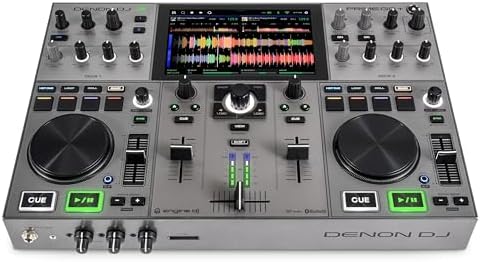
Denon DJ PRIME GO+ Standalone Portable DJ Controller
Standalone design means no laptop in the bag, and the portable footprint travels well
Fewer controls and less surface area than a full four-deck workflow wants
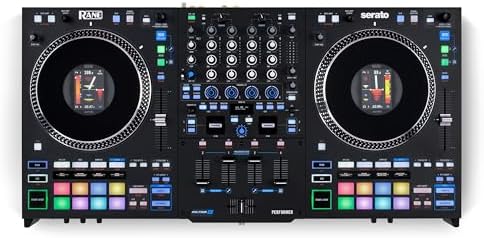
RANE PERFORMER 4-Channel DJ Controller
Four channels and a build aimed at DJs who judge gear by touch, not by screenshots
You pay real money, and you are buying hardware rather than a screen and a light show
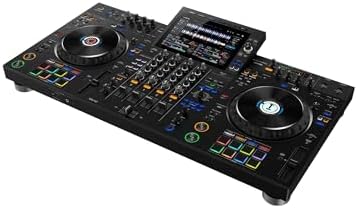
Pioneer DJ XDJ-AZ Professional 4-Deck All-in-One DJ System, 10.1-Inch Touchscreen, Built-in Wi-Fi, SonicLink Wireless Tech, Performance Pads & Beat FX, XDJAZ
10.1-inch touchscreen, built-in Wi-Fi, SonicLink, four decks, and a layout built on the club standard
Highest cost here, and it is far more system than a beginner can grow into quickly
Prices and availability were captured from Amazon Creators API and may change.
What I look at before anything else
Close your eyes and touch the jog wheel. That is the review. A platter with no resistance makes every pitch bend feel like a mistake, and you will hear it in your mixes before you can name it. Cheap plastic wheels do not teach you anything, they just add a layer of uncertainty between your hand and the track.
Faders die. The question is never whether, it is when. A crossfader that starts crackling at hour 500 is a studio problem. A crossfader that starts crackling at hour 40 is a gig problem, and you will find out about it during the one set that mattered. This is why I care more about the feel of a fader than about how many effects a unit ships with.
Gain staging is the skill nobody buys gear for. You can hand a great DJ a cheap two-channel controller and they will still hold a room, because they know how to set levels and plan a transition. Gear is not the bottleneck. Practice is.
Numark MixTrack Go: the compact way in
The MixTrack Go is the cheapest door into real hardware on this list, and it is compact enough to live on a desk that also has to hold a laptop and a coffee. Bluetooth and stems control are the two features that matter here. Stems control means you can pull a vocal or a drum part out of a track and build transitions that a two-band EQ cannot give you, and that is a genuinely useful thing to practice on at home.
My honest read on the Mixtrack line has not changed: it is fine for bedroom DJs, and the faders feel like they are made of hope. That is not a reason to avoid it as a first controller. It is a reason to treat it as a first controller. Buy it, practice on it every night for a year, learn what your hands actually want, and then upgrade knowing what you are paying for.
If you are on the fence about starting at all, this is the unit that answers the question for the least money. Just do not book a wedding with it and expect the crossfader to enjoy the experience.
Denon DJ PRIME GO+: the standalone traveler
The PRIME GO+ is the one on this list that makes the strongest argument for leaving the laptop at home. Standalone operation means the controller is the system, and for a mobile DJ that is the difference between a bag with one box and a bag with one box plus a computer, a charger, a hub, and a cable you forgot.
Portable is doing a lot of work in that product name, and it is the right kind of work. If your gigs involve stairs, a car trunk, and a quick setup, a unit built around travel makes more sense than a flagship you need two trips to move. The trade-off is surface area. Fewer controls and a smaller footprint mean less room for a four-deck workflow, and some DJs will miss the extra faders and the bigger platters the moment they start mixing fast.
For wedding and mobile work, though, this is the sweet spot in this group. You get standalone reliability without hauling a system that looks like it belongs in a booth with a rider attached. If you want to know what it costs today, use the link in the table above.
RANE PERFORMER: the four-channel workhorse
RANE has spent decades building club mixers, and a four-channel controller carrying that name is aimed squarely at DJs who judge gear with their hands. Four channels is not a spec you buy for the number. It is a workflow: two tracks running, a third cued for a loop or an acapella, and a fourth for a track you are about to bring in. Once you mix that way, going back to two channels feels like tying one hand behind your back.
The PERFORMER is also the unit here that leans hardest into hardware rather than screens and lighting. There is no giant touchscreen and no wireless story in the name, just channels, platters, and the expectation that you already know what you are doing. That is exactly what some DJs want, and exactly what confuses beginners who were told more features equals a better controller.
The cost is real. This is the second-most expensive unit in the comparison, and it does not come with the all-in-one convenience of the flagship. What you are paying for is feel and channel count. If your sets are built on long blends, layered loops, and scratching, that is money well spent. If you are still learning to beatmatch, it is money you can spend later.
Pioneer DJ XDJ-AZ: the flagship all-in-one
The XDJ-AZ is the most complete system in this comparison and the easiest one to explain to a club owner. Four decks, a 10.1-inch touchscreen, built-in Wi-Fi, SonicLink wireless tech, performance pads and Beat FX, all in one box. You are not assembling a rig, you are unboxing one.
The industry standard is the standard for a reason, and Pioneer did not get there by accident. The layout, the muscle memory, the way the effects section is arranged, all of it shows up on riders and in booths. If your goal is to walk into a club and feel at home, learning on this family of gear is not snobbery, it is logistics.
The trade-off is obvious and worth saying plainly: this is the most expensive unit here, and it is more system than a beginner can use well. Buying a flagship does not make you a better DJ, it makes you a DJ with a flagship. If you already play out and you want one purchase that covers club, mobile, and streaming work, this is the one. If you are two months into beatmatching, it is a very expensive way to avoid practicing.
Do you need four channels?
No. You need two solid channels and a brain that plans transitions. I say this as someone who tours with a four-channel unit: the extra channels are a convenience, not a qualification. Most of the sets that moved a room for me were two-channel sets with well-chosen tracks and clean levels.
Where four channels earns its keep is live remixing and layering. If you routinely run loops under a track, or you play back to back with someone and need a deck free, the extra channels stop being a luxury. Until then, they are faders you are paying for and not touching.
The software bundle is half the controller
A controller is only as good as the software it ships with, and this is where most buying decisions go wrong. Before you buy anything, answer three questions. Which software does the unit unlock, and at what tier? Does that software need a subscription for the features you actually use? And can you export your library in a format that survives your next hardware purchase?
Subscription pricing for basic features is my least favorite trend in this hobby. If the bundle locks your stems, your effects, or your recording behind a monthly fee, factor that into the total cost over two years, not just the sticker price. The hardware is a one-time cost. The software is a relationship.
Where each one loses
The Numark loses on durability and feel. The faders and jog wheels are the compromise that keeps the price down, and a year of aggressive cuts will tell you so.
The Denon loses on control density. Standalone portability is worth a lot, but the smaller surface means fewer hands-on controls at the exact moment you want them.
The RANE loses on value for beginners. It is a serious instrument priced like one, and if you cannot use four channels yet, you are paying for potential.
The Pioneer loses on price and on overkill. It does the most, costs the most, and rewards experience more than any other unit here.
How I would choose
Buy the Numark MixTrack Go if you are starting, practicing at home, and want to spend the least to find out whether this hobby sticks.
Buy the Denon DJ PRIME GO+ if you play mobile gigs, hate laptops, and want a standalone rig that fits in a trunk.
Buy the RANE PERFORMER if you already mix on four channels, care about fader and platter feel above everything, and do not need a screen to help you.
Buy the Pioneer DJ XDJ-AZ if you play out regularly, want one system that covers club and mobile work, and would rather buy once at the top than upgrade three times.
Bottom line
There is no single best controller here, only the one that matches where you actually are. The beginners should start cheap and practice nightly. The mobile DJs should buy the standalone. The four-channel DJs should buy the feel. And the working DJs who are tired of upgrading should buy the flagship and be done with it.
Whichever way you go, check the current Amazon price through the links above before you commit, because these units move around. Then close your eyes, touch the jog wheel, and decide for yourself.