I’ve been hauling Pioneer gear to gigs for the better part of a decade, and I can tell you the lineup is a minefield of overlap. You’ve got the FLX4 that everyone recommends, the FLX10 that everyone dreams about, and a legacy of older models that still pop up in search results and confuse the heck out of first-time buyers.
I’ve spent the last few months with the FLX4 as my daily driver, pushed the FLX10 at a buddy’s studio session, and dug through the used market to see if the old stuff is worth your cash.
Spoiler: the right answer depends on whether you’re practicing in a bedroom or playing for a room.
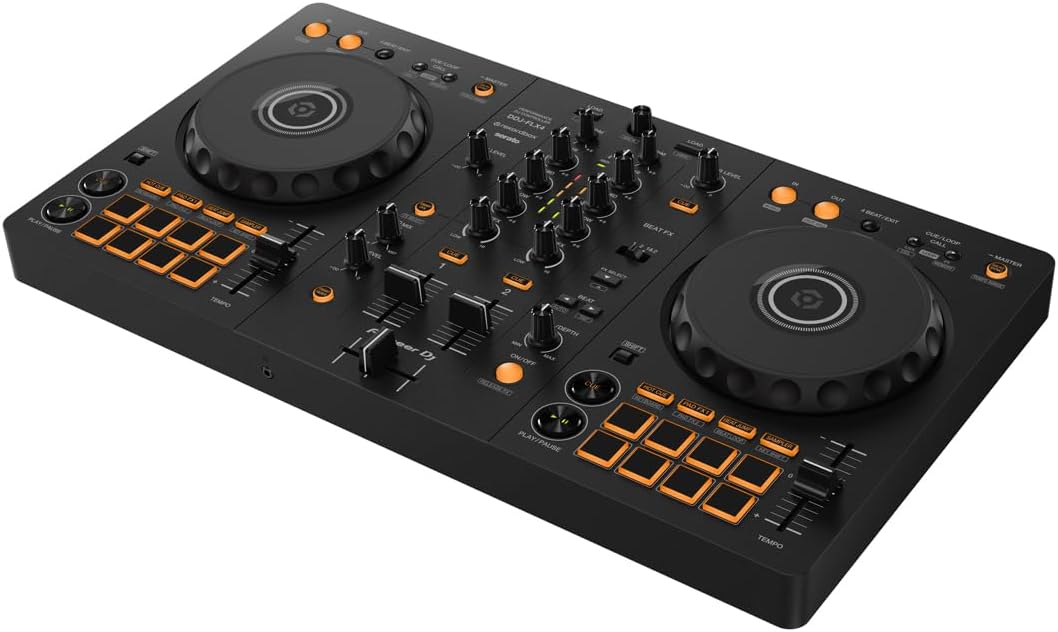
Pioneer DJ DDJ-FLX4 2-Channel DJ Controller, 16 Pads, Graphite
The golden standard for beginners. Full Rekordbox unlock, club-style layout, and it builds the...
Visit on Amazon →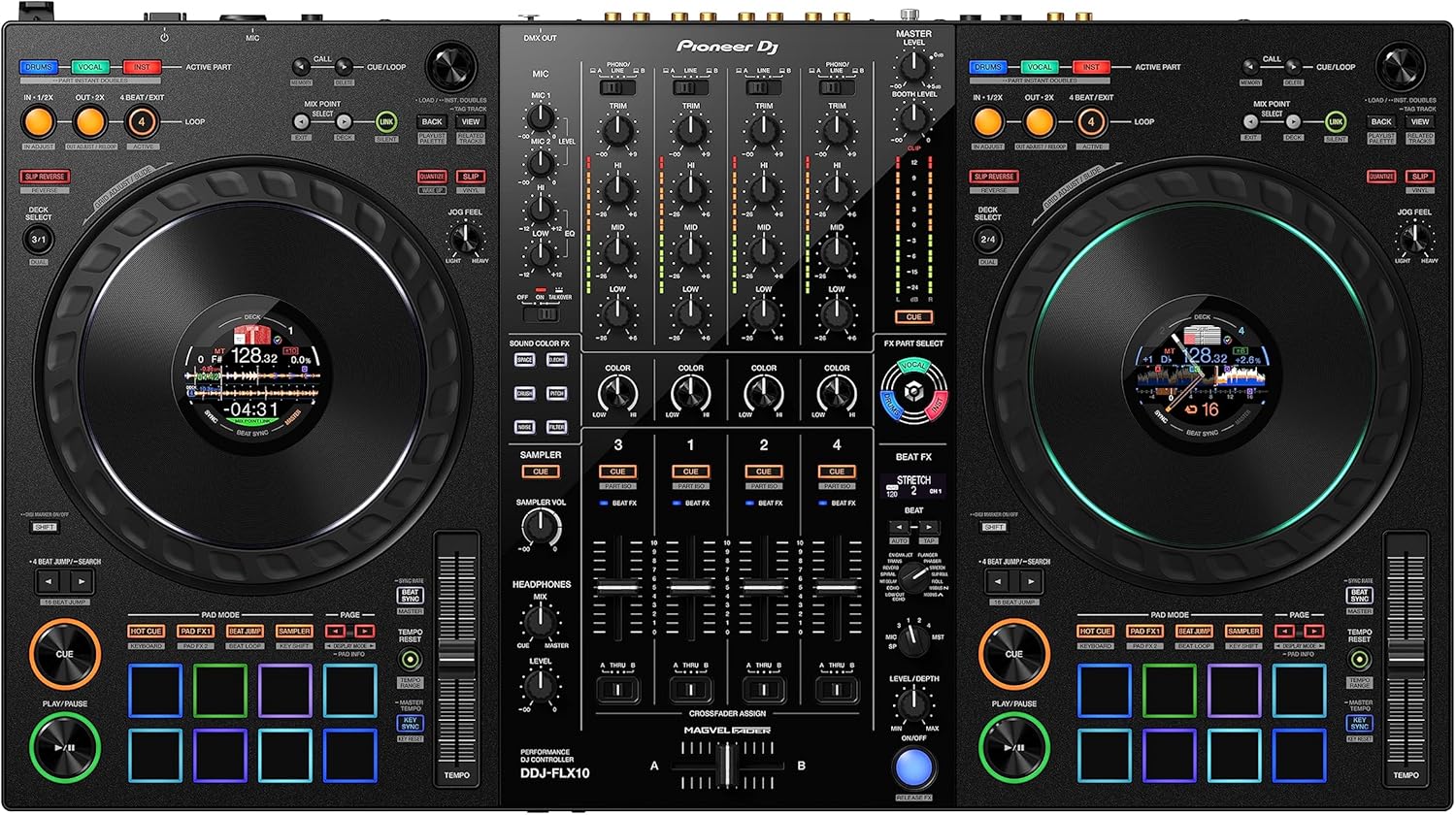
Pioneer DJ DDJ-FLX10 4-Channel DJ Controller, Track Separation, Black
4-channel beast with track separation. The aspirational upgrade for people who’ve outgrown...
Visit on Amazon →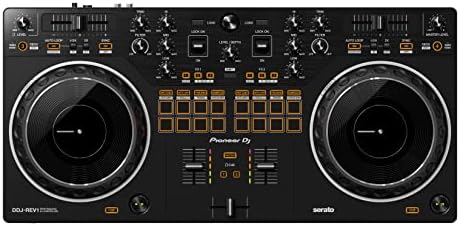
Pioneer DJ DDJ-REV1 2-deck Serato DJ Controller, Black
Paddle FX are way better for scratching. Serato-focused layout for a different style of DJing.
Visit on Amazon →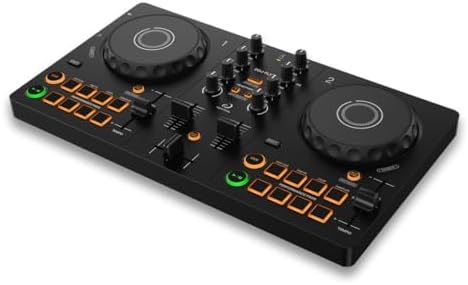
AlphaTheta DDJ-FLX2 Compact 2-Channel DJ Controller, Smart Fader, USB-C
Cheap entry point. Smart Fader on a budget.
Visit on Amazon →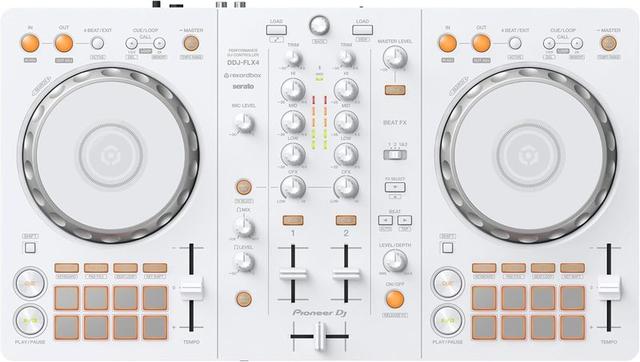
Pioneer DJ DDJ-FLX4 2-Channel DJ Controller, 16 Pads, White
The DDJ-FLX4 is the great all-rounder for anyone learning to DJ who wants room to improve. Its simple, user-friendly layout is inherited from professional Pioneer DJ products, so the skills you build
Visit on Amazon →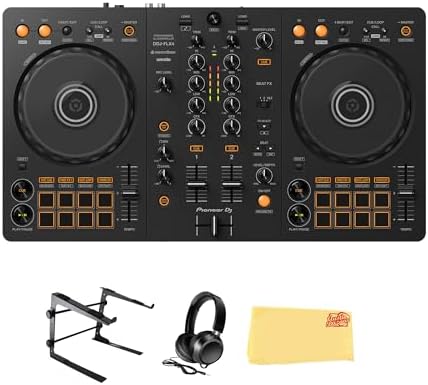
Pioneer DJ DDJ-FLX4 2-Channel DJ Controller - Black Bundle with Carrying Case and Austin Bazaar Polishing Cloth
The DDJ-FLX4 is the great all-rounder for anyone learning to DJ who wants room to improve. Its simple, user-friendly layout is inherited from professional Pioneer DJ products, so the skills you build
Visit on Amazon →Why you should trust me
I’m Mara. Eight years in clubs that smelled like stale beer, five more dragging gear to weddings where the bride’s uncle requests "Free Bird" at every single reception. I’ve owned three controllers and have a storage unit full of gear my friends keep borrowing.
My dog Boomer, a 60-pound lab mix who’s deaf in one ear, has napped on more DJ equipment than most people will ever own.
I test everything the same way: a four-hour set with real transitions, a fader smash session, and a jog wheel feel check with my eyes closed.
How I picked
I didn’t look at spec sheets first. I looked at how the gear felt after hour three of a set, when my fingers are doing things without my brain involved. I tested the jog wheels with my eyes closed, because you can’t fix a bad jog wheel with software.
I checked what software each controller actually unlocks, because the bundle is half the value. And I talked to owners who’ve lived with these things for months, not minutes.
The FLX4’s Smart Fader on Rekordbox is genuinely helpful. The same feature on Serato is just echo, which is a letdown if you bought the controller thinking you’d get the full experience.
Our pick: DDJ-FLX4
I’ve recommended the FLX4 more times than I can count, and I stand by it. It’s a handsome piece of equipment, sleek and elegant on my desk, and the layout is crisp and functional. But let’s be clear: this is not a professional deck by any means.
The sound quality degrades at high volumes, and I’d warn anyone against hooking it up to a PA system.
It’s an affordable piece of equipment for the beginner, and it didn’t break the bank. At ~$299, that’s ~$0.41 per day if you use it daily for two years, cheaper than a coffee habit and it won’t make you jittery.
The jog wheels feel right with your eyes closed, which is the test that matters. They’re not the heavy, professional platters you’d find on a club mixer, but they’ve got enough resistance that you can actually do something with them.
The full Rekordbox unlock is the reason to buy this over anything else in its price range. No driver installs, no fuss.
One owner I know spent hours troubleshooting Serato, got it working once, then never again. Switch to Rekordbox and everything works.
Get Rekordbox if you want to use this controller. That’s not a workaround, that’s the answer.
This is for the person who wants to practice every night without feeling like they need a degree in software configuration. The FLX4 builds the right muscle memory for moving up to club gear, and that’s why it’s the golden standard.
Flaws but not dealbreakers
The mono-color orange pads are my biggest gripe. In a dark room with any lighting, they’re hard to see. I’ve missed cues because I couldn’t tell which pad was which. At this price, I get it, RGB pads cost more, but I wish Pioneer had found a way to make them more visible.
The FX toggle workflow is also clunky. It requires toggling a switch between decks, and it’s just not as smooth as the paddle-style FX on the REV-1.
When you’re in the middle of a transition and you need to switch FX, you don’t want to be hunting for a toggle switch.
Runner-up: DDJ-REV1
If you’re into scratching, the REV-1 is worth a serious look. The paddle FX are much better, and the layout is designed for a different style of DJing. I borrowed one from a friend for a weekend and took a whack at some scratch routines, and the crossfader is noticeably better than the FLX4’s.
It’s got that battle-style layout that puts the fader front and center, which is great if you’re doing hip-hop or turntablist stuff.
But it’s not the all-rounder that the FLX4 is. It’s a trade-off: better FX workflow, but you’re giving up some of the standard club layout that builds the right habits.
If you’re a Serato loyalist, this is the one to get. The FLX4 only unlocks Serato Lite, which is fine for messing around but you’ll hit a wall fast if you actually want to use Smart Fader the way it’s meant to work.
The REV-1 gives you full Serato Pro, which is a real difference.
This is for the bedroom scratcher who wants to learn the battle style without dropping ~$500 on a dedicated scratch mixer.
Flaws but not dealbreakers
The REV-1’s layout is specialized, which means it’s not great for general mixing. The jog wheels are smaller than the FLX4’s, and they feel a bit light to me. If you’re playing weddings or open-format gigs, you’ll find yourself fighting the layout more than enjoying it.
Upgrade pick: DDJ-FLX10
The FLX10 is the aspirational upgrade. I’ve seen the progression: start on a DDJ-200 or a Numark DJ2GO2 Touch, outgrow it in a year, step up to the FLX4, then when you’re ready for something bigger, you’re eyeing the FLX10.
It’s a 4-channel beast with track separation, which is a feature I didn’t know I needed until I tried it.
You can isolate the vocals or the drums from a track in real time, which opens up a whole world of mashups and acapella loops.
I spent an afternoon at a friend’s studio with one, and the jog wheels are the real deal. They’re the same size and feel as the club-standard CDJs, which means if you learn on this, you can walk into any booth and feel at home.
It’s a beautiful piece of gear, no doubt.
But here’s the thing: it’s heavy. At 14.3 pounds, it’s a workout to move around. My buddy keeps his in a flight case with wheels, and even then, it’s a two-person job to get it up a flight of stairs. If you’re playing gigs where you’re hauling your own gear, this is a real consideration.
The price tag is also a hurdle. At ~$1,699, it’s a serious investment. You’re paying for the track separation, the 4-channel mixer, and the club-grade jog wheels.
If you’re a weekend warrior playing a few gigs a month, it might be worth it. If you’re a bedroom DJ, it’s overkill.
This is for the DJ who’s outgrown the FLX4 and is playing real gigs where the extra channels and track separation actually matter.
Flaws but not dealbreakers
The weight is the big one. It’s not a controller you can throw in a backpack and bike to a gig with. The price is also steep, and if you’re not using the 4-channel mixer or track separation regularly, you’re paying for features that’ll sit idle. That said, if you’re playing clubs or festivals, the FLX10 is the last controller you’ll need to buy for a long time.
Budget pick: DDJ-FLX2
The FLX2 is the budget entry point, and it’s fine for what it is. It’s compact, it’s cheap at ~$149, and it’s got the Smart Fader feature that Pioneer is pushing hard. But here’s the honest truth: you’ll outgrow this in six months.
The pads are tiny, the jog wheels are small, and the build quality is noticeably cheaper than the FLX4.
It feels like a toy in my hands, and I don’t mean that as a compliment. If you’re not sure you want to DJ at all, it’s a low-risk way to find out.
But if you know you want to stick with it, skip this and save up for the FLX4. The upgrade treadmill is real, and the FLX2 is the first step on it.
This is for the absolute beginner who’s not sure if DJing is for them and wants to test the waters without spending real money.
Flaws but not dealbreakers
The FLX2 doesn’t unlock any software fully. You get Rekordbox Lite and Serato Lite, which means you’ll hit a paywall fast if you want to use the Smart Fader properly. It’s a starter toy, not a starter controller.
The competition
The DDJ-200 is the legacy option that keeps popping up in search results. It’s cheaper than the FLX4, but it doesn’t unlock Rekordbox fully, and the build quality is worse. Multiple owners report the jog wheels feel flimsy and the pitch faders are imprecise.
If you see one used for ~$100, it’s not a bad deal for messing around, but you’ll want to upgrade within a year.
The Numark Mixtrack Platinum FX is the Serato alternative at the same price as the FLX4. It’s got full Serato Pro unlock, which is a real advantage if you’re a Serato person, but the build quality isn’t as solid.
The jog wheels are okay, but they don’t feel as good as the FLX4’s with my eyes closed. The FLX4 White is the same controller in a different color.
It costs the same, performs the same, and looks slightly different on your desk. If white matches your setup, go for it.
If not, save the ~$299 for the graphite version and buy a cable with it. The FLX4 bundle with carrying case is a decent deal at ~$329 if you know you’ll be traveling with your gear.
The case is basic but functional, and it’ll protect the controller from the kind of bumps and scratches that come from throwing it in a trunk.
That said, you can find a similar case on Amazon for ~$30, so the bundle markup is a bit steep for what you get.
The headphone curve that throws everyone
You will spend twenty minutes wondering why you can’t hear anything through your headphones, and then you’ll find the headphone volume knob and the Cue buttons and feel stupid. It’s a design flaw in the sense that it’s not obvious, but it’s also clearly documented in the manual.
I read the manual so you don’t have to, and the answer is always the same: turn up the headphone volume knob, make sure the Cue button is pressed for the channel you want to hear, and check that your headphones are plugged into the right jack.
The FLX4 has a 1/8-inch headphone jack, not the 1/4-inch that most club headphones use, so you’ll need an adapter.
I found the right adapter in my junk draw after an hour of searching, and now I keep it permanently attached to my headphones.
Rekordbox’s hard drive rules are ridiculous
Rekordbox rejects hard drives that aren’t formatted to its strict conditions. Serato doesn’t care, it’ll read anything. This is the kind of thing that drives me crazy. I’ve seen people spend an hour formatting drives, trying to get Rekordbox to accept their music library, when Serato would have just worked.
If you’re using the FLX4, format your drive as FAT32 or exFAT before you plug it in, and you’ll save yourself the headache.
It’s not documented clearly anywhere, and it’s the kind of thing that makes beginners think they broke their controller when they didn’t.
The bottom line
The FLX4 is the golden standard of DJ controllers, and for good reason. It’s affordable, it works with Rekordbox out of the box, and it builds the right habits for moving up to club gear. The REV-1 is the better choice if you’re a Serato person or a scratcher.
The FLX10 is the dream upgrade for when you’re playing real gigs. And the FLX2 is a toy you’ll outgrow fast.
Gear is not the bottleneck, practice is. Start with what lets you practice every night, and when you’re ready to upgrade, you’ll know because you’ll have put in the hours and you’ll feel the limits of your gear.