Related: Beginner DJ Setup Checklist: What You Actually Need
I have been asked what the best DJ controller for beginners is at nearly every wedding I have worked in the last five years, and my answer has gotten shorter over time. Buy the controller whose software you will actually open on a Tuesday night when nobody is watching. Gear is not the bottleneck. Practice is.
I have played eight years of club sets and five years of weddings, from 200-capacity basements to a 4,000-person warehouse, and I own three controllers. Every controller I write about gets the same treatment: a 4-hour set with real transitions, a fader smash session that would void any warranty, and a jog wheel feel check with my eyes closed. That last one sounds dramatic until you have tried to pitch bend on a plastic platter at 2 a.m. in front of a full room.
Here is the thing the spec sheets will not tell you. A controller is only as good as the software it ships with, and jog wheel feel is the soul of the machine. Cheap plastic wheels make every mix feel like a mistake, and RGB lights on a controller with weak faders is decoration, not feature. So this guide covers four controllers that fit different budgets and different stages of the same journey, plus the reference table I keep for comparing them at a glance.
Best Overall: Pioneer DJ DDJ-FLX4 2-Channel DJ Controller, 16 Pads, Graphite
This is the best gateway drug in DJing, and I do not say that lightly. Rekordbox is included, which means you are not paying a subscription just to get basic features, and the jog wheels are genuinely decent for the price. Decent matters. It means you can learn to pitch bend and scratch without fighting the hardware, and it means the first hour of a set, the one where you read the room and the gear reveals itself, is not spent compensating for your controller.
The 16 pads are the part beginners underrate. Hot cues, samples, loop rolls, all the tools that make a two-channel setup feel bigger than two channels. You do not need four channels to start. You need two solid channels and a brain that plans transitions, and this thing gives you both without asking for a second mortgage.
It also resells easily when you upgrade, which is its own kind of insurance. Two channels is not a limitation for a beginner, it is a curriculum. When you finally outgrow it, the market will happily take it off your hands. The main knock is that it is still plastic, and the industry standard badge comes with an industry standard tax. But of the four controllers here, this is the one I would hand to a friend who asked me tonight.
Best Four-Channel Step Up: Pioneer DJ DDJ-FLX10 4-Channel DJ Controller, Track Separation, Black
The DDJ-FLX10 is a 4-channel controller with track separation, which is the feature the name leads with and the feature that earns the price tag. Four channels means you can hold a loop on one deck, run a vocal on another, and still have room for the next track. Track separation means you can work with the parts of a song instead of the whole file, which is how a lot of modern mixing and mashup work actually happens.
The industry standard is the standard for a reason. Pioneer did not get there by accident, and if you plan to play in clubs, this is the layout you will find when you walk into a booth. Learning on the same channel strip arrangement you will meet at a gig removes one entire layer of stress from your first paid set.
That said, be honest about why you want it. If you are three months in and still working out gain staging, four channels will not fix a mix that clips, and this is a lot of money to spend on channels you are not using yet. Buy it when the music you play genuinely needs a third and fourth deck, or when you are already playing out and want the booth layout at home. Before you commit, check how the platters feel with your eyes closed. On a controller at this level, feel is the whole point.
Best Compact Option: AlphaTheta DDJ-FLX2 Compact 2-Channel DJ Controller, Smart Fader, USB-C
This is the newest compact 2-channel option in this group, and the name tells you exactly what it is built around: Smart Fader and USB-C. USB-C is a small thing that matters more than people admit. It means one cable to your laptop, no dongle bag, no adapter that dies at the worst possible moment.
Smart Fader is the feature that will decide whether this controller is for you. If you are brand new and your biggest fear is a transition landing wrong while people are watching, an assist feature that smooths the blend is a real confidence tool in the first weeks. My caution is the same one I give about every assist: it should teach you, not do the job for you. Learn what a good blend sounds like, then practice making it happen with your hands.
Compact also means compact, and that is the trade. Smaller platters, tighter hand room, less space between the channel faders than a full-size layout. I would not make this the only controller a serious beginner learns on, because cramped faders encourage timid hands. As a second rig, a travel controller, or a small-apartment setup, it is a sensible pick, and the price reflects that. If you go this route, test the crossfader early and often so you know what you are working with before a gig.
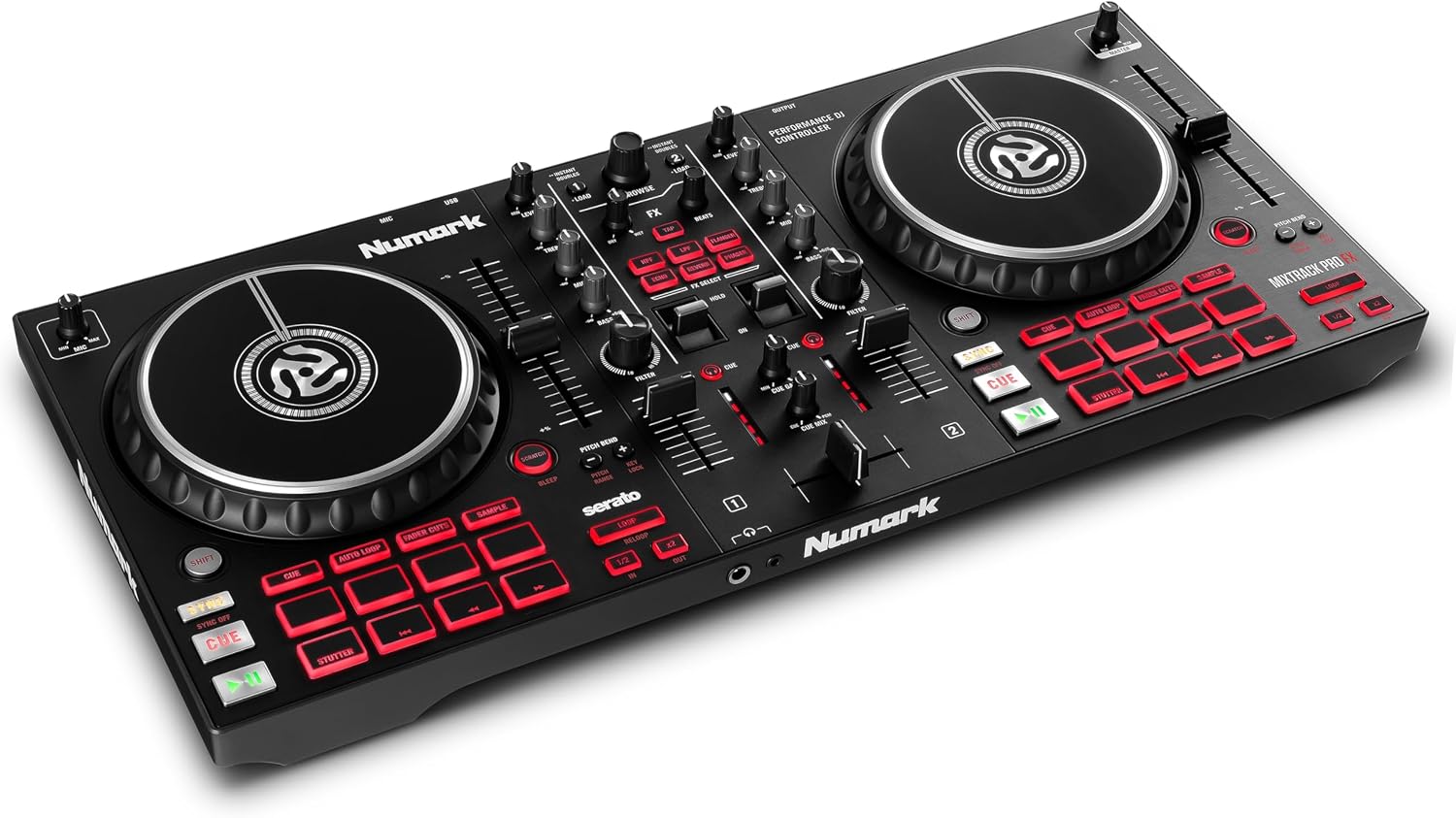
Best Budget Pick: Numark Mixtrack Pro FX DJ Controller
The Mixtrack line is fine for bedroom DJs, and I mean that as a real compliment and a real limit at the same time. If your budget is the hard ceiling and your plan is to practice in your room every night for a year, this will get you mixing. The layout is friendly, the price is friendly, and a lot of people have learned their first transitions on a Mixtrack.
Here is my honest concern, and it is the same one I have had about this line for years: the faders feel like they are made of hope. Faders die. The question is whether they die at a gig or after 500 hours in the studio, and budget faders tend to make that choice for you at the worst moment. That is not a dealbreaker for a bedroom controller. It is a dealbreaker for a paying gig.
So treat this as a practice tool with a known expiration date. If you can stretch your budget, the Pioneer DJ DDJ-FLX4 is the better long game, because the software bundle and the resale value both work in your favor. If you cannot stretch, buy the Mixtrack, mix on it every night, and put five dollars a week aside for the upgrade.
How I test a DJ controller
Every controller that gets written about here goes through the same three-part test, and thirty minutes of playing around does not count.
The set test is a 4-hour session with real transitions, not a playlist on autopilot. That is the only way to find out whether the layout stays comfortable in hour three, when your hands are tired and you are not looking at the labels anymore.
The fader smash is exactly what it sounds like. A full session of aggressive cuts on the crossfader and the channel faders, which is the closest thing to a year of gigs you can compress into an afternoon.
The jog wheel check happens with my eyes closed. Close your eyes and touch the platter. That is the review. Resistance, weight, and how the wheel responds to a small nudge tell you more than any spec line ever will.
On top of that, I ask three questions. Can I play a full night on this without babysitting it? What software ships with it, because the bundle is half the value? And would I trust these faders at a paying gig? If the answer to the last one is no, it is a practice tool, and I will say so.
Analysis and test results: what actually separates these four
The gap between these controllers is not about channel count. It is about feel, software, and who the machine is built for.
Jog wheel feel sorts them first. The DDJ-FLX4 clears the bar for a beginner, which is why it takes the top spot. The compact AlphaTheta DDJ-FLX2 is a smaller instrument by design, and smaller platters mean less room for a confident pitch bend. The DDJ-FLX10 is in a different category entirely, and at that level you should be checking platter feel before you check anything else on the box.
Faders sort them second. Cheap faders do not fail in a dramatic way. They get scratchy, then they get noisy, then one side of the crossfader is louder than the other and you start riding the trim to hide it. That is the Mixtrack's weakness, and it is worth naming out loud rather than pretending a budget controller is a gigging controller.
Software sorts them third, and for a beginner it might be the most important column. A controller is only as good as the software it ships with. A bundle that includes the full version of a real DJ platform, with no subscription wall in front of basic features, is worth more than an extra pad mode. Pay attention to that before you pay attention to the RGB.
Then there is the thing nobody buys gear for: gain staging. No controller fixes a mix that clips, and no controller fixes transitions that were never planned. The best hardware in this list will still sound bad in the hands of someone who has not practiced. That is not a reason to buy cheap. It is a reason to buy once, learn properly, and stop blaming the gear.
Controller reference table
This is the short version I keep for myself when someone asks. Every row links to the same listing I would send a friend.
| Controller | Channels | Signature feature | Who it is for |
|---|---|---|---|
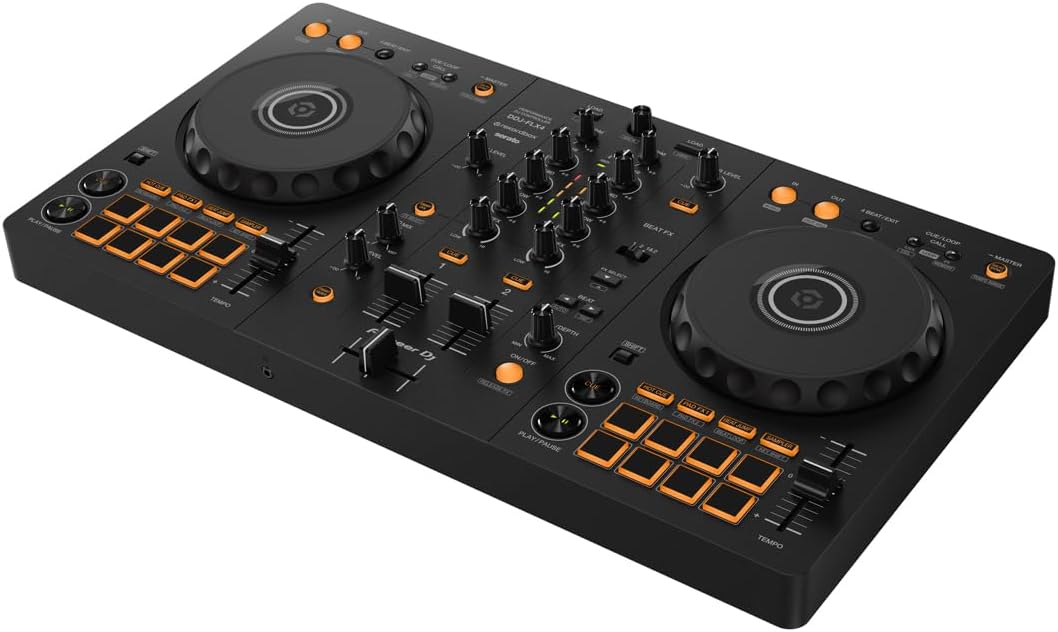 Visit on Amazon → Visit on Amazon →Pioneer DJ DDJ-FLX4 |
2 | Rekordbox included, 16 pads | Most beginners. Best overall |
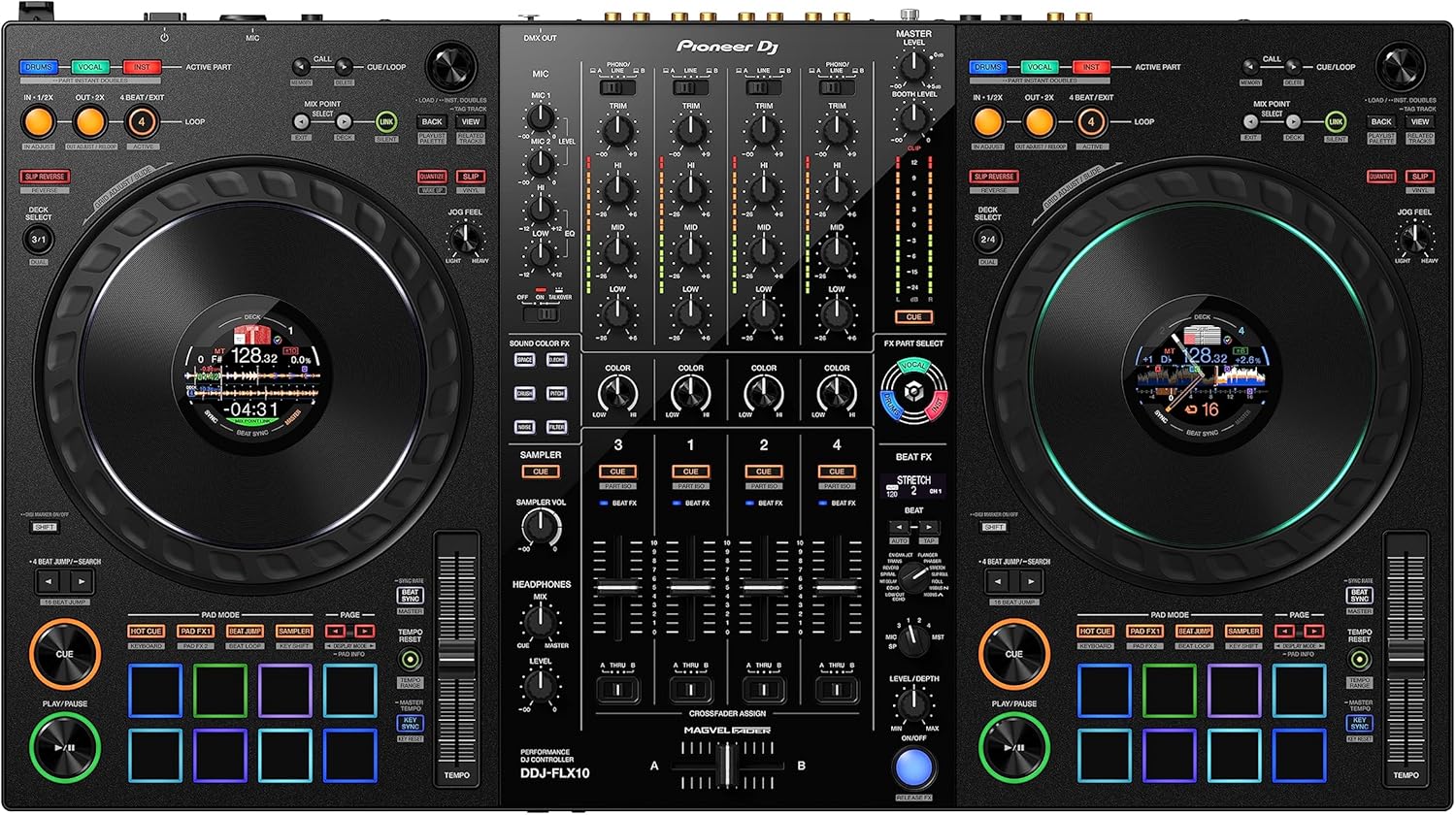 Visit on Amazon → Visit on Amazon →Pioneer DJ DDJ-FLX10 |
4 | Track separation | DJs already playing out |
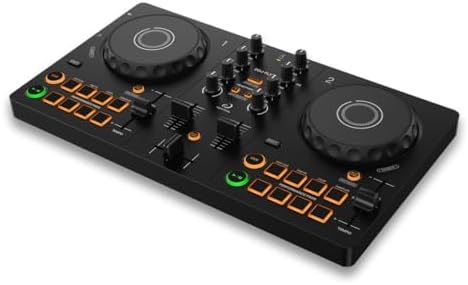 Visit on Amazon → Visit on Amazon →AlphaTheta DDJ-FLX2 |
2 | Smart Fader, USB-C | Small desks and second rigs |
 Visit on Amazon → Visit on Amazon →Numark Mixtrack Pro FX |
2 | Budget entry point | Bedroom practice on a tight budget |
Read that table the way I do. Two channels is not a penalty box, it is where almost everybody should start. Four channels is a tool for a specific job, not a status symbol. Compact is a trade, not a free upgrade. And the cheapest row is the one most likely to end up as a backup controller in a closet once the faders start talking.
Should you buy the Pioneer DJ DDJ-FLX4?
Yes, for most people. Rekordbox is included, the jog wheels are decent for the money, the 16 pads give you room to grow, and it resells easily when you move up. It is the best gateway drug in DJing, and it is the controller I would buy first if I were starting over today.
Should you buy the Pioneer DJ DDJ-FLX10?
Only if you already play out or you know you need four channels. It is a 4-channel controller with track separation, and it is priced like the professional tool it is. If you are still learning gain staging and planning your first transitions, two channels will teach you faster and cheaper. Buy this when the music demands it.
Should you buy the AlphaTheta DDJ-FLX2?
If your desk is small, your bag is small, or you want USB-C and a Smart Fader to lean on while you build confidence, it makes sense. Just go in knowing that compact platters are compact platters. As a second controller or a travel rig, yes. As the only controller you ever learn on, I would rather see you on something with more hand room.
Should you buy the Numark Mixtrack Pro FX?
If the budget is genuinely fixed and you will practice at home, yes, and it will do the job. If you can stretch to the Pioneer DJ DDJ-FLX4, do that instead. The faders are the weak point, and the hour where a fader gives up is never the hour you chose.
The bottom line
Whatever you buy, buy the bundle, not the badge. A controller is only as good as the software it ships with, and the best DJ controller for beginners is the one you will plug in tomorrow night without making excuses. Two solid channels, a real software bundle, and jog wheels that feel like an instrument. That combination is worth more than four channels you are not ready for.